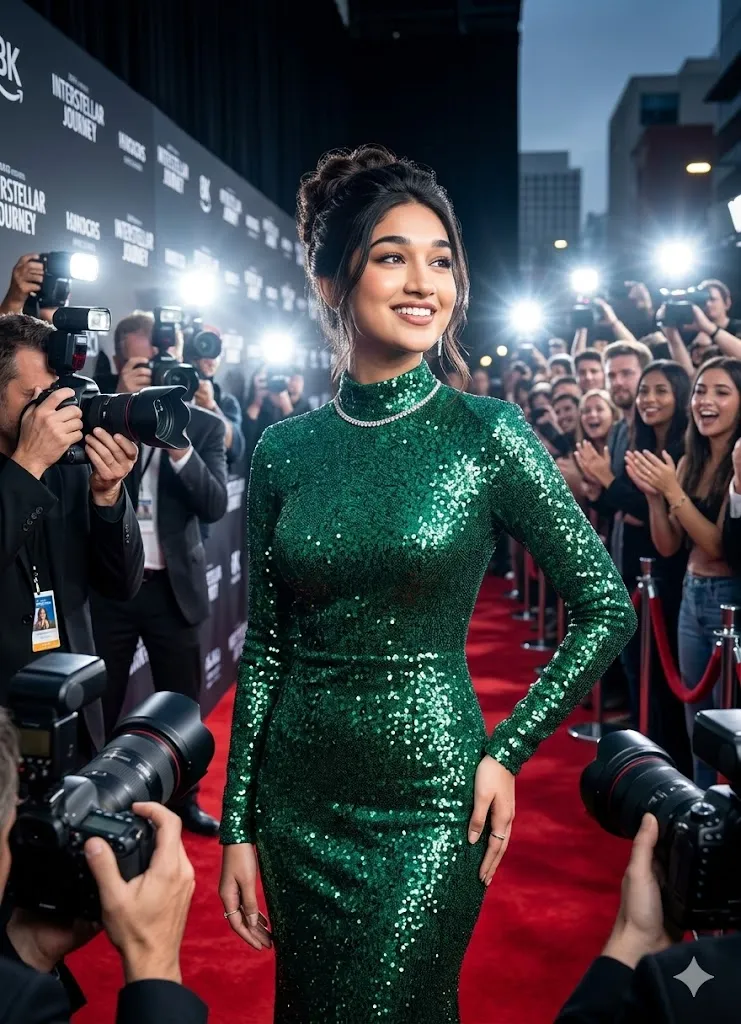
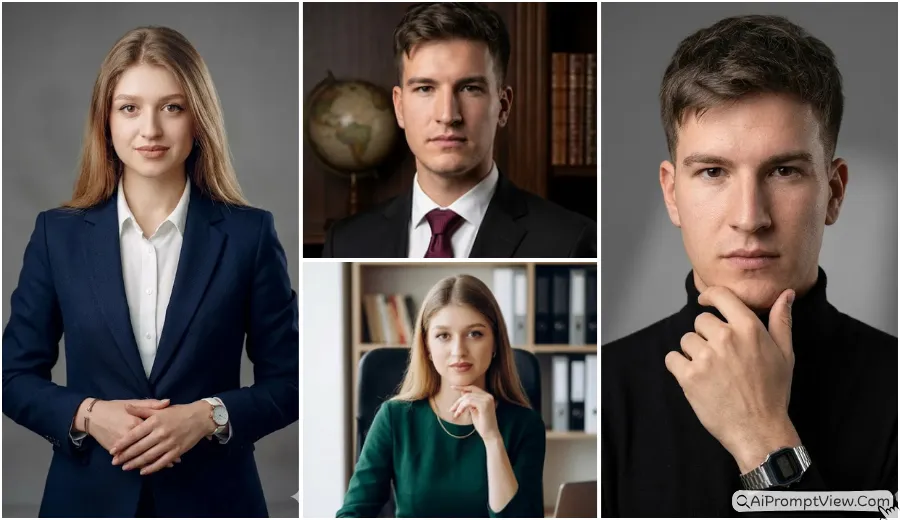
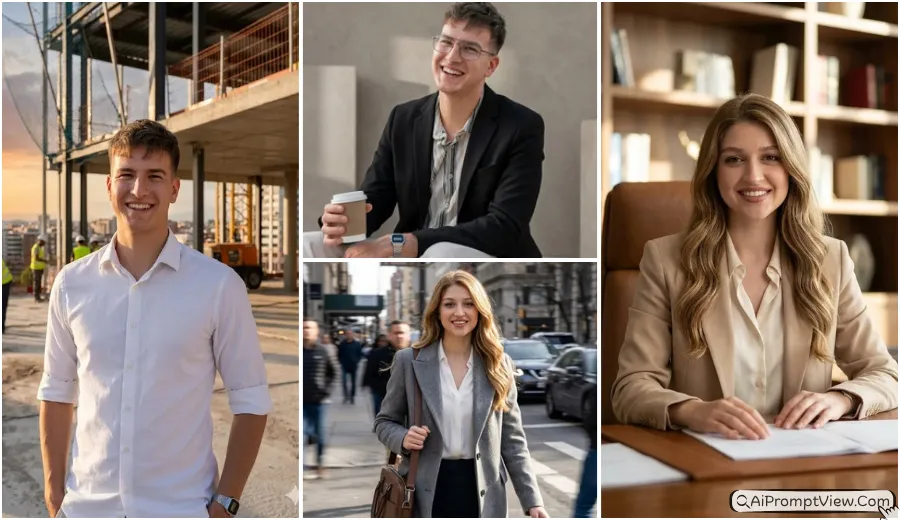
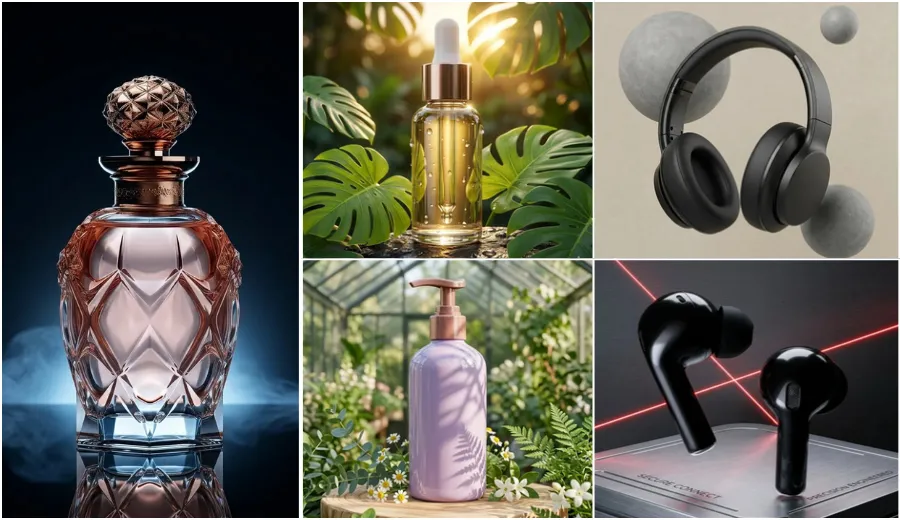
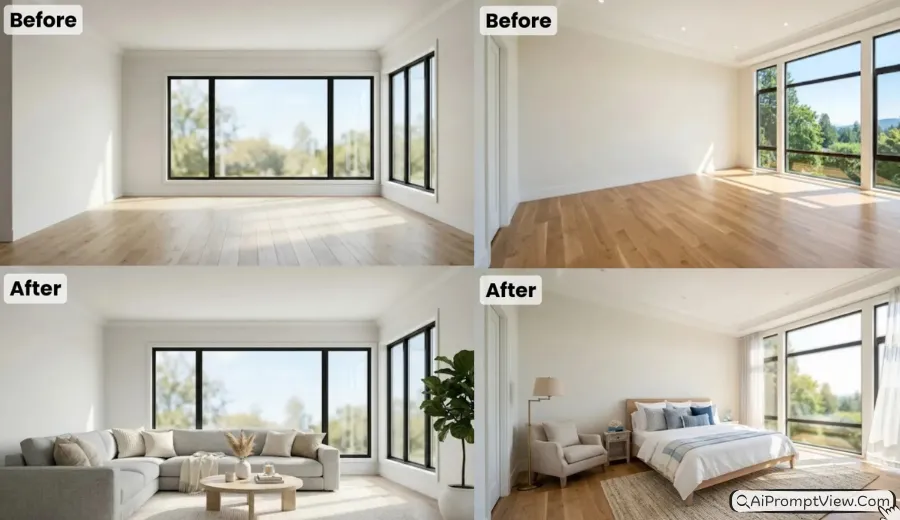
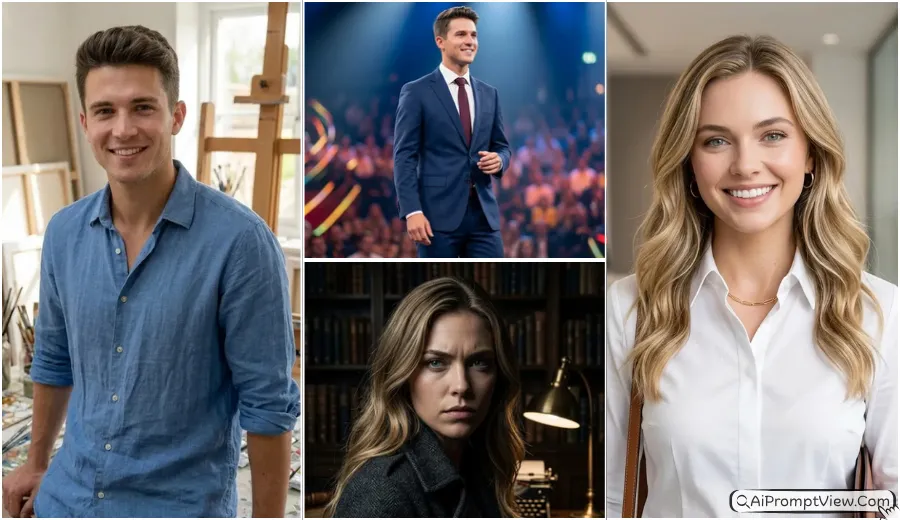
AI product photography with models is now helping creators make luxury brand style photos without using a costly studio setup. With the right prompts, you can turn simple product photos into full cinematic product shoots with realistic models, natural skin texture, premium lighting, and high quality commercial style results. In this article, you will get detailed prompts for jewellery, watches, skincare, perfume, handbags, and more.
You can use these prompts inside Gemini AI, Flow AI or ChatGPT for realistic AI photo editing. Just upload your original product image and copy paste the prompt. These prompts are written in a natural editing style so the uploaded product stays exactly the same while the AI creates a professional model photoshoot around it with realistic shadows, skin tone, reflections, and cinematic quality.
Jewellery Product Photography Prompts With Models
Here you will get luxury jewellery prompts with realistic models and premium cinematic fashion photos.
1. Diamond Necklace Luxury Model Photoshoot Prompt
Use this when you want premium jewellery brand style photos with soft luxury studio lighting.
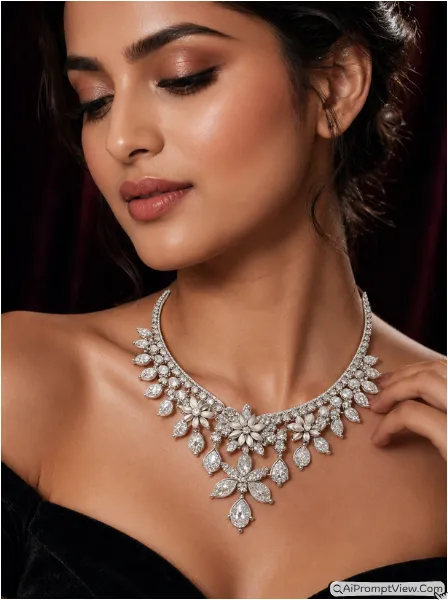
Edit my uploaded diamond necklace photo into a luxury commercial fashion shoot. Keep the necklace design exactly the same as uploaded without changing shape, color, shine, or details. Add a realistic Indian female model wearing the necklace naturally on her collarbone. Give her soft makeup and an elegant expression. Create a dark velvet studio background with cinematic rim lighting so the diamonds shine naturally. Add realistic skin texture, soft shadows, detailed reflections, and premium jewelry shine. Use an 85mm camera look with shallow depth of field. Make the final image fully hyper realistic like a luxury fashion brand campaign photo.
2. Traditional Gold Earrings Model Editing Prompt
Try this for realistic bridal jewellery photos with natural sunlight and sharp gold details.
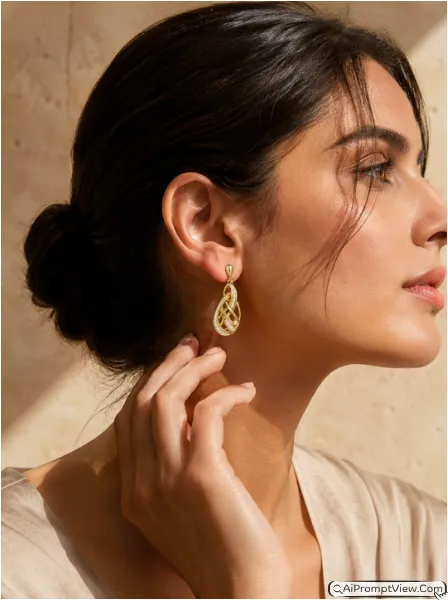
Edit my uploaded gold earrings photo into a realistic fashion editorial image. Keep the earrings exactly the same as the uploaded image with original texture and gold tone. Add a realistic female model in side profile gently touching one ear with her hand. Use a soft beige marble wall background with bright natural sunlight coming from one side. Show clean skin texture, natural pores, realistic hand details, and soft hair strands. Create sharp but natural shadows around the earrings so they blend perfectly with the model. Make the final photo look like a premium jewellery advertisement with cinematic quality and realistic details.
3. Minimal Wedding Ring Lifestyle Prompt
Use this when you want emotional cafe style wedding ring photos with warm luxury vibes.
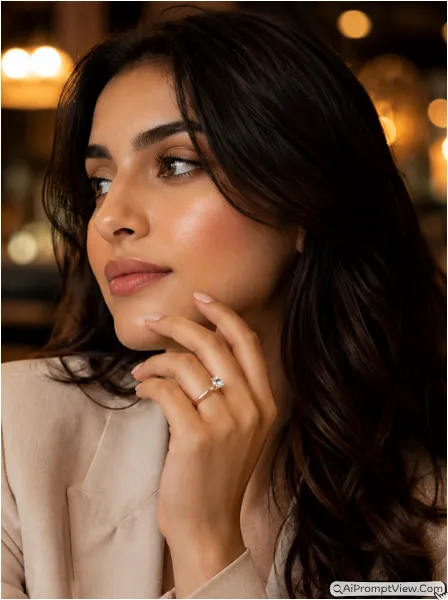
Edit my uploaded wedding ring photo into a luxury cafe lifestyle image. Keep the ring exactly the same without changing design or reflections. Add a realistic model sitting inside a premium cafe with warm blurred lights in the background. Show the model resting one hand near the chin while wearing the ring naturally on the finger. Add warm ambient lighting, realistic skin texture, finger lines, soft reflections on the ring, and natural shadows. Make the image feel emotional and premium like a real wedding jewellery campaign photo with full hyper realistic details and natural depth.
4. Luxury Bracelet Commercial Prompt
Try this for rich luxury bracelet ads where the wrist and metal shine look realistic.
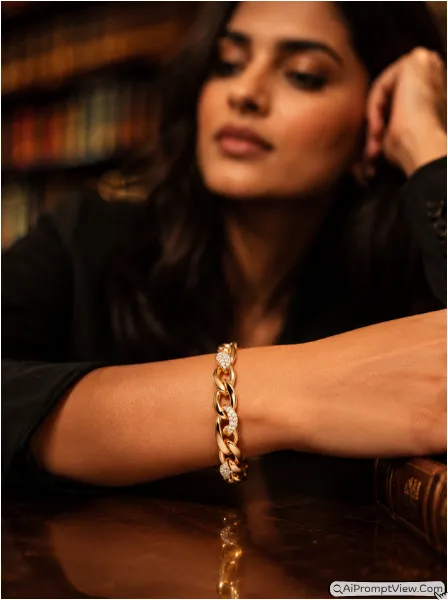
Edit my uploaded bracelet photo into a cinematic luxury photoshoot. Keep the bracelet exactly the same as uploaded with original texture and shine. Add a realistic model resting their hand on a polished dark wood table inside a luxury library setting. Keep the face softly blurred in the background while the bracelet stays in sharp focus. Add warm spotlight lighting on the wrist area with realistic skin texture, natural arm shadows, and premium cinematic color tones. Make the bracelet look naturally worn with proper reflections and realistic metal details. Final result should look like a luxury fashion advertisement shot with a professional camera.
Watches And Accessories AI Photoshoot Prompts
Here you will get luxury watch, sunglasses, and fashion accessory photoshoot editing prompts.
5. Executive Watch Photoshoot Prompt
Use this for professional watch brand photos with office style luxury business atmosphere.
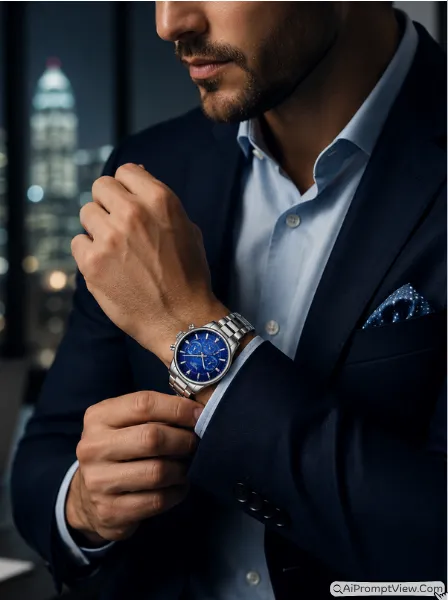
Edit my uploaded luxury watch photo into a professional business photoshoot. Keep the watch exactly the same without changing dial design, straps, or reflections. Add a realistic male model wearing a navy blazer while adjusting his cuff. Create a modern office background with blurred city lights and premium corporate style atmosphere. Add cool studio lighting with realistic metallic reflections on the watch glass. Show detailed skin texture, realistic fabric folds, and natural shadows. Make the image fully hyper realistic like a luxury watch advertisement for a premium brand magazine.
6. Premium Sunglasses Lifestyle Prompt
Try this when you want outdoor luxury fashion photos with realistic beach lighting effects.
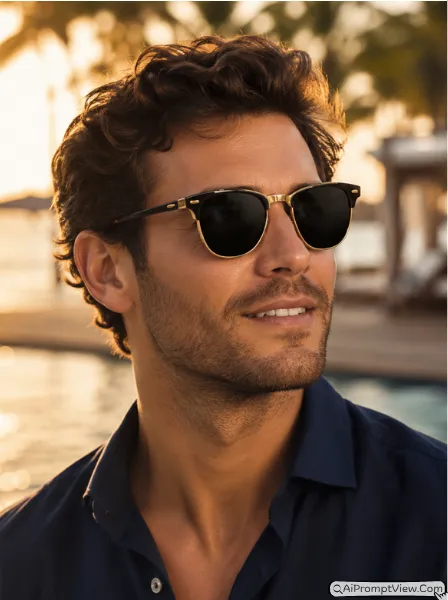
Edit my uploaded sunglasses photo into a luxury outdoor lifestyle portrait. Keep the sunglasses exactly the same as the original uploaded image. Add a realistic model looking toward sunlight with a confident smile. Create a blurred beach resort background during golden hour lighting. Add warm skin tones, realistic face texture, detailed hair strands, and natural reflections on the sunglasses lens. Make the sunglasses fit naturally on the face shape with realistic shadow placement. Final image should look like a premium fashion brand photoshoot with cinematic outdoor quality and realistic details.
7. Leather Strap Watch Vintage Prompt
Use this for vintage luxury watch edits with realistic sunlight and cinematic road background.
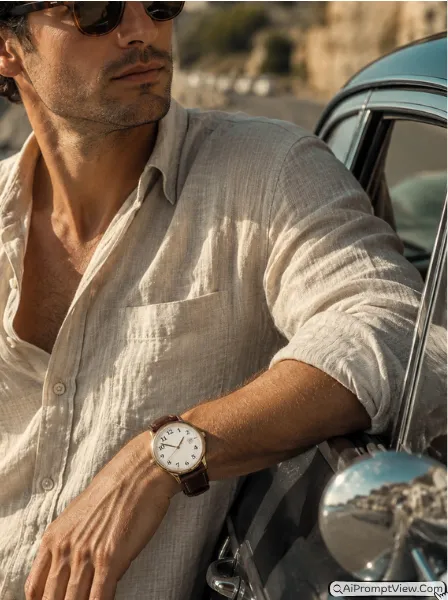
Edit my uploaded leather watch photo into a realistic vintage style fashion photo. Keep the watch design and strap exactly the same. Add a realistic model leaning near a vintage car while wearing a simple linen shirt. Create a sunny coastal road background with warm daylight. Add realistic shadows, skin texture, natural reflections on the watch glass, and detailed leather texture. Give the final image a soft cinematic film style look while keeping the product fully sharp and realistic. Make the watch look naturally worn on the wrist with correct lighting direction and real depth.
8. Luxury Silk Scarf And Pin Prompt
Try this for elegant fashion magazine style scarf photos with soft premium studio lighting.
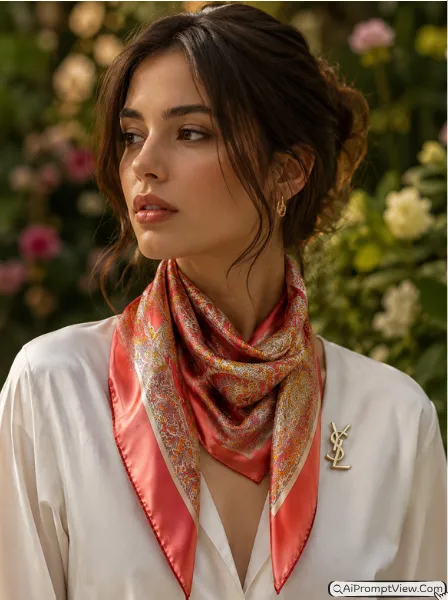
Edit my uploaded silk scarf and designer pin photo into a premium fashion portrait. Keep both products exactly the same as uploaded without changing texture or colors. Add a realistic female model wearing the scarf naturally around the neck. Create a blurred botanical garden background with soft studio lighting. Show realistic skin details, hair texture, fabric folds, and natural shadows around the scarf and pin. Make the metal pin reflect light naturally. Final image should look like a luxury fashion magazine photoshoot with realistic cinematic quality and elegant styling.
Skincare And Beauty Product Editing Prompts
Here you will get clean beauty and skincare product prompts with realistic glowing skin effects.
9. Hydration Serum Beauty Prompt
Use this when you want fresh skincare ads with glowing skin and realistic beauty photography.
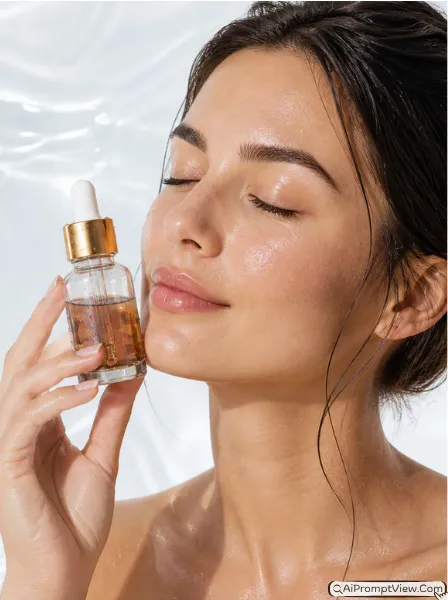
Edit my uploaded serum bottle photo into a realistic skincare advertisement. Keep the serum bottle exactly the same with original label and glass texture. Add a realistic female model holding the bottle softly near her cheek with eyes closed. Create a clean white beauty studio background with soft water ripple effects. Add bright studio lighting with realistic skin texture, natural glow, and soft liquid droplets on the bottle. Make the image look fresh and premium without making the skin look fake or plastic. Final result should look like a real skincare commercial photoshoot.
10. Matte Lipstick Commercial Prompt
Try this for luxury makeup photos where lipstick texture and skin details look fully natural.
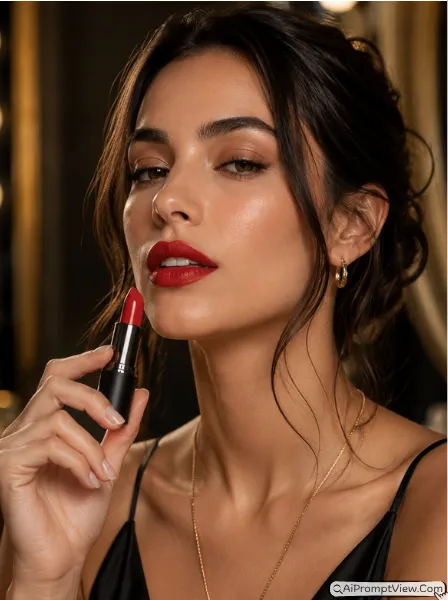
Edit my uploaded lipstick product photo into a beauty fashion photoshoot. Keep the lipstick design exactly the same with original packaging and color. Add a realistic female model holding the lipstick near her lips with a confident expression. Create a blurred luxury dressing room background with soft glamour lighting. Show realistic skin texture, natural lip details, and premium makeup finish. Add realistic reflections and shadows on the lipstick packaging. Make the final image look like a high end cosmetic brand advertisement with hyper realistic beauty photography quality.
11. Luxury Face Cream Ritual Prompt
Use this for calm spa style skincare photos with realistic morning light and soft skin tone.
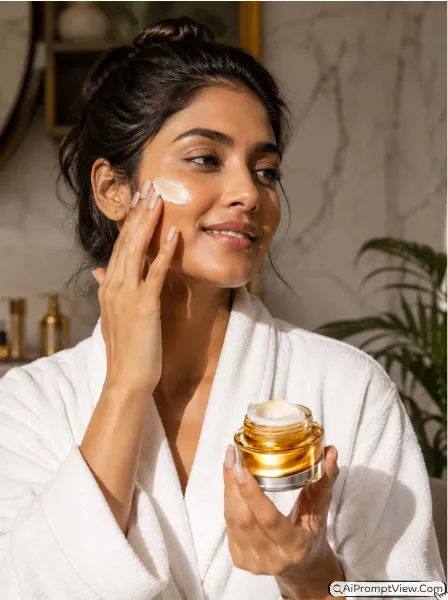
Edit my uploaded face cream jar photo into a realistic spa lifestyle image. Keep the cream jar exactly the same with original label and texture. Add a realistic Indian model wearing a white spa robe while holding the cream jar naturally. Create a luxury bathroom background with marble textures and indoor plants. Add soft morning light entering from the side with realistic skin texture and natural hand shadows. Make the cream inside the jar look realistic and detailed. Final image should feel calm, premium, and fully cinematic like a luxury skincare campaign photo. She applying cream on her face, and happy expression.
12. Eye Cream Close Up Prompt
Try this when you want detailed skincare close ups with natural glowing under eye texture.
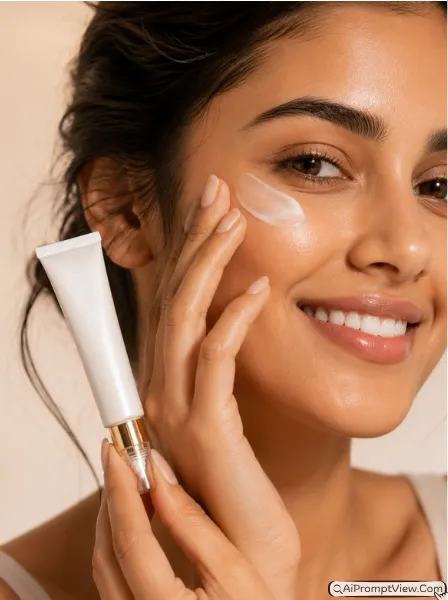
Edit my uploaded eye cream tube photo into a luxury skincare close up shot. Keep the product exactly the same with clear label details. Add a realistic close up of a female model showing glowing skin around the eyes while holding the tube naturally near the face. Use a soft pastel studio background with dramatic side lighting. Show realistic skin pores, eye details, soft shadows, and natural reflections on the product tube. Make the image look sharp, premium, and fully realistic like a professional anti aging skincare advertisement.
Perfume And Fragrance AI Photoshoot Prompts
Here you will get luxury perfume photography prompts with cinematic mood and realistic lighting.
13. Midnight Perfume Luxury Prompt
Use this for dark cinematic perfume ads with realistic luxury night lighting effects.
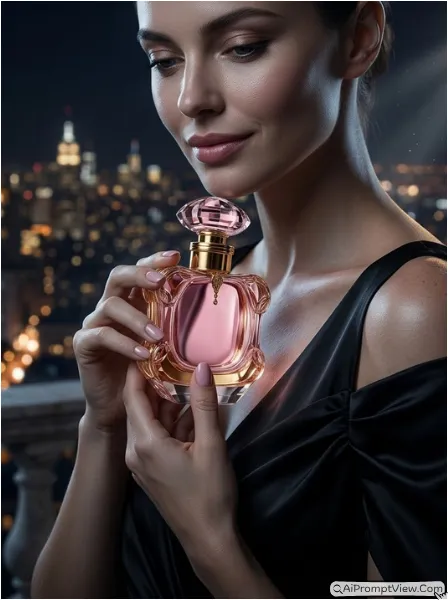
Edit my uploaded perfume bottle photo into a dark cinematic luxury portrait. Keep the bottle exactly the same with original reflections and design details. Add a realistic female model holding the perfume near her neck while wearing a black silk gown. Create a blurred balcony background with city lights during night time. Add cool moonlight mixed with warm golden highlights. Show realistic skin texture, detailed glass reflections, and soft cinematic shadows. Make the final image look like a premium perfume commercial with elegant and hyper realistic quality.
14. Floral Summer Perfume Prompt
Try this for soft outdoor perfume photos with fresh sunlight and natural fashion vibes.
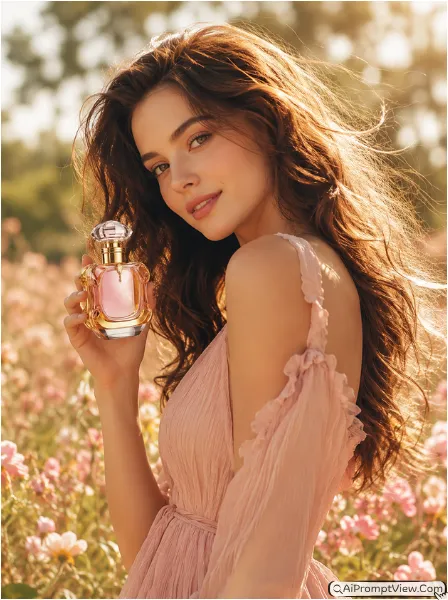
Edit my uploaded floral perfume bottle photo into a soft outdoor fashion photoshoot. Keep the perfume bottle exactly the same as uploaded. Add a realistic female model standing inside a sunny flower field while holding the perfume naturally in her hand. Use warm sunlight from behind to create natural glowing hair and soft skin lighting. Show realistic dress texture, natural shadows, and detailed perfume reflections. Make the image feel fresh, soft, and emotional like a real luxury fragrance campaign with cinematic realism.
15. Minimal Cologne Prompt
Use this when you want clean modern perfume ads with strong studio shadow effects.
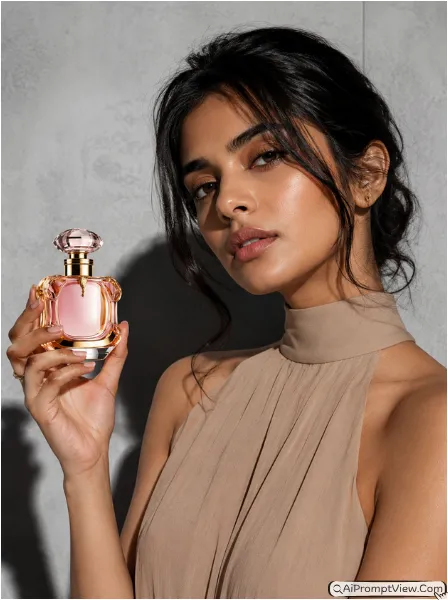
Edit my uploaded perfume bottle photo into a modern editorial studio photo. Keep the perfume bottle exactly the same with realistic glass texture and reflections. Add a realistic model wearing a beige high neck outfit while holding the bottle with a minimal pose. Create a grey concrete studio background with strong direct lighting and bold shadows. Show realistic skin texture, hand details, and premium fashion style atmosphere. Final image should look clean, sharp, and hyper realistic like a luxury magazine perfume advertisement.
16. Golden Oud Perfume Prompt
Try this for royal luxury perfume photos with rich warm lighting and premium background feel.
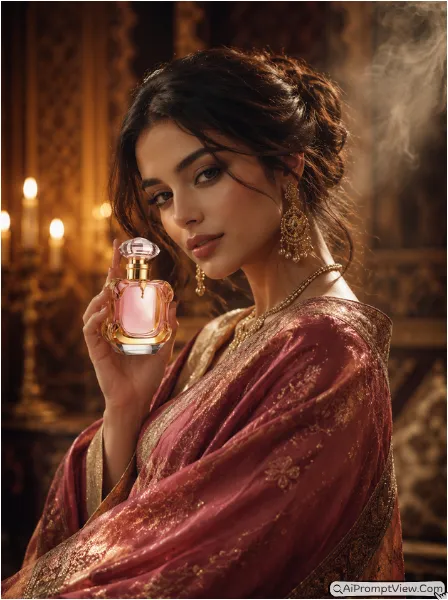
Edit my uploaded luxury oud perfume bottle photo into a rich royal style portrait. Keep the perfume bottle exactly the same without changing gold details or bottle shape. Add a realistic model wrapped in a rich shawl while holding the bottle naturally. Create a blurred royal palace background with warm candle lighting and soft smoke effects. Add realistic reflections on the bottle, natural skin texture, detailed fabric folds, and cinematic shadows. Make the image look luxurious, elegant, and fully realistic like a premium perfume campaign.
Handbags And Fashion Accessories Prompts
Here you will get stylish handbag and fashion accessory prompts with realistic model poses.
17. Premium Leather Tote Bag Prompt
Use this for realistic street style handbag photos with natural walking pose and shadows.
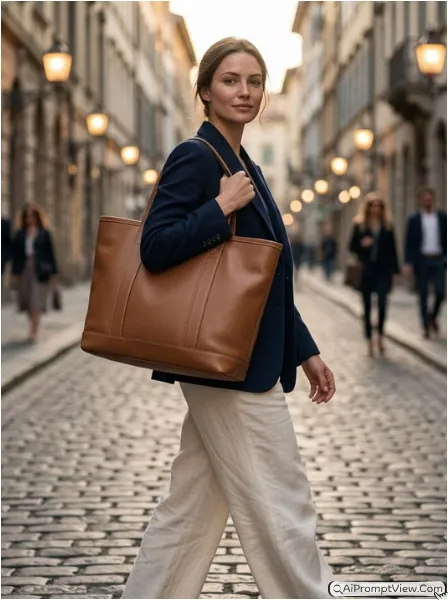
Edit my uploaded leather tote bag photo into a luxury street fashion image. Keep the bag exactly the same with original leather texture and stitching details. Add a realistic female model walking through a stylish city street while carrying the bag naturally on her shoulder. Create a blurred old European style road background with soft daylight. Show realistic shadows, skin texture, fabric movement, and natural strap tension on the shoulder. Final image should look like a premium handbag advertisement with realistic cinematic street photography quality.
18. Evening Clutch Bag Prompt
Try this when you want luxury party style clutch photos with elegant ballroom atmosphere.
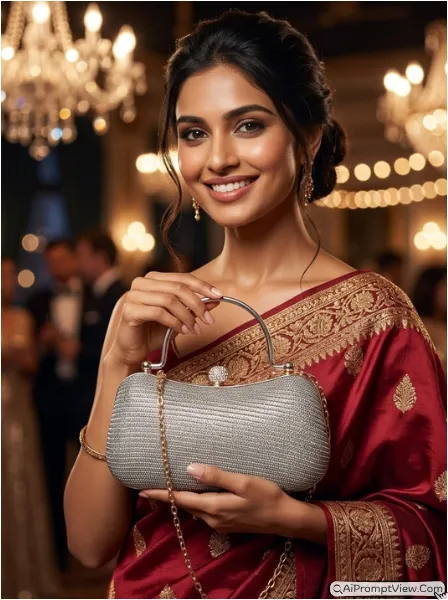
Edit my uploaded clutch bag photo into a luxury evening party photoshoot. Keep the clutch design exactly the same with original texture and shine. Add a realistic female model wearing a stylish evening gown while holding the clutch naturally. Create a blurred ballroom background with warm glowing lights. Add realistic dress texture, natural hand shadows, detailed skin texture, and premium reflections on the clutch surface. Make the final image look elegant and fully hyper realistic like a fashion brand campaign photo.
19. Trendy Crossbody Bag Prompt
Use this for modern fashion street photos with stylish casual outfit and realistic bag placement.
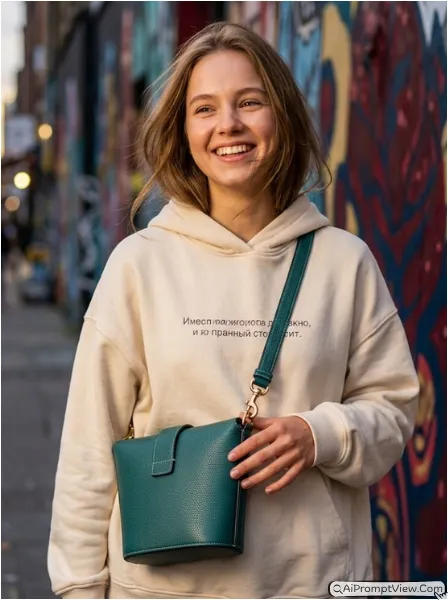
Edit my uploaded crossbody bag photo into a modern street style fashion shoot. Keep the bag exactly the same without changing color or design. Add a realistic young model wearing an oversized hoodie with the bag placed naturally across the chest. Create a colorful urban wall background with stylish city vibes. Add realistic shadows, fabric texture, detailed skin tone, and proper strap placement. Make the final image feel trendy and cinematic while keeping the bag as the main focus of the photo.
20. Luxury Suede Satchel Prompt
Try this for premium handbag studio photos with soft lighting and rich luxury fashion feel.
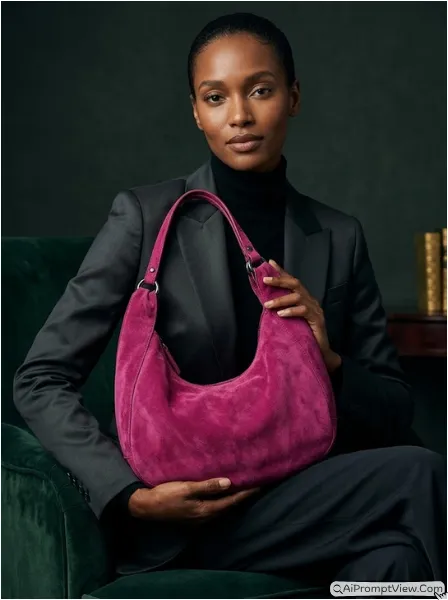
Edit my uploaded suede satchel bag photo into a premium studio fashion portrait. Keep the bag exactly the same with original suede texture and buckle details. Add a realistic female model sitting on a velvet chair while holding the satchel naturally. Create a dark green studio background with soft cinematic lighting. Show realistic skin texture, clothing folds, natural shadows, and detailed reflections on the bag hardware. Make the image look rich, elegant, and fully realistic like a luxury designer handbag campaign shoot.
Tips For Better AI Product Photography Results
- Use High Quality Product Images: Always upload clear and high resolution product photos. AI tools read textures, labels, shine, and edges better when the image quality is good. This helps create realistic final edits.
- Customize Model Look: If you want a specific model style then add words like realistic Indian woman, Korean male model, young adult female, or middle aged man inside the prompt.
- Match The Lighting Direction: If your original product image has light from the right side then use prompts with right side lighting. This makes shadows and reflections look natural.
- Keep Product As Main Focus: The model should support the product and not hide it. These prompts are written in a way that keeps your uploaded product as the hero of the final image.
- Avoid Cartoon Style Settings: For realistic commercial results always use words like hyper realistic, cinematic lighting, natural skin texture, realistic shadows, and premium commercial photography style.
FAQ
-
Can I use these prompts for free AI tools?
Yes, you can use these prompts in any free AI tool that supports photo editing via prompts.
-
Will the AI change my original product design?
I personally tested all these prompts to make sure your product photo gets edited well and the original product design does not change.
-
Which AI tool gives best product photography results?
I tried these prompts in Gemini , Flow AI, and ChatGPT image editor. All gave good results, so you can use any tool.
-
Can I use these prompts for Indian jewellery brands?
Yes, you can use these jewellery prompts for Indian jewellery brands. Just add Indian model in the prompt for realistic Indian style results.
Last Words
I personally tested many different AI product photography prompts before writing this article. Most prompts made the skin look fake or changed the original product too much. These prompts are written carefully so your uploaded product stays exactly the same while the AI creates a realistic luxury photoshoot around it. If you use clear product photos and proper lighting then these prompts can give very premium looking results for jewellery, skincare, perfume, watches, and fashion products.