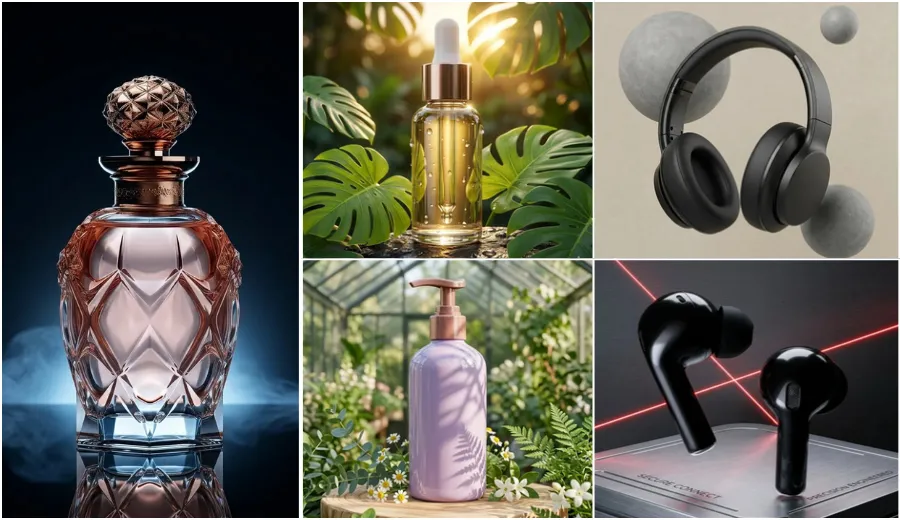
Product Photography Free Prompts 2026: AI prompts for luxury gold jewellery photography help you turn your normal jewellery photos into high quality, premium looking images. In this article, you will get free AI photo editing prompts for gold rings, maang tikka, nath, jhumka and long necklace. These prompts are made to create realistic gold shine, clear gemstone detail, soft lighting, and rich background. You can use them to make your jewellery photos look like professional product photography for online store, social media, or catalog use.
I have personally tested all these free prompts on different jewellery photos and then improved them step by step to get the best realistic results. You can use tools like Gemini AI, Flow AI tool or ChatGPT image editing, just upload your photo and copy paste any prompt from below. Your original jewellery design will stay safe while background and lighting will change into a luxury style.
Prompts for Luxury Gold Jewellery Photography
The prompts below cover different types of gold jewellery photography styles. You will find prompts for rings, maang tikka, nath, jhumka earrings, and long haaram necklaces. Some prompts focus on luxury catalogue photography, while others create bridal jewellery displays, premium showroom setups, and realistic luxury product shots with professional lighting and rich backgrounds.
Category 1: Royal Gold Rings Prompts
Rings are small but hold great detail. These prompts focus on macro (close-up) photography to show off the shine and carvings of your gold rings.
1. Silk Fabric Luxury Look
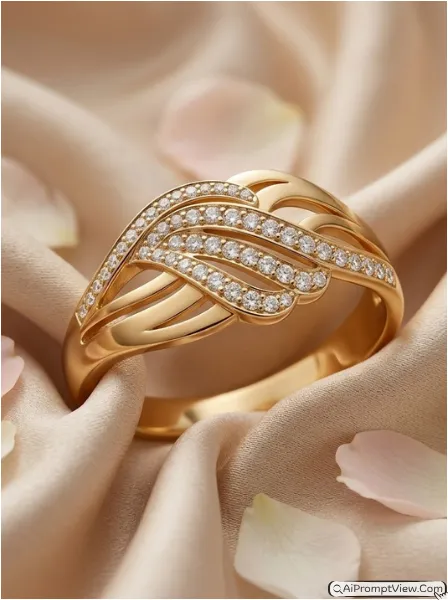
STAGE AND ENVIRONMENT SETUP CORE STYLE: Create a hyper realistic luxury gold ring product photograph with a premium jewellery brand catalogue feel. The image should look elegant, rich, and professionally captured. Use a vertical 4:5 macro composition with the ring as the main focus. STRICT PRODUCT IDENTITY LOCK ANTI AI REALISM: Edit the uploaded gold ring photo and use it as the only reference for design, shape, gemstone placement, engravings, metal texture, and proportions. Keep every detail exactly the same. Preserve true gold color, realistic reflections, and natural metal texture. PRODUCT POSITIONING AND DISPLAY COMPOSITION: Place the ring naturally between soft champagne colored silk fabric folds with luxurious depth and flow. Add a few blurred ivory flower petals around the outer frame. Keep the ring slightly elevated and perfectly centered. PROFESSIONAL CAMERA AND LIGHTING MATRIX: Use a professional 100mm macro lens look with sharp focus on the ring and soft background blur. Add warm diffused studio lighting from the front and side. Create realistic highlights on the gold surface and subtle sparkle on gemstones. BACKGROUND AND ENVIRONMENT: Use premium champagne silk with visible fabric texture and soft luxury tones. Keep the background clean and softly blurred to maintain full attention on the jewellery. NEGATIVE PROMPT: product redesign, gemstone replacement, metal color shift, unrealistic reflections, plastic texture, artificial AI look, over smoothing, cartoon rendering, anime style, harsh digital HDR, distorted jewellery shape, duplicate stones, cluttered backgrounds, text overlays.
2. Velvet Box Presentation
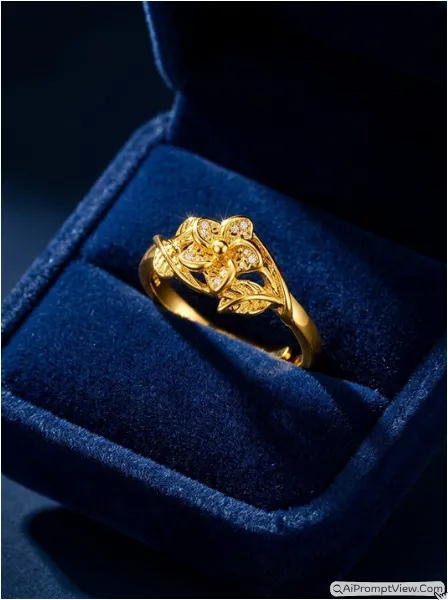
STAGE AND ENVIRONMENT SETUP CORE STYLE: Create a hyper realistic luxury jewellery advertisement featuring a premium gold ring inside a high end presentation box. The image should feel exclusive, elegant, and suitable for a luxury jewellery campaign. Use a vertical 4:5 close product composition. STRICT PRODUCT IDENTITY LOCK ANTI AI REALISM: Edit the uploaded ring photo and use it as the only reference for design, engraving details, gemstone arrangement, metal texture, and proportions. Do not change any jewellery details. Preserve authentic gold shine and realistic stone appearance. PRODUCT POSITIONING AND DISPLAY COMPOSITION: Place the ring inside an open deep navy blue velvet jewellery box positioned at a slight angle. Keep the ring perfectly upright and clearly visible. Show realistic velvet texture and premium product placement. PROFESSIONAL CAMERA AND LIGHTING MATRIX: Use a professional 85mm macro photography look with sharp focus on the ring. Add focused spotlight illumination on the jewellery while keeping shadows soft and natural. Create realistic sparkle on gemstones and controlled highlights on gold edges. BACKGROUND AND ENVIRONMENT: Use a dark luxury jewellery store style background with soft blur and subtle depth. Keep all attention on the ring and velvet presentation box. NEGATIVE PROMPT: product redesign, gemstone replacement, metal color shift, unrealistic reflections, plastic texture, artificial AI look, over smoothing, cartoon rendering, anime style, harsh digital HDR, distorted jewellery shape, duplicate stones, cluttered backgrounds, text overlays.
3. Marble Reflection Style
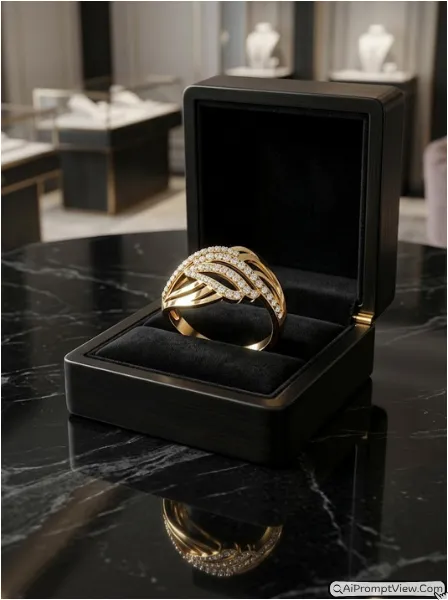
STAGE AND ENVIRONMENT SETUP CORE STYLE: Create a hyper realistic luxury gold ring product photograph with a premium showroom appearance. The image should feel sophisticated, clean, and expensive. Use a vertical 4:5 product photography composition with elegant visual balance. STRICT PRODUCT IDENTITY LOCK ANTI AI REALISM: Edit the uploaded gold ring photo and use it as the only source for design, stone placement, engraving details, shape, and proportions. Preserve every jewellery detail exactly as uploaded. Maintain realistic gold color and natural reflections. PRODUCT POSITIONING AND DISPLAY COMPOSITION: Place the ring on a polished black marble platform with a subtle reflection beneath it. Position the ring slightly away from the camera to showcase it as a luxury product display. Keep the composition clean and premium. PROFESSIONAL CAMERA AND LIGHTING MATRIX: Use a high end 100mm macro lens appearance with sharp focus on the jewellery. Add soft side studio lighting and controlled reflections across the gold surface. Enhance gemstone brilliance while keeping the lighting realistic. BACKGROUND AND ENVIRONMENT: Use a softly blurred luxury jewellery boutique environment with elegant dark tones and subtle depth. Show realistic marble texture and premium presentation quality. NEGATIVE PROMPT: product redesign, gemstone replacement, metal color shift, unrealistic reflections, plastic texture, artificial AI look, over smoothing, cartoon rendering, anime style, harsh digital HDR, distorted jewellery shape, duplicate stones, cluttered backgrounds, text overlays.
Category 2: Maang Tikka Photography Prompts
Maang Tikkas require a sense of balance and traditional vibes. These prompts help place the jewellery on elegant busts or silk backdrops.
4. Antique Hanging Style
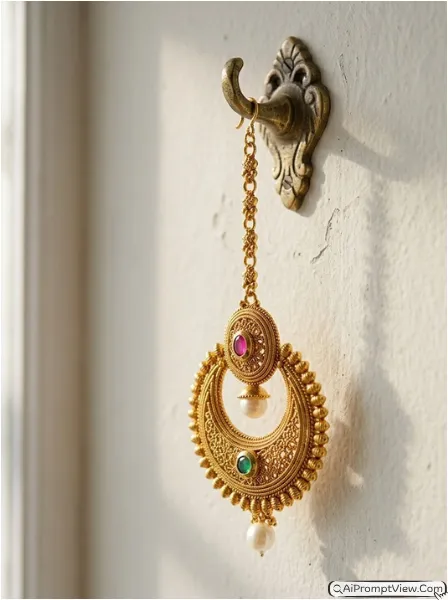
STAGE AND ENVIRONMENT SETUP CORE STYLE: Create a hyper realistic luxury gold maang tikka product photograph with an elegant bridal jewellery showcase feel. The image should look premium, traditional, and professionally photographed. Use a vertical 4:5 close product composition with the maang tikka as the main focus. STRICT PRODUCT IDENTITY LOCK ANTI AI REALISM: Edit the uploaded maang tikka photo and use it as the only reference for design, gold detailing, pearl arrangement, stone placement, texture, and proportions. Keep every jewellery detail unchanged. Preserve authentic gold shine and realistic gemstone reflections. PRODUCT POSITIONING AND DISPLAY COMPOSITION: Hang the maang tikka from an antique brass display hook with natural balance and graceful positioning. Allow the pendant section to hang freely to showcase its shape and detailing. PROFESSIONAL CAMERA AND LIGHTING MATRIX: Use a professional 100mm macro lens appearance with sharp focus on the jewellery. Add soft morning sunlight from one side combined with subtle fill lighting. Highlight gold carvings, pearl shine, and stone brilliance while maintaining realistic shadows. BACKGROUND AND ENVIRONMENT: Use a softly textured heritage wall with warm neutral tones and gentle blur. Create a traditional luxury jewellery photography atmosphere with clean depth and premium visual appeal. NEGATIVE PROMPT: product redesign, gemstone replacement, metal color shift, unrealistic reflections, plastic texture, artificial AI look, over smoothing, cartoon rendering, anime style, harsh digital HDR, distorted jewellery shape, duplicate stones, cluttered backgrounds, text overlays.
5. Mannequin Display Look
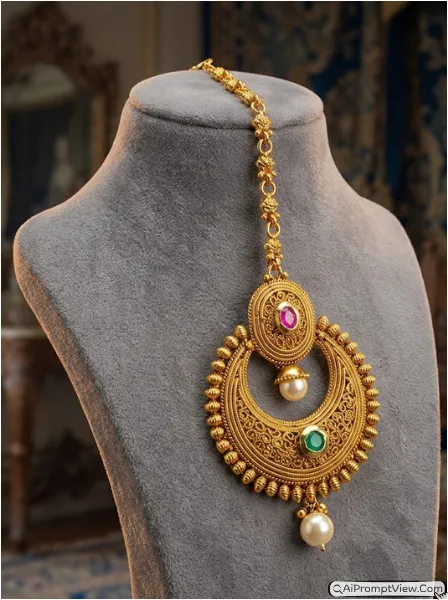
STAGE AND ENVIRONMENT SETUP CORE STYLE: Create a hyper realistic bridal jewellery product photograph featuring a premium gold maang tikka displayed in a luxury showroom style setup. The image should feel elegant, refined, and suitable for a high end jewellery catalogue. Use a vertical 4:5 product photography composition. STRICT PRODUCT IDENTITY LOCK ANTI AI REALISM: Edit the uploaded maang tikka photo and use it as the only source for design, stone arrangement, gold craftsmanship, texture, and proportions. Keep all jewellery details exactly the same. Preserve realistic gold color and authentic gemstone sparkle. PRODUCT POSITIONING AND DISPLAY COMPOSITION: Place the maang tikka on a premium cream colored fabric mannequin display with graceful positioning. Ensure the centre pendant and chain details remain fully visible. Keep the jewellery perfectly aligned and naturally displayed. PROFESSIONAL CAMERA AND LIGHTING MATRIX: Use an 85mm professional product photography lens look with sharp focus on the jewellery. Add soft studio lighting from the front with subtle edge lighting to enhance gold contours and stone brilliance. BACKGROUND AND ENVIRONMENT: Use a softly blurred royal bridal jewellery showroom background with warm luxury tones and elegant depth. Keep all distractions removed so attention remains on the maang tikka. NEGATIVE PROMPT: product redesign, gemstone replacement, metal color shift, unrealistic reflections, plastic texture, artificial AI look, over smoothing, cartoon rendering, anime style, harsh digital HDR, distorted jewellery shape, duplicate stones, cluttered backgrounds, text overlays.
6. Traditional Tray Setup
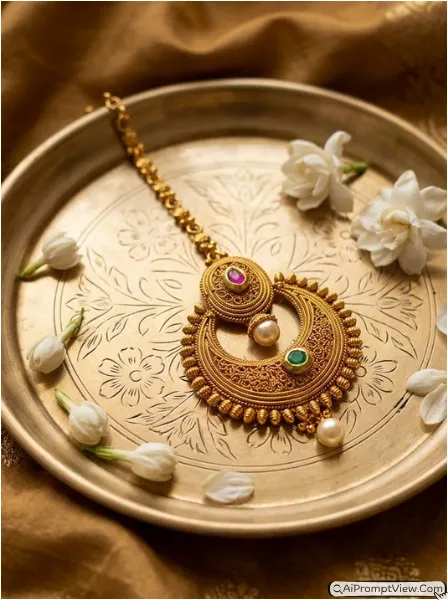
STAGE AND ENVIRONMENT SETUP CORE STYLE: Create a hyper realistic luxury bridal jewellery product photograph with a rich traditional Indian presentation style. The image should look elegant, festive, and professionally captured. Use a vertical 4:5 product photography composition with strong focus on jewellery craftsmanship. STRICT PRODUCT IDENTITY LOCK ANTI AI REALISM: Edit the uploaded maang tikka photo and use it as the only reference for design, metal texture, gemstone placement, pearl details, and proportions. Keep every jewellery feature unchanged. Preserve realistic gold shine and natural stone reflections. PRODUCT POSITIONING AND DISPLAY COMPOSITION: Place the maang tikka neatly on an engraved silver tray with balanced positioning. Add a few fresh white flowers near the edges and soft luxury fabric folds around the tray. Ensure the jewellery remains the clear hero subject. PROFESSIONAL CAMERA AND LIGHTING MATRIX: Use a professional 100mm macro lens appearance with crisp focus on the jewellery. Add warm diffused studio lighting from above and one side. Create soft highlights on the gold surface and realistic shadow depth beneath the jewellery. BACKGROUND AND ENVIRONMENT: Use rich fabric textures, soft traditional decor elements, and a gently blurred luxury background. Maintain a premium bridal jewellery catalogue appearance with realistic depth and clean presentation. NEGATIVE PROMPT: product redesign, gemstone replacement, metal color shift, unrealistic reflections, plastic texture, artificial AI look, over smoothing, cartoon rendering, anime style, harsh digital HDR, distorted jewellery shape, duplicate stones, cluttered backgrounds, text overlays.
Category 3: Nath Nose Ring Prompts
The Nath is a delicate piece. These prompts focus on highlighting the fine wires and beads against luxury textures.
7. Floating Premium Look
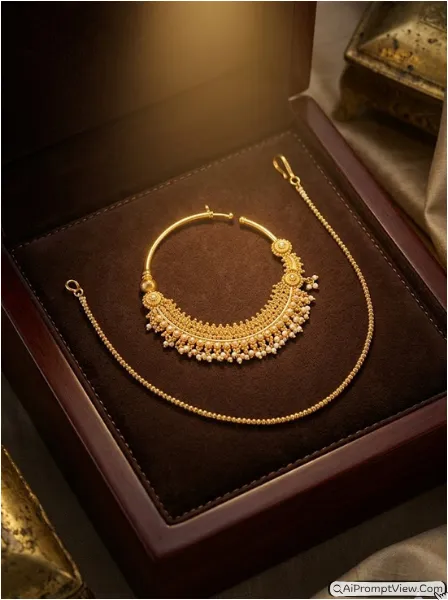
STAGE AND ENVIRONMENT SETUP CORE STYLE: Create a hyper realistic luxury gold nath product photograph with a premium bridal jewellery advertisement feel. The image should look elegant, clean, and high end. Use a vertical 4:5 macro product photography composition with the nath as the hero subject. STRICT PRODUCT IDENTITY LOCK ANTI AI REALISM: Edit the uploaded gold nath photo and use it as the only reference for design, wire structure, bead arrangement, gemstone placement, gold texture, and proportions. Keep every jewellery detail unchanged. Preserve authentic gold color, realistic reflections, and natural gemstone shine. PRODUCT POSITIONING AND DISPLAY COMPOSITION: Display the nath floating naturally in the center of the frame with invisible support. Keep the circular structure perfectly visible and balanced. Showcase every fine bead, chain, and decorative detail clearly. PROFESSIONAL CAMERA AND LIGHTING MATRIX: Use a professional 100mm macro lens appearance with ultra sharp focus on the jewellery. Add soft bright studio lighting from multiple angles to reveal intricate craftsmanship. Create controlled highlights across the gold surface while maintaining realistic shadows. BACKGROUND AND ENVIRONMENT: Use a luxurious ivory satin background with gentle fabric flow and premium depth. Keep the background softly blurred and distraction free to emphasize the jewellery. NEGATIVE PROMPT: product redesign, gemstone replacement, metal color shift, unrealistic reflections, plastic texture, artificial AI look, over smoothing, cartoon rendering, anime style, harsh digital HDR, distorted jewellery shape, duplicate stones, cluttered backgrounds, text overlays.
8. Wooden Box Heritage Style
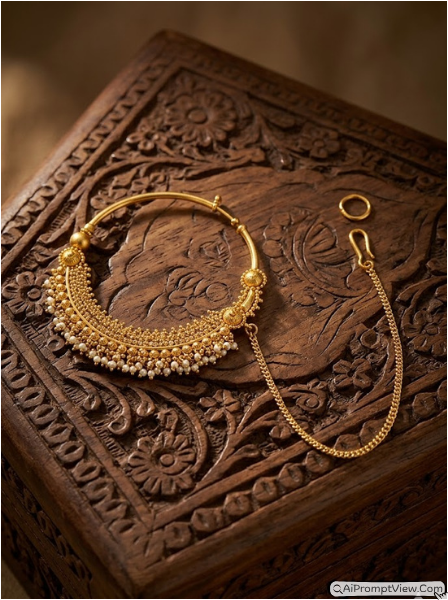
STAGE AND ENVIRONMENT SETUP CORE STYLE: Create a hyper realistic luxury gold nath product photograph with a traditional heritage jewellery presentation style. The image should feel rich, authentic, and professionally photographed. Use a vertical 4:5 close product composition with strong focus on craftsmanship and fine details. STRICT PRODUCT IDENTITY LOCK ANTI AI REALISM: Edit the uploaded gold nath photo and use it as the only source for design, bead details, gemstone arrangement, gold texture, and proportions. Preserve every original jewellery feature exactly as uploaded. Maintain realistic gold tones and authentic metal reflections. PRODUCT POSITIONING AND DISPLAY COMPOSITION: Place the nath on a hand carved wooden jewellery box with premium craftsmanship details. Position the jewellery naturally across the box surface so the circular shape remains fully visible. Keep the composition balanced and luxurious. PROFESSIONAL CAMERA AND LIGHTING MATRIX: Use a professional 100mm macro lens look with crisp focus on the jewellery. Add warm side lighting combined with soft fill light to enhance engraving details and gold shine. Maintain realistic shadow depth and natural reflections. BACKGROUND AND ENVIRONMENT: Use a softly blurred heritage setting with warm wooden tones, subtle luxury textures, and elegant depth. Keep the atmosphere rich and traditional while maintaining product focus. NEGATIVE PROMPT: product redesign, gemstone replacement, metal color shift, unrealistic reflections, plastic texture, artificial AI look, over smoothing, cartoon rendering, anime style, harsh digital HDR, distorted jewellery shape, duplicate stones, cluttered backgrounds, text overlays.
9. Suede Platform Display
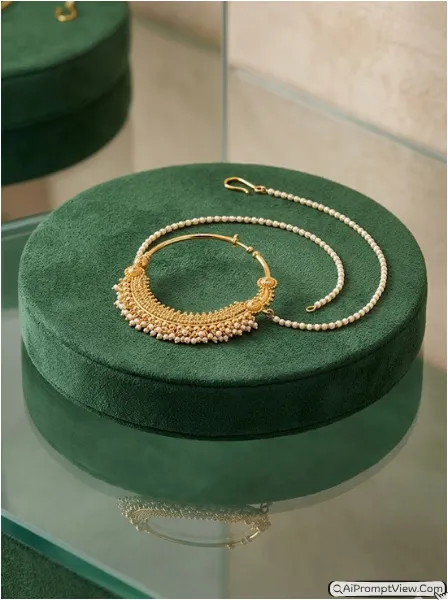
STAGE AND ENVIRONMENT SETUP CORE STYLE: Create a hyper realistic luxury gold nath product photograph with a modern premium jewellery showroom appearance. The image should look sophisticated, exclusive, and suitable for a luxury jewellery catalogue. Use a vertical 4:5 product photography composition with elegant visual balance. STRICT PRODUCT IDENTITY LOCK ANTI AI REALISM: Edit the uploaded gold nath photo and use it as the only reference for jewellery design, gold texture, gemstone placement, bead arrangement, and proportions. Keep every original detail unchanged. Preserve realistic gold color and authentic material texture. PRODUCT POSITIONING AND DISPLAY COMPOSITION: Place the nath on a circular deep emerald green suede platform positioned above a polished reflective glass surface. Keep the jewellery perfectly arranged and fully visible. Showcase the reflection subtly without distracting from the main product. PROFESSIONAL CAMERA AND LIGHTING MATRIX: Use a high end 100mm macro lens appearance with sharp subject focus and soft background separation. Add controlled top lighting with subtle side illumination to reveal engravings, gemstone sparkle, and gold detailing. Maintain realistic reflections and natural shadows. BACKGROUND AND ENVIRONMENT: Use a premium luxury showroom environment with soft dark tones and elegant blur. Highlight the suede texture, glass reflection, and jewellery craftsmanship while keeping the overall presentation clean and refined. NEGATIVE PROMPT: product redesign, gemstone replacement, metal color shift, unrealistic reflections, plastic texture, artificial AI look, over smoothing, cartoon rendering, anime style, harsh digital HDR, distorted jewellery shape, duplicate stones, cluttered backgrounds, text overlays.
Category 4: Jhumka Earrings Prompts
Jhumkas have a lot of movement. These prompts capture them in a way that shows their weight and 3D structure.
10. Symmetrical Studio Shot
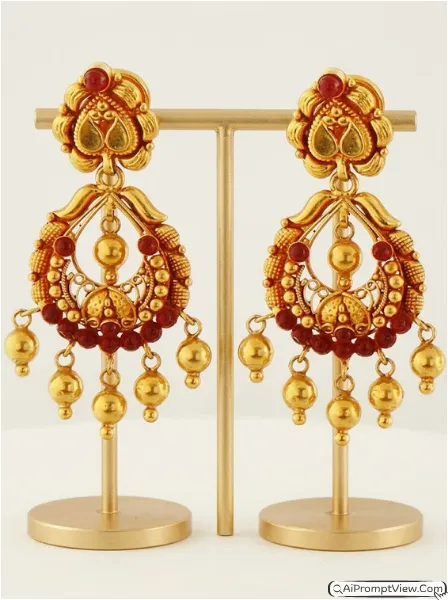
STAGE AND ENVIRONMENT SETUP CORE STYLE: Create a hyper realistic luxury gold jhumka earrings product photograph with a premium jewellery catalogue appearance. The image should feel elegant, balanced, and professionally captured. Use a vertical 4:5 product photography composition with both earrings displayed as the main focus. STRICT PRODUCT IDENTITY LOCK ANTI AI REALISM: Edit the uploaded jhumka earrings photo and use it as the only reference for design, bell structure, stone placement, gold texture, hanging details, and proportions. Keep every jewellery detail exactly unchanged. Preserve realistic gold color, natural reflections, and authentic craftsmanship. PRODUCT POSITIONING AND DISPLAY COMPOSITION: Display both jhumka earrings on slim premium jewellery stands in a perfectly symmetrical arrangement. Keep equal spacing between both earrings and ensure every hanging bell and decorative detail remains fully visible. PROFESSIONAL CAMERA AND LIGHTING MATRIX: Use a professional 100mm macro lens appearance with sharp focus across both earrings. Add soft studio lighting from the front combined with subtle side illumination to reveal gold carvings and gemstone sparkle. Maintain realistic shadows and premium jewellery reflections. BACKGROUND AND ENVIRONMENT: Use a clean luxury studio background with soft ivory tones and gentle blur. Keep the setting minimal and distraction free while highlighting the elegance of the jewellery. NEGATIVE PROMPT: product redesign, gemstone replacement, metal color shift, unrealistic reflections, plastic texture, artificial AI look, over smoothing, cartoon rendering, anime style, harsh digital HDR, distorted jewellery shape, duplicate stones, cluttered backgrounds, text overlays.
11. Cushion Display Style
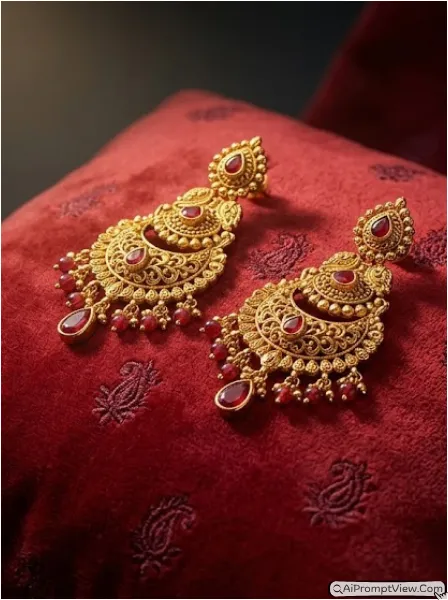
STAGE AND ENVIRONMENT SETUP CORE STYLE: Create a hyper realistic luxury gold jhumka earrings product photograph with a premium bridal jewellery brand feel. The image should look rich, warm, and visually elegant. Use a vertical 4:5 close product photography composition. STRICT PRODUCT IDENTITY LOCK ANTI AI REALISM: Edit the uploaded jhumka earrings photo and use it as the only source for design, stone arrangement, gold detailing, hanging structure, texture, and proportions. Preserve every original jewellery detail exactly as uploaded. Maintain realistic gold shine and authentic gemstone reflections. PRODUCT POSITIONING AND DISPLAY COMPOSITION: Place the earrings naturally on a luxurious deep red velvet cushion with soft folds and premium texture. Position both earrings slightly angled toward the camera to showcase depth and craftsmanship. Keep all decorative details clearly visible. PROFESSIONAL CAMERA AND LIGHTING MATRIX: Use a professional 100mm macro lens look with sharp focus on the jewellery and gentle background blur. Add warm spotlight lighting from above with soft fill light from the front. Create realistic highlights on gold edges and subtle sparkle on gemstones. BACKGROUND AND ENVIRONMENT: Use a dark luxury jewellery boutique style background with elegant blur and rich tones. Highlight the contrast between the velvet cushion and gold jewellery while maintaining a premium catalogue appearance. NEGATIVE PROMPT: product redesign, gemstone replacement, metal color shift, unrealistic reflections, plastic texture, artificial AI look, over smoothing, cartoon rendering, anime style, harsh digital HDR, distorted jewellery shape, duplicate stones, cluttered backgrounds, text overlays.
12. Water Reflection Shot
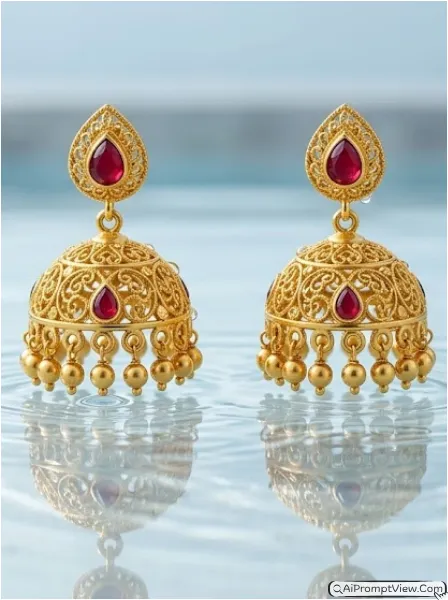
STAGE AND ENVIRONMENT SETUP CORE STYLE: Create a hyper realistic luxury gold jhumka earrings product photograph with a creative high end jewellery advertisement style. The image should feel artistic, modern, and premium while maintaining realism. Use a vertical 4:5 product photography composition with strong focus on reflection and craftsmanship. STRICT PRODUCT IDENTITY LOCK ANTI AI REALISM: Edit the uploaded jhumka earrings photo and use it as the only reference for design, stone placement, gold texture, hanging details, and proportions. Keep every jewellery feature unchanged. Preserve realistic gold tones, authentic reflections, and natural gemstone brilliance. PRODUCT POSITIONING AND DISPLAY COMPOSITION: Position the earrings above a calm reflective water surface with subtle mirror reflections visible beneath them. Keep the jewellery perfectly balanced and fully visible. Showcase every bell, carving, and decorative detail clearly. PROFESSIONAL CAMERA AND LIGHTING MATRIX: Use a professional 100mm macro lens appearance with crisp focus on the jewellery. Add soft cool studio lighting combined with controlled reflection lighting. Create realistic highlights across the gold surface while maintaining natural depth and shadow detail. BACKGROUND AND ENVIRONMENT: Use a clean luxury backdrop with soft cool tones and gentle blur. Allow the reflective water surface to add elegance without distracting from the jewellery. Keep the presentation suitable for a premium jewellery campaign. NEGATIVE PROMPT: product redesign, gemstone replacement, metal color shift, unrealistic reflections, plastic texture, artificial AI look, over smoothing, cartoon rendering, anime style, harsh digital HDR, distorted jewellery shape, duplicate stones, cluttered backgrounds, text overlays.
Category 5: Gold Chain Photography Prompts
Gold chains often look simple at first, but capturing their shine, links, texture, and craftsmanship properly can be difficult. These prompts are designed to create realistic luxury jewellery photos that highlight every detail of the chain while maintaining a premium catalogue style appearance.
13. Black Glass Reflection Display
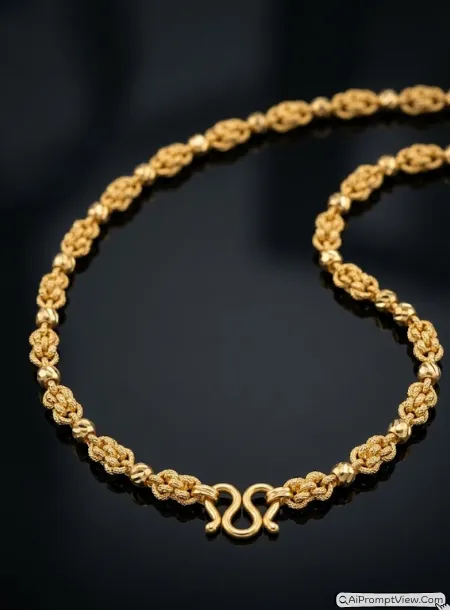
STAGE AND ENVIRONMENT SETUP CORE STYLE: Create a hyper realistic luxury gold chain product photograph with a premium jewellery catalogue appearance. The image should feel elegant, clean, and professionally captured. Use a vertical 4:5 product photography composition with the chain as the main focus. STRICT PRODUCT IDENTITY LOCK ANTI AI REALISM: Edit the uploaded gold chain photo and use it as the only reference for chain design, link pattern, gold texture, craftsmanship details, and proportions. Keep every jewellery detail exactly unchanged. Preserve realistic gold color and authentic metal reflections. PRODUCT POSITIONING AND DISPLAY COMPOSITION: Arrange the chain naturally on a polished black glass surface with a subtle reflection beneath it. Keep the chain slightly curved to showcase the full link pattern and craftsmanship. PROFESSIONAL CAMERA AND LIGHTING MATRIX: Use a professional 100mm macro lens appearance with sharp focus on the chain and soft background blur. Add controlled side lighting and gentle fill light to reveal gold texture and realistic highlights. BACKGROUND AND ENVIRONMENT: Use a luxury dark studio environment with elegant depth and clean presentation. Keep the background softly blurred and distraction free. NEGATIVE PROMPT: product redesign, link pattern changes, metal color shift, unrealistic reflections, plastic texture, artificial AI look, over smoothing, cartoon rendering, anime style, harsh digital HDR, distorted jewellery shape, duplicate chains, cluttered backgrounds, text overlays.
14. Velvet Luxury Chain Presentation
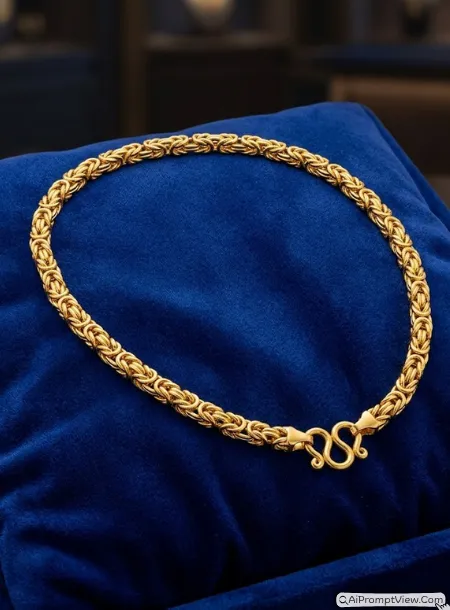
STAGE AND ENVIRONMENT SETUP CORE STYLE: Create a hyper realistic luxury gold chain product photograph with a premium jewellery boutique feel. The image should look rich, refined, and visually attractive. Use a vertical 4:5 product photography composition. STRICT PRODUCT IDENTITY LOCK ANTI AI REALISM: Edit the uploaded gold chain photo and use it as the only source for design, link structure, texture, gold finish, and proportions. Preserve every original jewellery detail exactly as uploaded. PRODUCT POSITIONING AND DISPLAY COMPOSITION: Place the chain naturally on a deep royal blue velvet display cushion with elegant folds and texture. Arrange the chain in a smooth curved layout that showcases the complete design. PROFESSIONAL CAMERA AND LIGHTING MATRIX: Use an 85mm professional product photography lens appearance with crisp focus on the jewellery. Add warm studio lighting from above and one side to enhance gold shine and realistic reflections. BACKGROUND AND ENVIRONMENT: Use a softly blurred luxury jewellery showroom setting with rich dark tones and premium depth. Keep full focus on the chain. NEGATIVE PROMPT: product redesign, link pattern changes, metal color shift, unrealistic reflections, plastic texture, artificial AI look, over smoothing, cartoon rendering, anime style, harsh digital HDR, distorted jewellery shape, duplicate chains, cluttered backgrounds, text overlays.
15. Marble Showcase Style
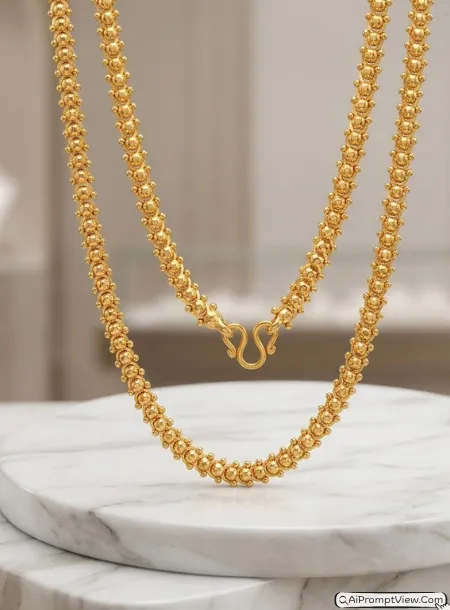
STAGE AND ENVIRONMENT SETUP CORE STYLE: Create a hyper realistic luxury gold chain product photograph with a high end jewellery advertisement style. The image should feel sophisticated and expensive. Use a vertical 4:5 product composition with premium presentation. STRICT PRODUCT IDENTITY LOCK ANTI AI REALISM: Edit the uploaded gold chain photo and use it as the only reference for chain design, texture, link arrangement, gold finish, and proportions. Keep every jewellery detail unchanged. Preserve authentic gold shine and realistic reflections. PRODUCT POSITIONING AND DISPLAY COMPOSITION: Arrange the chain gracefully across a polished white marble platform with natural curves and elegant spacing. Keep the full chain visible while highlighting craftsmanship and texture. PROFESSIONAL CAMERA AND LIGHTING MATRIX: Use a professional 100mm macro lens appearance with sharp focus and luxury product photography lighting. Add soft side illumination and subtle highlight control across the gold surface. BACKGROUND AND ENVIRONMENT: Use a softly blurred premium jewellery store backdrop with elegant neutral tones and clean depth. Keep the presentation refined and professional. NEGATIVE PROMPT: product redesign, link pattern changes, metal color shift, unrealistic reflections, plastic texture, artificial AI look, over smoothing, cartoon rendering, anime style, harsh digital HDR, distorted jewellery shape, duplicate chains, cluttered backgrounds, text overlays.
Category 6: Haaram Necklace Prompts
Haaram necklaces are large and need a wide, royal perspective. These prompts ensure the entire length is captured with premium quality.
16. Palace Style Display
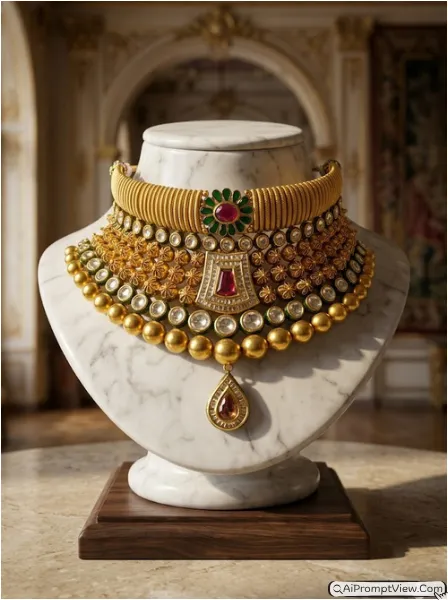
STAGE AND ENVIRONMENT SETUP CORE STYLE: Create a hyper realistic luxury gold haaram necklace product photograph with a royal jewellery campaign appearance. The image should feel grand, elegant, and suitable for a premium jewellery brand catalogue. Use a vertical 4:5 full product composition showcasing the entire necklace clearly. STRICT PRODUCT IDENTITY LOCK ANTI AI REALISM: Edit the uploaded haaram necklace photo and use it as the only reference for necklace design, pendant details, gold carvings, gemstone placement, texture, and proportions. Keep every original jewellery detail unchanged. Preserve authentic gold color, realistic reflections, and natural gemstone brilliance. PRODUCT POSITIONING AND DISPLAY COMPOSITION: Display the necklace on a premium ivory marble jewellery bust with perfect alignment. Ensure the complete length of the haaram remains visible and naturally draped. Highlight the pendant and craftsmanship as the main visual focus. PROFESSIONAL CAMERA AND LIGHTING MATRIX: Use a professional 85mm product photography lens appearance with sharp focus across the full necklace. Add warm side lighting with soft front fill illumination to reveal carvings, gold texture, and gemstone sparkle. Maintain realistic shadows and luxury catalogue quality. BACKGROUND AND ENVIRONMENT: Use a softly blurred palace inspired interior with elegant arches, warm golden tones, subtle luxury decor, and refined depth. Keep the focus fully on the necklace while enhancing the royal atmosphere. NEGATIVE PROMPT: product redesign, gemstone replacement, metal color shift, unrealistic reflections, plastic texture, artificial AI look, over smoothing, cartoon rendering, anime style, harsh digital HDR, distorted jewellery shape, duplicate stones, cluttered backgrounds, text overlays.
17. Silk Background Layout
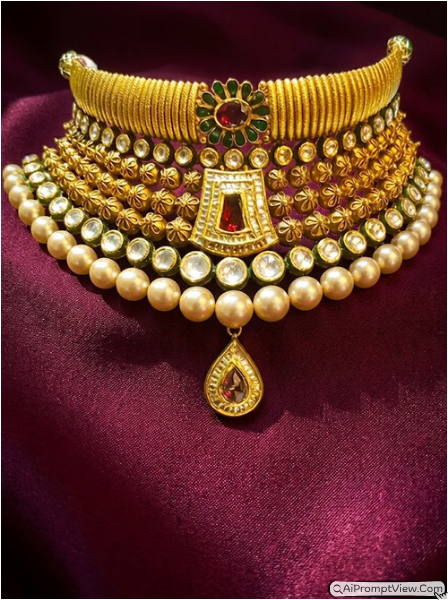
STAGE AND ENVIRONMENT SETUP CORE STYLE: Create a hyper realistic luxury gold haaram necklace product photograph with a premium bridal jewellery presentation style. The image should feel rich, elegant, and visually luxurious. Use a vertical 4:5 product photography composition with emphasis on the full necklace design. STRICT PRODUCT IDENTITY LOCK ANTI AI REALISM: Edit the uploaded haaram necklace photo and use it as the only source for design, pendant structure, gold texture, stone arrangement, carvings, and proportions. Keep every jewellery detail exactly the same. Preserve realistic gold shine and authentic gemstone reflections. PRODUCT POSITIONING AND DISPLAY COMPOSITION: Arrange the necklace naturally across rich emerald green silk fabric with graceful folds and depth. Allow the necklace to follow a gentle curved layout that showcases the complete design from top to bottom. Keep the pendant area clearly visible and perfectly centered. PROFESSIONAL CAMERA AND LIGHTING MATRIX: Use a professional 100mm macro product lens appearance with crisp focus on the jewellery. Add soft side lighting combined with subtle top illumination to enhance carvings, texture, and gemstone brilliance. Maintain realistic shadows and premium visual depth. BACKGROUND AND ENVIRONMENT: Use luxurious silk fabric with visible weave texture, elegant folds, and rich color contrast against the gold jewellery. Keep the outer background softly blurred while maintaining a premium catalogue appearance. NEGATIVE PROMPT: product redesign, gemstone replacement, metal color shift, unrealistic reflections, plastic texture, artificial AI look, over smoothing, cartoon rendering, anime style, harsh digital HDR, distorted jewellery shape, duplicate stones, cluttered backgrounds, text overlays.
18. Dark Premium Look
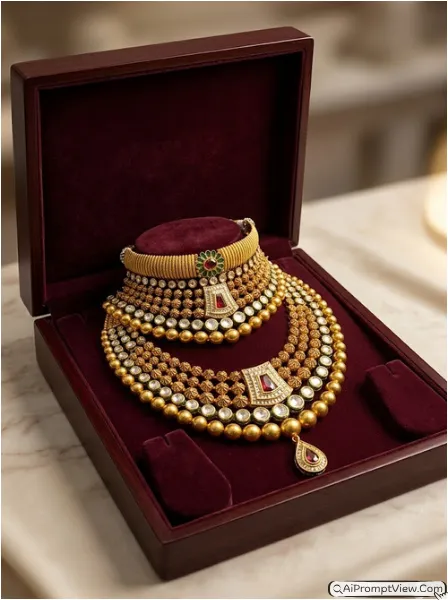
STAGE AND ENVIRONMENT SETUP CORE STYLE: Create a hyper realistic luxury gold haaram necklace product photograph with an exclusive high end jewellery advertisement feel. The image should look sophisticated, premium, and suitable for a luxury jewellery campaign. Use a vertical 4:5 product photography composition with strong focus on elegance and craftsmanship. STRICT PRODUCT IDENTITY LOCK ANTI AI REALISM: Edit the uploaded haaram necklace photo and use it as the only reference for necklace design, pendant details, carvings, gemstone placement, gold texture, and proportions. Preserve every original jewellery feature exactly as uploaded. Maintain realistic gold tones, authentic reflections, and natural gemstone shine. PRODUCT POSITIONING AND DISPLAY COMPOSITION: Place the necklace inside an open luxury jewellery box lined with deep maroon velvet. Arrange the haaram naturally across the cushioned interior with the full length visible in an elegant curved presentation. Keep the pendant section as the primary focal point. PROFESSIONAL CAMERA AND LIGHTING MATRIX: Use a professional 85mm product photography lens appearance with sharp focus on the necklace and soft background separation. Add warm studio lighting from above and one side to create rich highlights across the gold surface and realistic shadow depth inside the box. BACKGROUND AND ENVIRONMENT: Use a premium jewellery store tabletop setting with soft blur and subtle luxury details. Showcase realistic velvet texture, refined depth, and elegant presentation while keeping attention entirely on the necklace. NEGATIVE PROMPT: product redesign, gemstone replacement, metal color shift, unrealistic reflections, plastic texture, artificial AI look, over smoothing, cartoon rendering, anime style, harsh digital HDR, distorted jewellery shape, duplicate stones, cluttered backgrounds, text overlays.
How to Use These Prompts
- Upload your jewellery photo in any AI image editing tool
- Copy and paste any prompt based on your jewellery type
- Keep structure or reference setting on so design stays same
- Generate image and check result in high quality
Last Words
AI Prompts for Luxury Gold Jewellery Photography can really change how your product looks online. I have tested these prompts on different jewellery pieces and results looked very real and premium. If you run a jewellery page or create content this can save your time and money. Try different lighting styles and see what works best for your product. Keep experimenting and you will get amazing results.