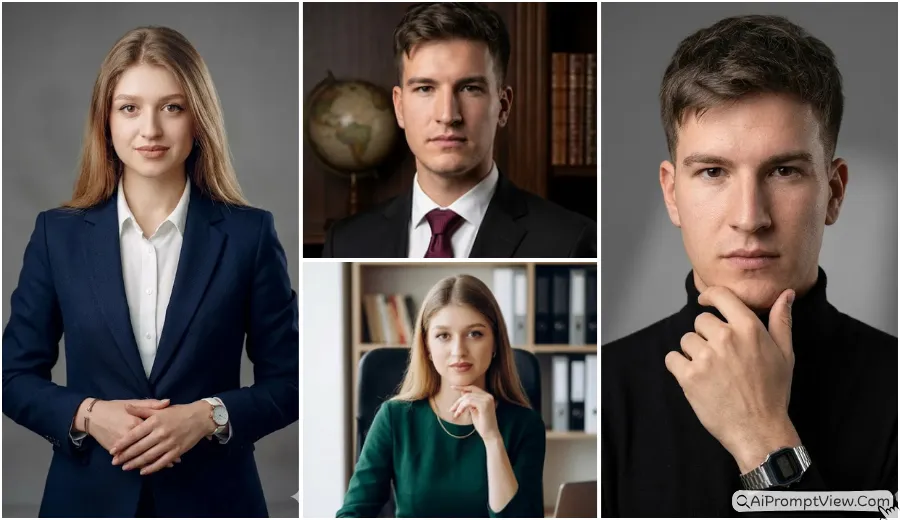
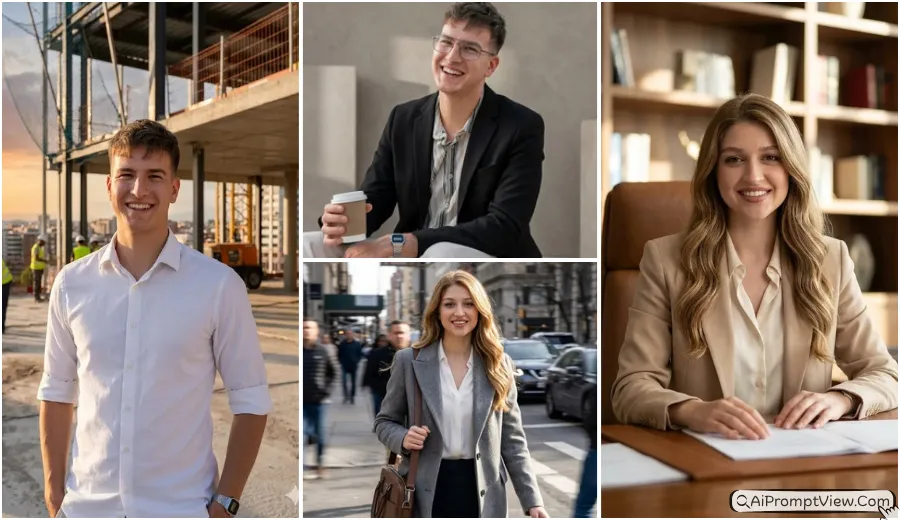
A good Software Engineer Tech Professional AI Photo should look clean, natural, and like it was taken inside a real tech office, not created by AI. That is exactly what I wanted when I started testing these prompts. I tried them with Gemini AI, ChatGPT, and other AI photo editing tools, but many early results looked over edited or changed the real face too much. After many tests, I kept only the prompts that gave realistic skin, natural lighting, coding setups, and a professional software engineer look. Whether you are a boy or a girl, you can simply copy these prompts, upload your photo, and create your own tech professional portrait.
Before I publish any prompt on this blog, I always test it myself and compare the results. In this collection, you will find prompts for modern coding workspaces, startup offices, corporate tech environments, laptop desk setups, and premium developer portraits. You can use them as they are or make small changes to match your own style. In my experience, these small improvements help create more realistic AI photo edits while keeping your original identity natural.
Engineer Tech Professional AI Photo Prompts
I created these prompts for anyone who wants a realistic software engineer profile photo with a modern tech office style. Below, you will find different prompt ideas for coding workstations, startup offices, corporate offices, laptop work setups, professional profile photos, and premium developer portraits. You can simply copy the prompt you like and use it with your photo.
Prompt 1. Modern Coding Workspace
This prompt creates a clean software engineer portrait inside a modern tech office. I liked how the laptop and coding setup looked realistic without making the face look edited.
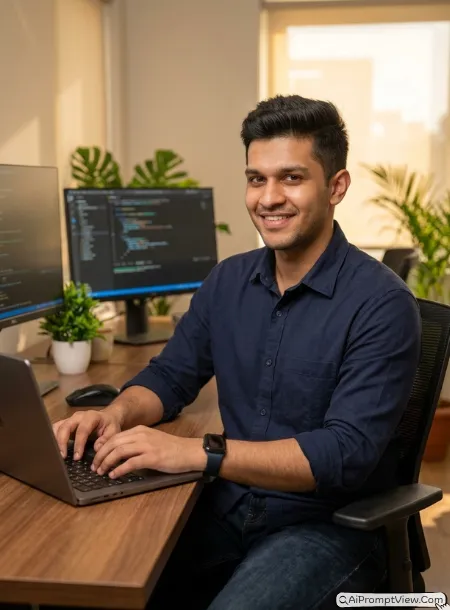
STAGE AND ENVIRONMENT SETUP CORE STYLE: Create a full hyper realistic portrait inside a modern Bangalore tech office with coding screens and a clean workspace. The photo should feel professional and natural using a vertical 4:5 composition. STRICT IDENTITY LOCK ANTI AI REALISM: Edit the uploaded photo only. Keep facial features, skin texture, eyes, hair, body shape, and natural details unchanged with real pores and soft texture. OUTFIT POSE AND EXPRESSION SHIFT: Wear a navy shirt, dark jeans, smart watch, seated while coding with a relaxed smile. PROFESSIONAL CAMERA AND LIGHTING MATRIX: Full frame 85mm lens, f1.8, soft window light, realistic office lighting. BACKGROUND AND ENVIRONMENT: Premium coding desk, laptop, blurred monitors, indoor plants, warm office colors. NEGATIVE PROMPT: face alteration, identity mismatch, plastic skin, artificial AI look, over smoothing, cartoon rendering, anime style, harsh digital HDR, distorted features, double jewelry overlays, cluttered backgrounds, text overlays.
Prompt 2. Premium Office Desk Setup
I tested this with a simple desk setup. The lighting looked very close to a real office photo.
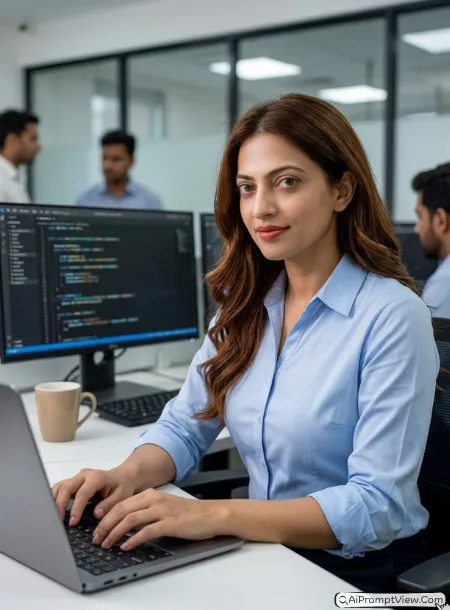
STAGE AND ENVIRONMENT SETUP CORE STYLE: Create a full hyper realistic portrait inside a premium software company office with a stylish workstation and coding environment. The photo should feel calm and professional using a vertical 4:5 composition. STRICT IDENTITY LOCK ANTI AI REALISM: Edit only the uploaded image and preserve every facial detail, natural skin, eyes, lips, jawline, body shape, and real hair texture without artificial changes. OUTFIT POSE AND EXPRESSION SHIFT: Wear a light blue formal shirt with rolled sleeves while typing on a laptop with a confident expression. PROFESSIONAL CAMERA AND LIGHTING MATRIX: Full frame 85mm lens, f1.8, balanced office lighting, realistic shadows. BACKGROUND AND ENVIRONMENT: Modern workspace, blurred coding monitor, coffee mug, indoor glass office. NEGATIVE PROMPT: face alteration, identity mismatch, plastic skin, artificial AI look, over smoothing, cartoon rendering, anime style, harsh digital HDR, distorted features, double jewelry overlays, cluttered backgrounds, text overlays.
Prompt 3. Startup Office Vibe
This one gave me a relaxed startup office look. The background stayed natural without looking crowded.
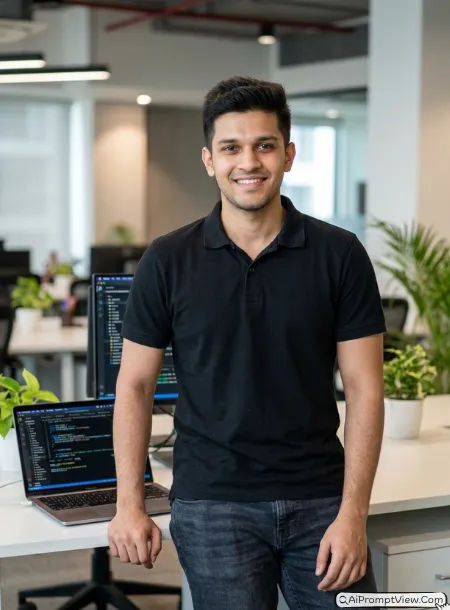
STAGE AND ENVIRONMENT SETUP CORE STYLE: Create a full hyper realistic portrait inside a creative startup office with open workspace and coding atmosphere. The photo should feel fresh and authentic using a vertical 4:5 composition. STRICT IDENTITY LOCK ANTI AI REALISM: Edit the uploaded photo only while keeping face, skin, body, eyes, and hair exactly the same with realistic human texture. OUTFIT POSE AND EXPRESSION SHIFT: Wear a casual black polo shirt with jeans while standing beside a laptop desk and smiling naturally. PROFESSIONAL CAMERA AND LIGHTING MATRIX: Full frame 85mm lens, f1.8, soft daylight, realistic indoor exposure. BACKGROUND AND ENVIRONMENT: Open office, coding screens, soft blurred desks, green plants, modern interior. NEGATIVE PROMPT: face alteration, identity mismatch, plastic skin, artificial AI look, over smoothing, cartoon rendering, anime style, harsh digital HDR, distorted features, double jewelry overlays, cluttered backgrounds, text overlays.
Prompt 4. Senior Developer Portrait
I liked this one because it looked mature and professional. The office lighting stayed soft.
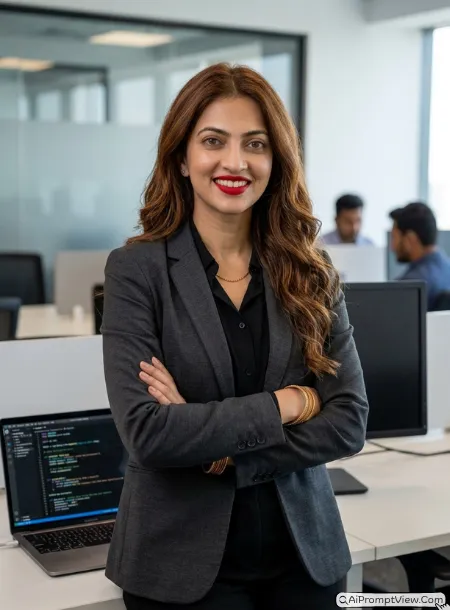
STAGE AND ENVIRONMENT SETUP CORE STYLE: Create a full hyper realistic senior software engineer portrait inside an elegant technology office with coding equipment. The photo should feel realistic and confident using a vertical 4:5 composition. STRICT IDENTITY LOCK ANTI AI REALISM: Edit only the uploaded image while preserving facial identity, natural skin, pores, eyes, hair strands, and body shape perfectly. OUTFIT POSE AND EXPRESSION SHIFT: Wear a charcoal blazer over a black shirt while standing beside a coding workstation with folded arms. PROFESSIONAL CAMERA AND LIGHTING MATRIX: Full frame 85mm lens, f1.8, balanced office lighting with natural highlights. BACKGROUND AND ENVIRONMENT: Premium office, laptop, coding display, blurred meeting room. NEGATIVE PROMPT: face alteration, identity mismatch, plastic skin, artificial AI look, over smoothing, cartoon rendering, anime style, harsh digital HDR, distorted features, double jewelry overlays, cluttered backgrounds, text overlays.
Prompt 5. Laptop Coding Session
This prompt looked very realistic during my testing. The typing pose felt natural.
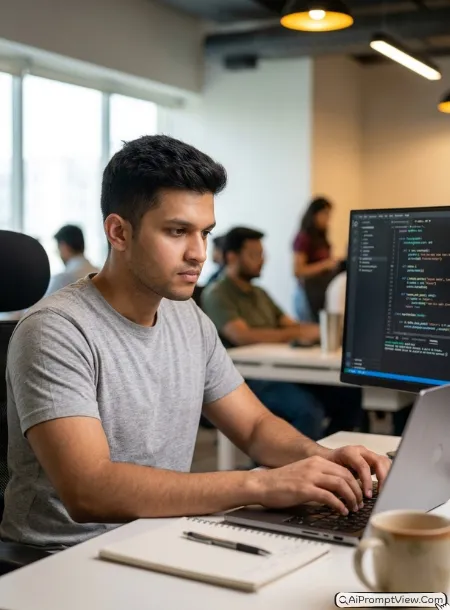
STAGE AND ENVIRONMENT SETUP CORE STYLE: Create a full hyper realistic portrait during an active coding session inside a modern technology office. The photo should feel focused and natural using a vertical 4:5 composition. STRICT IDENTITY LOCK ANTI AI REALISM: Use only the uploaded photo and preserve complete identity with realistic skin, eyes, face, body, and natural hair texture. OUTFIT POSE AND EXPRESSION SHIFT: Wear a grey shirt while typing on a laptop with calm focus and relaxed posture. PROFESSIONAL CAMERA AND LIGHTING MATRIX: Full frame 85mm lens, f1.8, natural office lighting, soft background blur. BACKGROUND AND ENVIRONMENT: Coding desk, large monitor, notebook, warm workspace lighting. NEGATIVE PROMPT: face alteration, identity mismatch, plastic skin, artificial AI look, over smoothing, cartoon rendering, anime style, harsh digital HDR, distorted features, double jewelry overlays, cluttered backgrounds, text overlays.
Prompt 6. Bangalore Corporate Office
I tried this with a city office style. The final image looked clean and premium.
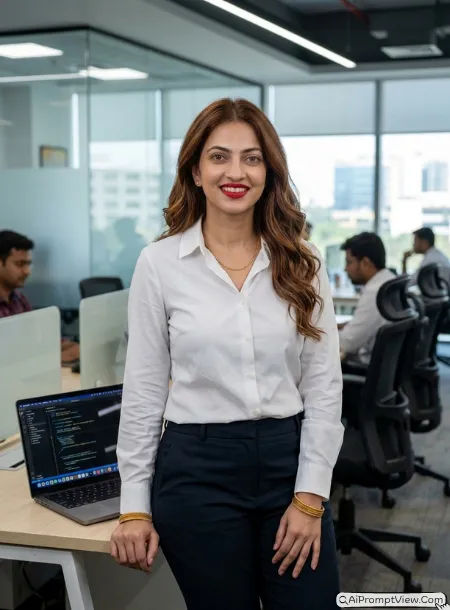
STAGE AND ENVIRONMENT SETUP CORE STYLE: Create a full hyper realistic portrait inside a stylish Bangalore corporate technology office with premium workstations. The photo should feel modern using a vertical 4:5 composition. STRICT IDENTITY LOCK ANTI AI REALISM: Preserve uploaded face, skin tone, body shape, facial structure, natural pores, hair strands, and expressions without changes. OUTFIT POSE AND EXPRESSION SHIFT: Wear a white formal shirt and dark trousers while standing near a laptop with a friendly smile. PROFESSIONAL CAMERA AND LIGHTING MATRIX: Full frame 85mm lens, f1.8, soft office daylight with realistic exposure. BACKGROUND AND ENVIRONMENT: Glass office, coding desk, blurred employees, elegant workspace. NEGATIVE PROMPT: face alteration, identity mismatch, plastic skin, artificial AI look, over smoothing, cartoon rendering, anime style, harsh digital HDR, distorted features, double jewelry overlays, cluttered backgrounds, text overlays.
Prompt 7. Software Architect Office
I liked the balanced lighting in this version. It looked very close to a real DSLR portrait.
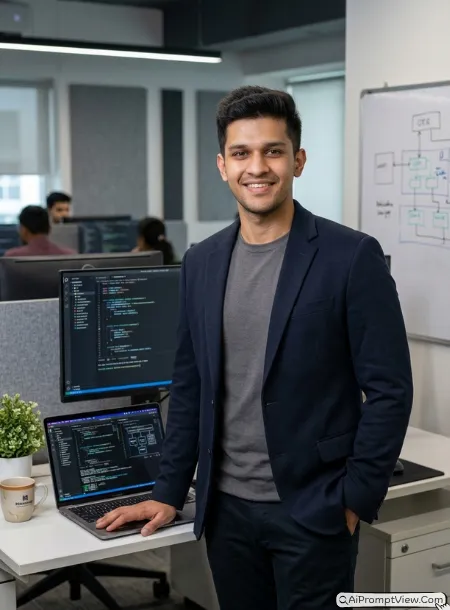
STAGE AND ENVIRONMENT SETUP CORE STYLE: Create a full hyper realistic portrait of a software architect inside a premium coding office. The photo should feel calm and professional using a vertical 4:5 composition. STRICT IDENTITY LOCK ANTI AI REALISM: Preserve uploaded face, skin, eyes, body, natural hair texture, and realistic human details without modification. OUTFIT POSE AND EXPRESSION SHIFT: Wear a dark blazer over a simple shirt while standing beside a workstation with a natural expression. PROFESSIONAL CAMERA AND LIGHTING MATRIX: Full frame 85mm lens, f1.8, realistic office light, smooth background blur. BACKGROUND AND ENVIRONMENT: Coding office, premium desk, laptop, elegant workspace. NEGATIVE PROMPT: face alteration, identity mismatch, plastic skin, artificial AI look, over smoothing, cartoon rendering, anime style, harsh digital HDR, distorted features, double jewelry overlays, cluttered backgrounds, text overlays.
Prompt 8. Evening Developer Workspace
I saved this prompt because the warm evening lighting looked beautiful without making the image artificial.
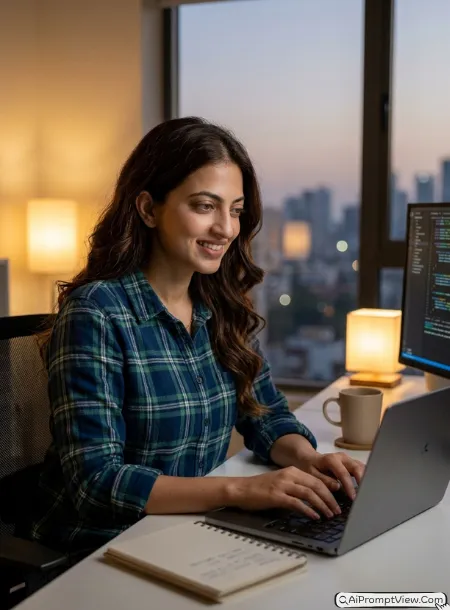
STAGE AND ENVIRONMENT SETUP CORE STYLE: Create a full hyper realistic evening software engineer portrait inside a modern technology office with warm coding setup. The photo should feel peaceful using a vertical 4:5 composition. STRICT IDENTITY LOCK ANTI AI REALISM: Edit only the uploaded image while keeping facial identity, skin texture, body shape, eyes, lips, and natural hair exactly unchanged. OUTFIT POSE AND EXPRESSION SHIFT: Wear a casual checked shirt while working on a laptop with a gentle smile and relaxed posture. PROFESSIONAL CAMERA AND LIGHTING MATRIX: Full frame 85mm lens, f1.8, warm office lights with realistic shadows. BACKGROUND AND ENVIRONMENT: Evening workspace, coding monitor, soft desk lights, premium office interior. NEGATIVE PROMPT: face alteration, identity mismatch, plastic skin, artificial AI look, over smoothing, cartoon rendering, anime style, harsh digital HDR, distorted features, double jewelry overlays, cluttered backgrounds, text overlays.
Tips To Get Better Results
I learned these small tricks after testing the same prompts many times. A few simple changes can make your final photo look even better.
- Add Daylight Vibe: If you want a brighter office photo, add words like soft morning sunlight or natural window light inside the lighting section.
- Change Office Style: You can replace Bangalore tech office with any city or office style you like, such as New York startup office or Tokyo software company.
- Upgrade The Outfit: If you want a more formal look, replace the outfit with a blazer, business suit, or smart casual shirt.
- Create Your Own Background: You can change the background into a glass office, gaming setup, coworking space, home office, or premium coding studio without changing the rest of the prompt.
- Adjust The Mood: Small words like confident, focused, friendly, creative, or calm can slightly change the overall feeling of the photo.
- Keep The Face Natural: I always upload a clear and bright photo. In my experience, a sharp image gives much better results and helps keep the real face details.
FAQ
Can boys and girls both use these Tech Professional Photo Prompts?
Yes. These prompts work for both boys and girls. Just upload your own photo. The AI will keep your face and create the same professional tech style.
Can I change the office background?
Yes. You can easily replace the background with any office, startup, home office, coworking space, or coding setup you like. I do this often while testing prompts.
How can I make my photo look more real?
Use a clear and bright photo. In my experience, natural daylight photos give better results and help keep your real face details.
Can I edit the outfit and pose?
Yes. You can change the outfit, pose, expression, or even add things like a laptop, coffee mug, dual monitors, or coding screens. Just replace those words in the prompt before using it.