
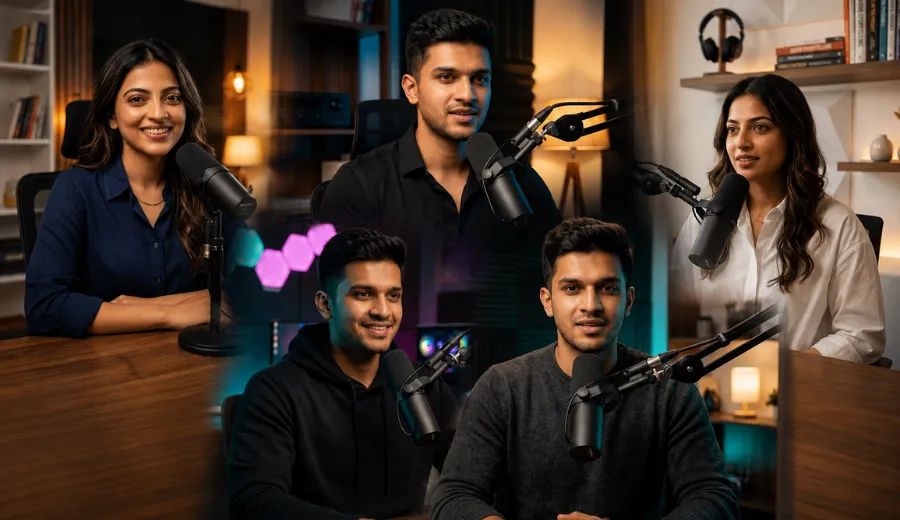
Many creators want a professional podcast studio photo but do not know how to write the right AI prompt. I faced the same problem when I started testing different photo prompts for podcast setups. After trying many versions, I created these Podcast Host AI Photo Prompts that gave me realistic results with natural lighting, premium studio backgrounds, and professional boom microphone setups. They are also useful if you want an AI podcast studio photo, podcast profile picture, or a cinematic studio portrait without spending hours writing your own prompt.
Every prompt in this article was tested with Gemini AI and is ready to copy and paste. Simply upload a clear photo of a single young person, whether it is a man or a woman, and use any prompt exactly as it is. In my testing, these prompts produced the best results when I used an unedited portrait with good lighting. If you want to personalize the final image, you can make small changes to the outfit, background, or lighting while keeping the face description unchanged.
What You Can Create With These Prompts
This podcast host style is designed to create a realistic recording studio portrait with a professional and modern look. It combines clean studio lighting, premium audio equipment, and natural facial details to make the final image look like it was captured during a real podcast session. I liked this style because it focuses on realism instead of adding unnecessary effects or dramatic edits.
Anyone can use these prompts by uploading a clear photo of a single young person. They work well for podcast branding, YouTube channel artwork, social media profiles, creator portfolios, personal branding, promotional posts, and professional content where a polished podcast studio appearance is needed.
Best Aesthetic Podcast Host AI Photo Prompts
I tried many different studio layouts before making this list. Some looked too busy and took attention away from the face. These seven prompts gave me the most balanced results. They work for any single young person, so anyone can upload their own photo and use them.
Prompt 1. Modern Minimal Podcast Studio
This was the first setup I kept after testing. The clean background helped the face stay natural, and the microphone placement looked realistic almost every time. I also liked how the warm lighting created a comfortable studio feel.
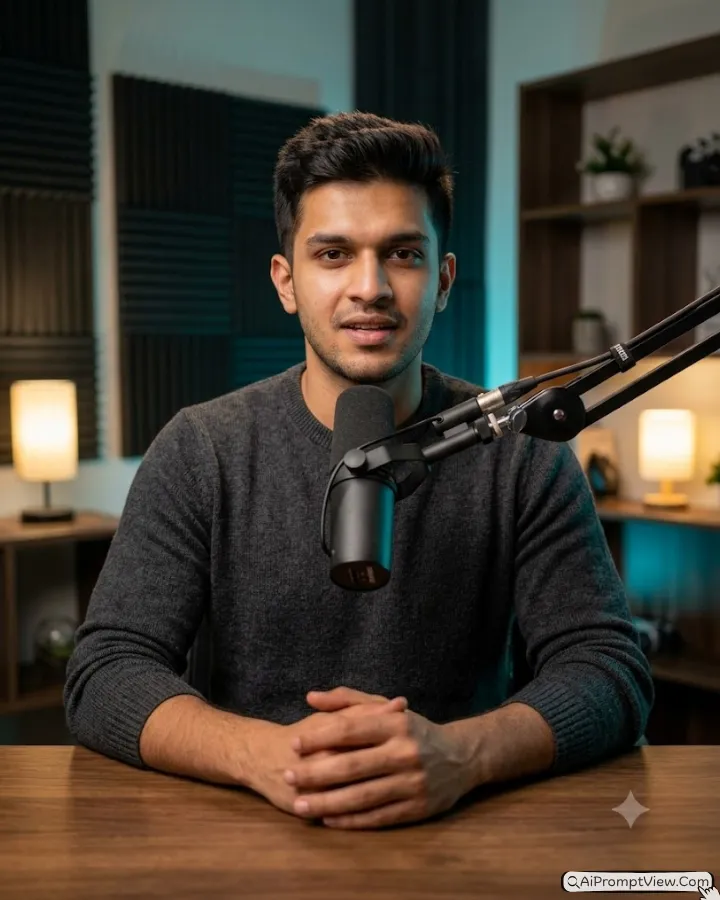
Prompt: A single young person sitting naturally behind a premium walnut podcast desk inside a modern minimalist recording studio. Wearing a fitted charcoal knit sweater with a relaxed confident posture while speaking into a matte black Shure SM7B dynamic microphone mounted on a premium boom arm. Preserve the uploaded face exactly with original identity, facial structure, realistic skin texture, visible pores, authentic eye details, and natural facial proportions. Warm tungsten key light from the front with a soft cyan rim light adding gentle cinematic depth. Blurred acoustic foam panels, elegant wooden shelves, subtle practical lamps, and a premium recording atmosphere. Shot with an 85mm f/1.8 portrait lens, shallow depth of field, realistic skin reflection, natural color grading, ultra realistic 8K photography, --ar 4:5

Negative Prompt: face alteration, identity mismatch, plastic smooth skin, artificial AI look, over smoothing, blurry eyes, unnatural hands, extra fingers, incorrect microphone placement, harsh HDR, cartoon rendering, anime style, oversaturated colors, text, watermark, logo, cluttered background.
Prompt 2. Warm Coffee Style Podcast Corner
I enjoyed testing this version because it felt welcoming instead of looking like a commercial studio. The softer lighting gave the portrait a relaxed mood. It also worked well with both casual and smart clothing.
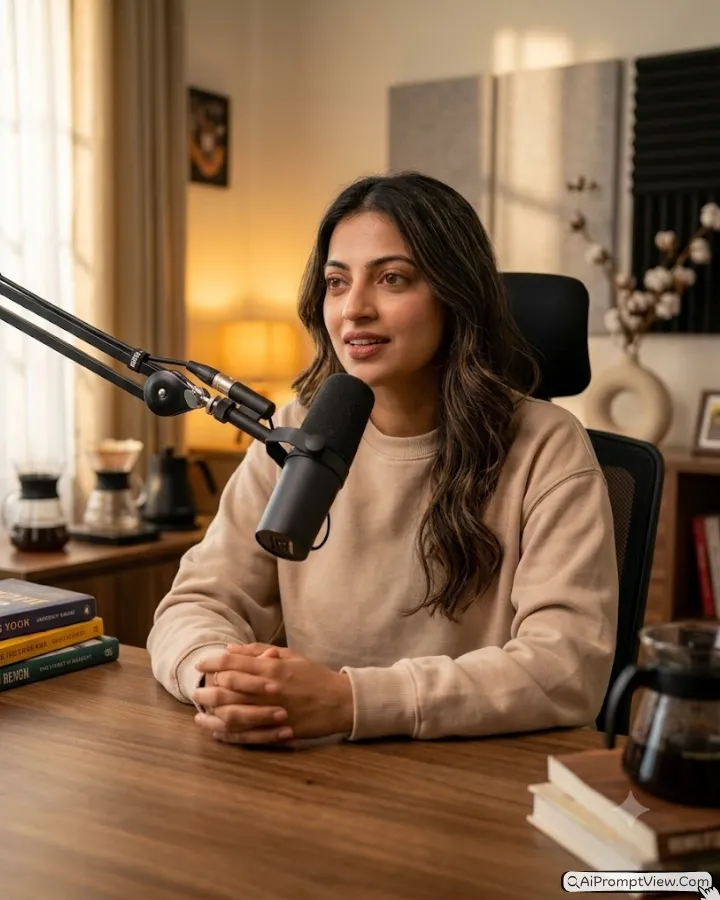
Prompt: A single young person recording a podcast inside a cozy premium studio corner with elegant wooden furniture and a stylish recording desk. Wearing a soft beige sweatshirt with a relaxed expression while speaking naturally into a matte black broadcast microphone attached to a professional boom arm. Keep the uploaded face exactly the same with original identity, natural facial features, realistic skin texture, authentic pores, and lifelike eye details. Warm window style daylight blends with soft amber practical lights for a comfortable cinematic atmosphere. Background includes books, coffee accessories, acoustic wall panels, and subtle studio decor. Shot with a 50mm f/1.4 professional lens, shallow depth of field, natural skin reflection, realistic color grading, ultra realistic 8K photography, --ar 4:5

Negative Prompt: face alteration, identity mismatch, plastic smooth skin, artificial AI look, over smoothing, blurry eyes, unnatural hands, extra fingers, distorted face, harsh HDR, cartoon rendering, anime style, oversaturated colors, text, watermark, logo, cluttered background.
Prompt 3. Luxury Black Podcast Studio
This style gave me the strongest premium look during testing. The darker room made the face stand out without looking fake. I reduced the blue lighting slightly because the first version looked too dramatic.
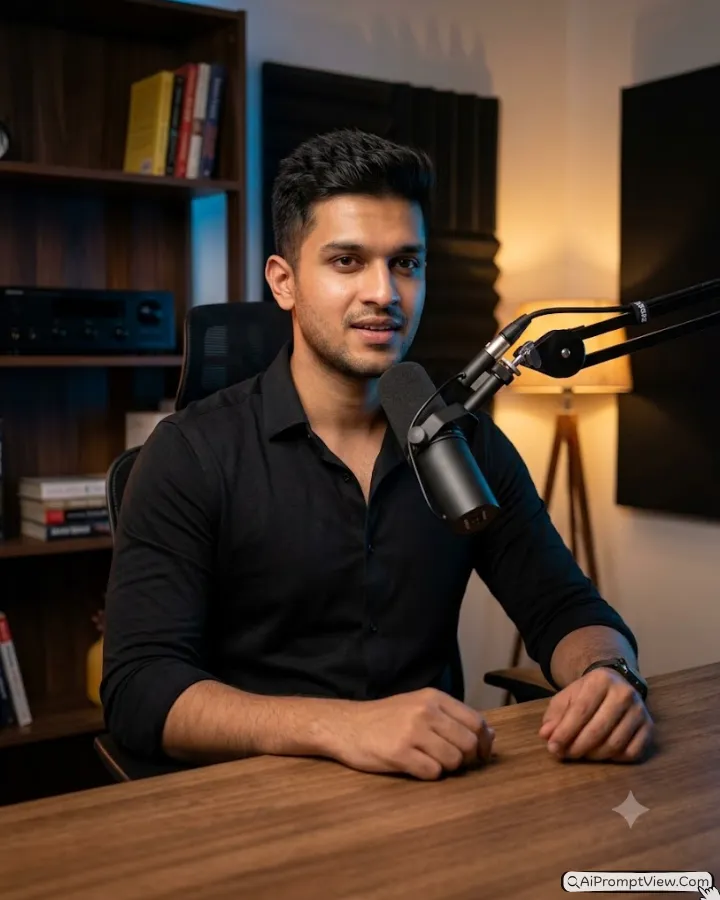
Prompt: A single young person hosting a podcast inside a luxury black recording studio with premium furniture and professional broadcast equipment. Wearing an elegant black fitted shirt while sitting comfortably behind a modern studio desk and speaking into a matte black Shure SM7B microphone mounted on a sleek boom arm. Preserve the uploaded face exactly with original identity, realistic facial proportions, visible skin pores, authentic expression, and natural skin tone. Dramatic tungsten key lighting combines with subtle blue and orange rim lights for cinematic depth. Dark wooden shelves, luxury podcast accessories, and a refined podcast atmosphere in the background. Shot with an 85mm f/1.8 portrait lens, shallow depth of field, professional studio photography, realistic skin reflection, ultra realistic 8K quality, --ar 4:5

Negative Prompt: face alteration, identity mismatch, plastic smooth skin, artificial AI look, over smoothing, blurry eyes, unnatural hands, extra fingers, distorted facial features, harsh HDR, cartoon rendering, anime style, oversaturated colors, text, watermark, logo, cluttered background.
Prompt 4. Clean White Creative Studio
This setup gave me one of the cleanest results during testing. The bright studio kept the attention on the face without making the image look flat. I also noticed the microphone position stayed consistent in most of my results.
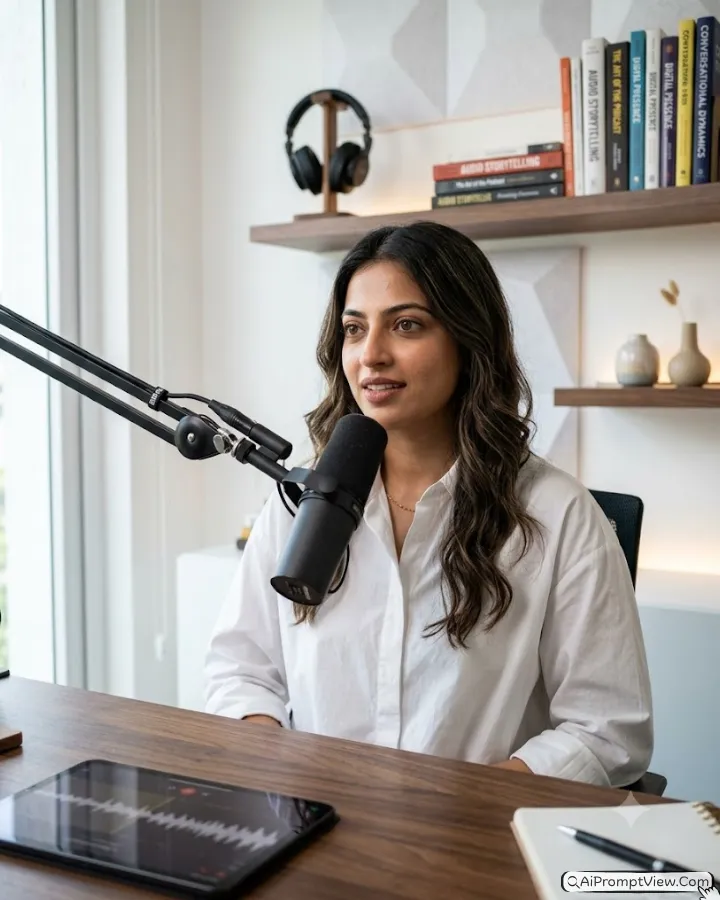
Prompt: A single young person recording a professional podcast inside a bright white creative podcast studio with a premium wooden desk. Wearing a clean white oversized shirt with a calm confident expression while speaking into a matte black broadcast microphone attached to a sleek boom arm. Preserve the uploaded face exactly with original identity, natural facial structure, realistic skin texture, visible pores, authentic eyes, and true facial proportions. Soft daylight key light blends with warm edge lighting to create balanced cinematic depth. White acoustic wall panels, floating shelves, elegant desk accessories, subtle LED accents, and a premium recording atmosphere. Shot with a 35mm f/1.8 professional lens, shallow depth of field, realistic skin reflection, RAW photo quality, natural color grading, ultra realistic 8K photography, --ar 4:5

Negative Prompt: face alteration, identity mismatch, plastic smooth skin, artificial AI look, over smoothing, blurry eyes, unnatural hands, extra fingers, distorted facial features, incorrect microphone placement, harsh HDR, cartoon rendering, anime style, oversaturated colors, text, watermark, logo, cluttered background.
Prompt 5. Neon Blue Podcast Creator Setup
This was one of the most cinematic versions I tested. My first attempt had too much blue light, so I reduced it slightly. That small change made the skin tones look much more natural.
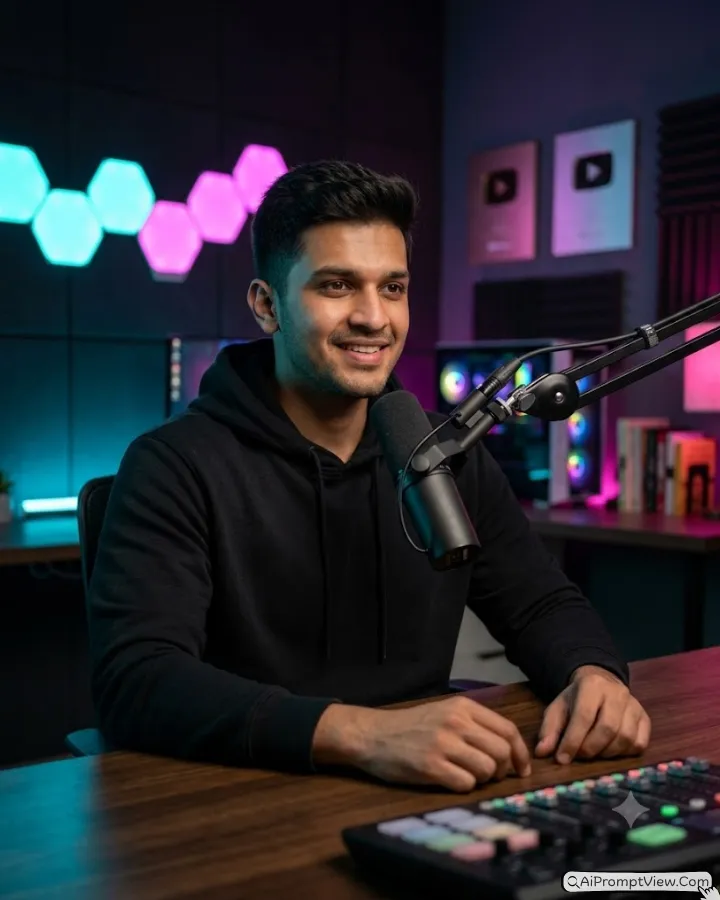
Prompt: A single young person creating a podcast episode inside a stylish neon blue recording studio with a premium streaming desk and professional podcast studio. Wearing a fitted black hoodie with a relaxed posture while speaking naturally into a matte black Shure SM7B dynamic microphone mounted on a modern boom arm, Podcast studio. Keep the uploaded face exactly the same with original identity, realistic facial features, natural skin texture, authentic pores, and lifelike eye details. Balanced cyan key light from the left combines with soft magenta rim lighting for a dramatic studio mood. Background includes glowing hexagon wall lights, blurred RGB PC setup, acoustic panels, and premium creator décor. Shot with a 50mm f/1.4 portrait lens, low light photography, cinematic depth of field, realistic skin reflection, ultra realistic 8K photography, --ar 4:5

Negative Prompt: face alteration, identity mismatch, plastic smooth skin, artificial AI look, over smoothing, blurry eyes, unnatural hands, extra fingers, distorted face, incorrect microphone placement, harsh HDR, cartoon rendering, anime style, oversaturated colors, text, watermark, logo, cluttered background.
Prompt 6. Luxury Home Podcast Office
I personally enjoyed this style because it looked professional without feeling too formal. The office details added a premium touch while keeping the face as the main focus. It worked well with different portrait styles during testing.
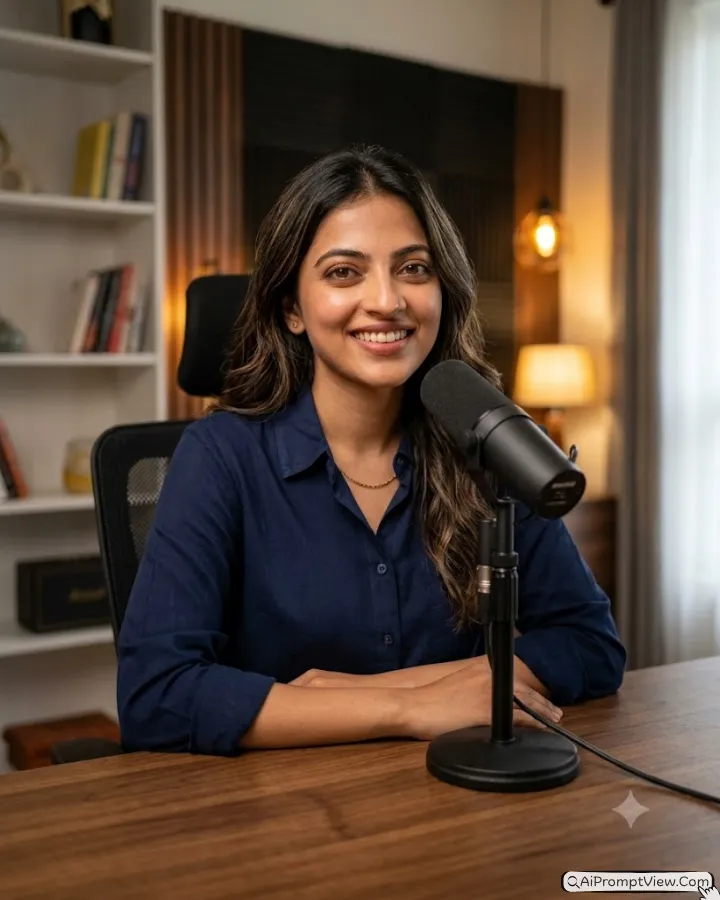
Prompt: A single young person recording a podcast inside a luxury home office featuring elegant walnut furniture, premium recording equipment, and a stylish workspace. Wearing a smart navy blue casual shirt with a relaxed seated posture while speaking into a matte black broadcast microphone mounted on a premium adjustable boom arm. Preserve the uploaded face exactly with original identity, realistic facial proportions, visible skin pores, authentic expression, and natural skin tone. Warm softbox lighting blends with subtle window light to create rich cinematic depth. Background includes luxury bookshelves, decorative lighting, acoustic panels, and a refined recording environment. Shot with an 85mm f/1.8 full frame portrait lens, shallow depth of field, realistic skin reflection, professional color grading, ultra realistic 8K photography, --ar 4:5

Negative Prompt: face alteration, identity mismatch, plastic smooth skin, artificial AI look, over smoothing, blurry eyes, unnatural hands, extra fingers, distorted facial features, incorrect microphone placement, harsh HDR, cartoon rendering, anime style, oversaturated colors, text, watermark, logo, cluttered background.
Platform And Aspect Ratio Guide
| Platform | Recommended Aspect Ratio | When to Use |
|---|---|---|
| Instagram Feed | 4:5 | Best choice for portrait posts. This is the recommended size for all prompts in this article. |
| Instagram Stories / Reels | 9:16 | Use only for full screen Stories or Reels. |
| YouTube Thumbnail | 16:9 | Use only when creating YouTube thumbnails. |
| Facebook Feed | 4:5 | Ideal for portrait posts on Facebook. |
| Pinterest Pin | 2:3 | Best for vertical Pinterest pins. |
| X (Twitter) Post | 4:5 | Works well for portrait style image posts. |
Make These Prompts Match Your Style
These prompts are easy to adjust without changing the overall quality. During testing, I found that small edits worked much better than rewriting the entire prompt.
- Change the outfit if you want a casual creator look, business style, hoodie, sweater, or formal clothing.
- Replace the studio background with a wooden podcast room, modern glass office, luxury recording studio, black acoustic setup, or a bright minimalist workspace.
- For a different mood, replace phrases like warm tungsten key light with soft natural daylight, golden hour window light, or dramatic low key studio lighting.
- If you prefer a different camera feel, replace the lens with 35mm f/1.8 for a wider studio view, 50mm f/1.4 for a balanced portrait, or 85mm f/1.8 for stronger background blur.
- You can also adjust details like desk material, microphone model, ambient lighting, or wall décor while keeping the face description unchanged.
I always recommend changing only one detail at a time. That made it much easier for me to understand which change improved the final image.
Small Mistakes That Often Reduce Photo Quality
- Avoid blurry selfies because they usually reduce facial details.
- Do not upload a photo where the face is turned too far sideways. A front facing portrait gave me much better results.
- Never remove the identity preservation part of the prompt. I tested this once and the face looked less accurate.
- Always upload a single adult person photo. Group photos confused the AI during several of my tests.
FAQ
How can I get a more realistic podcast studio background?
Use a clear original photo and keep the background details simple. I found that adding too many studio objects sometimes made the final image look less natural.
Can I use these prompts for my personal brand?
Yes. These prompts work well for personal branding, podcast covers, social media profiles, creator pages, and promotional posts. I have tested them mainly for this type of content.
Why does the lighting look different every time?
AI can create small lighting changes with each generation. If you want a similar look, keep the prompt the same and generate another version before editing the prompt.
Can I use these prompts in ChatGPT?
Yes. These prompts work in Chat GPT too. I tested them with both Chat GPT and Gemini AI, but Gemini AI gave me more realistic results. That is why I personally recommend using Gemini AI.
Can both men and women use these prompts?
Yes. I designed these prompts for a single young person, so both men and women can use them. Just upload your photo, copy any prompt, and generate your image. You only need to make small changes if you want a different outfit or background.


