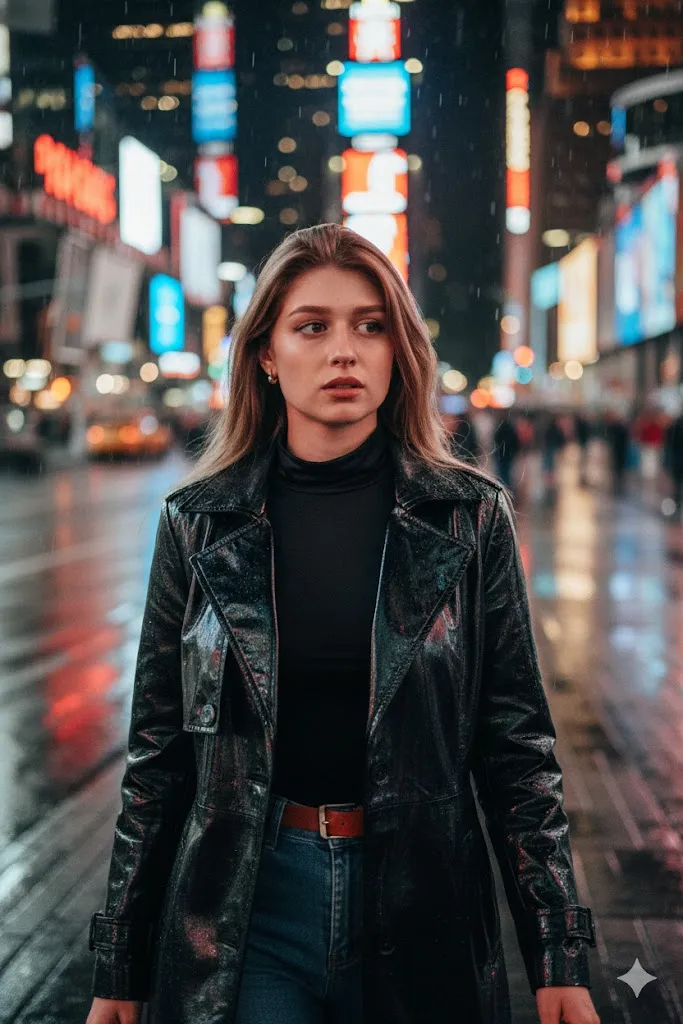
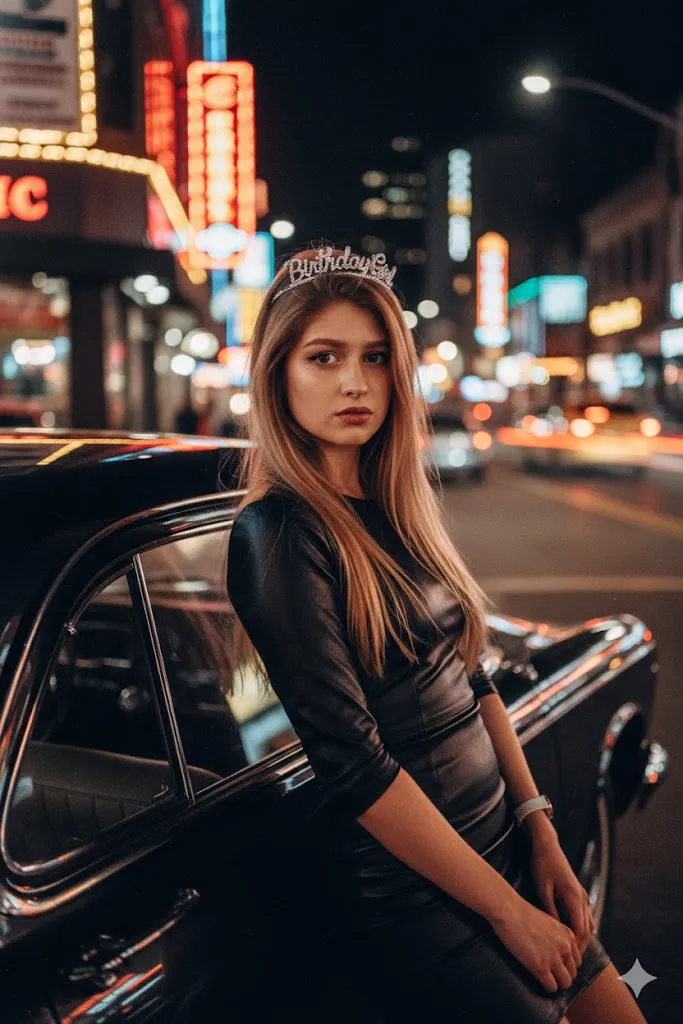
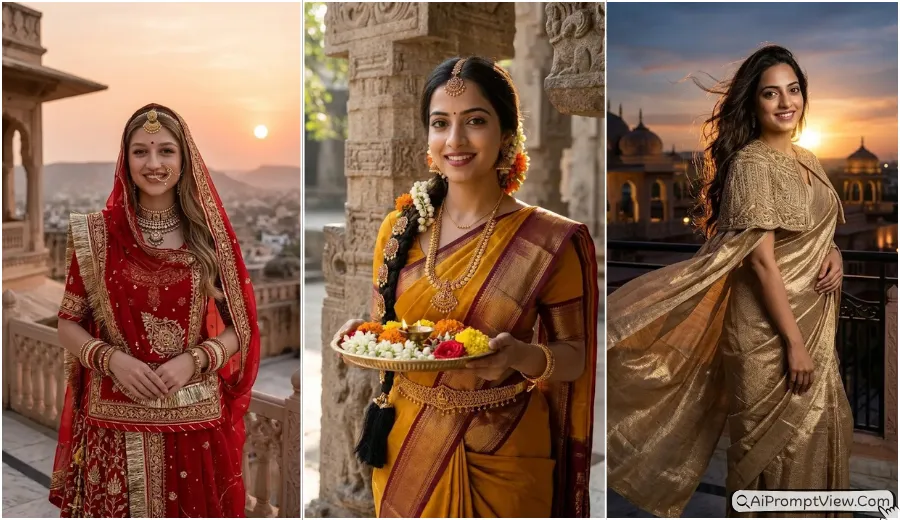
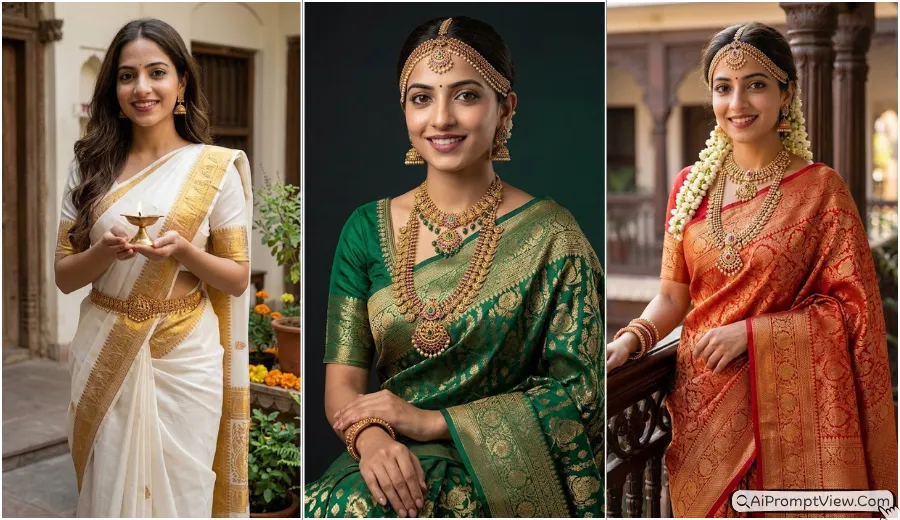
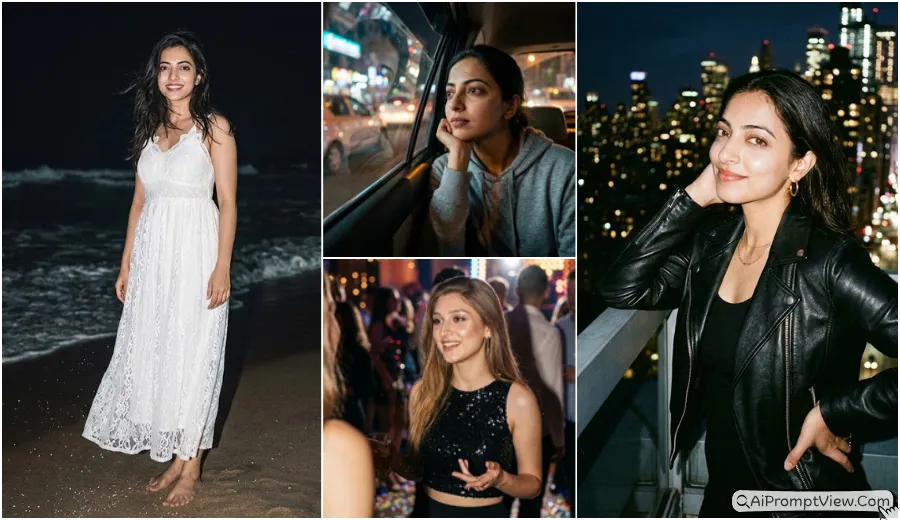
If you are looking for Over The Shoulder Girls AI Photo Prompts, Instagram viral girl pose prompts, or realistic AI photo editing prompts, you are in the right place. I started testing this trending back view portrait style after seeing it appear so often on Instagram. After trying many versions with Gemini and ChatGPT based AI workflows, I found that small changes in the camera angle, pose, and lighting made the biggest difference. The prompts I am sharing here are the ones that gave me the most natural and realistic results.
I personally test every prompt before adding it to this blog. Some prompts look good on the first try, while others need a few small changes before they feel real. You can copy any prompt, edit your own photo, and even make small changes to match your personal style while keeping the final image natural and realistic.
Over The Shoulder Girls AI Photo Prompts
I have included 8 different prompts below, but each one follows the same over the shoulder portrait style in a unique way. You will find soft morning portraits, royal looks, rainy street scenes, beach views, mountain backgrounds, indoor portraits, and more. Every prompt is ready to help you create a realistic back view photo while keeping your face and identity natural.
Prompt 1. Morning Garden Shoulder Glance
I tried this prompt during a soft sunrise theme. This one gave me the best result for a peaceful portrait. I noticed the gentle shoulder turn made the face look natural instead of forced.
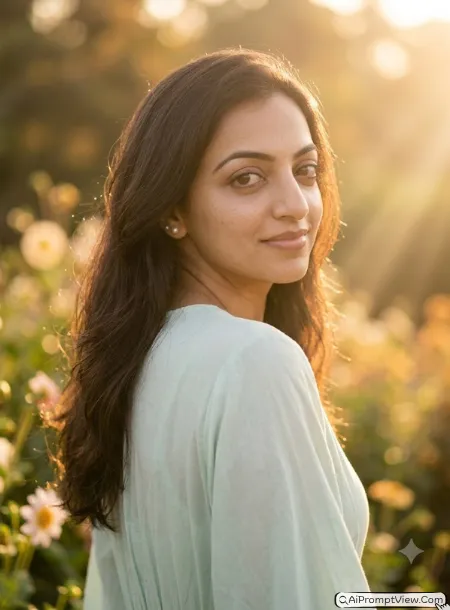
STAGE AND ENVIRONMENT SETUP CORE STYLE: Create a hyper realistic dreamy morning portrait in a peaceful flower garden during sunrise. The image should feel fresh, soft, and calm with a vertical 4:5 portrait composition that keeps the subject as the clear focus. STRICT IDENTITY LOCK ANTI AI REALISM: Edit the uploaded photo and use it as the only reference for facial features, skin tone, face shape, eye shape, nose structure, lip lines, jawline, hairline, and body structure. Keep the face one hundred percent unchanged. Preserve real skin texture, fine pores, soft baby hair, and natural depth without making the skin smooth or artificial. OUTFIT POSE AND EXPRESSION SHIFT: Show the subject from the back with the left shoulder slightly raised while looking gently over the shoulder with a soft relaxed smile. Dress her in a flowing pastel cotton dress with natural fabric folds and small pearl earrings. PROFESSIONAL CAMERA AND LIGHTING MATRIX: Use a full frame 85mm lens look with f1.8 aperture, eye level rear angle from directly behind the left shoulder, sharp eye focus, soft sunrise side light, and creamy background blur. BACKGROUND AND ENVIRONMENT: Place the subject beside blooming flowers with green plants, warm sunlight, and soft golden tones creating peaceful depth. NEGATIVE PROMPT: face alteration, identity mismatch, plastic skin, artificial AI look, over smoothing, cartoon rendering, anime style, harsh digital HDR, distorted features, double jewelry overlays, cluttered backgrounds, text overlays.
Prompt 2. Traditional Saree Palace Walk
When I used this prompt, the soft palace light looked beautiful. I failed on my first try because the face turned too much. After a small shoulder adjustment, it looked much more natural.
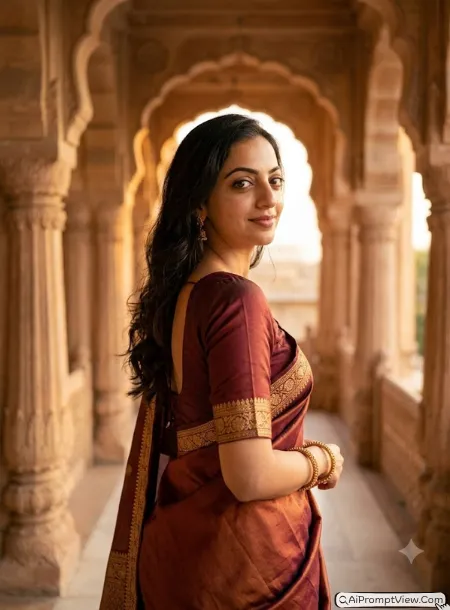
STAGE AND ENVIRONMENT SETUP CORE STYLE: Create a hyper realistic royal portrait inside a beautiful heritage palace with a warm and graceful mood. Keep the photo elegant with a vertical 4:5 composition and natural framing around the subject. STRICT IDENTITY LOCK ANTI AI REALISM: Edit the uploaded photo using only the uploaded face and body as the reference. Keep facial features, skin tone, eye shape, nose, lips, jawline, hairstyle, and body proportions unchanged. Preserve natural pores, tiny skin details, realistic hair strands, and true human texture without artificial beauty effects. OUTFIT POSE AND EXPRESSION SHIFT: Show the subject walking away while turning gently over the right shoulder with a soft confident expression. Dress her in a rich silk saree with detailed border work, matching bangles, and simple earrings that move naturally. PROFESSIONAL CAMERA AND LIGHTING MATRIX: Use a full frame 85mm portrait lens look with f2 aperture, slightly low rear three quarter camera angle looking upward toward the shoulder, soft window light from one side, balanced exposure, and smooth background separation. BACKGROUND AND ENVIRONMENT: Place the subject inside a grand palace corridor with carved pillars, warm sandstone colors, and gentle natural light adding realistic depth. NEGATIVE PROMPT: face alteration, identity mismatch, plastic skin, artificial AI look, over smoothing, cartoon rendering, anime style, harsh digital HDR, distorted features, double jewelry overlays, cluttered backgrounds, text overlays.
Prompt 3. Rainy Street Coffee Mood
This prompt gave me a cozy result that looked almost like a real photo. I noticed the rain reflections added extra depth without making the scene feel busy.
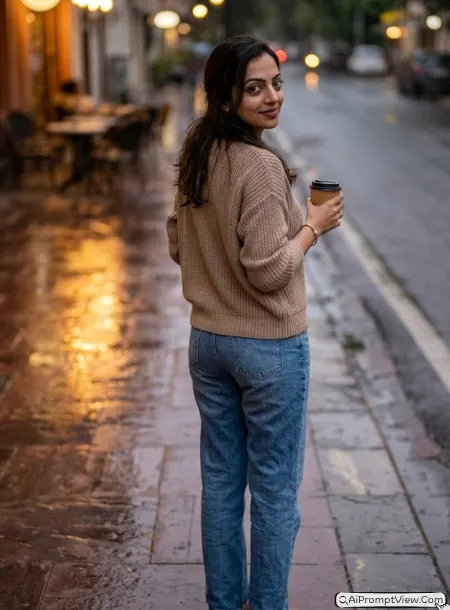
STAGE AND ENVIRONMENT SETUP CORE STYLE: Create a hyper realistic rainy evening portrait with a peaceful city mood and soft reflections across the street. Use a vertical 4:5 portrait composition that keeps the subject natural and balanced. STRICT IDENTITY LOCK ANTI AI REALISM: Edit the uploaded image and use it as the only identity reference for the complete face, skin tone, eye shape, facial structure, lips, jawline, hairstyle, and body proportions. Keep every facial detail unchanged while preserving realistic pores, loose hair strands, and authentic skin texture. OUTFIT POSE AND EXPRESSION SHIFT: Show the subject holding a warm coffee cup while standing with her back facing the camera and giving a gentle glance over the shoulder. Dress her in a comfortable knitted sweater with relaxed jeans and simple accessories that suit the rainy mood. PROFESSIONAL CAMERA AND LIGHTING MATRIX: Use a full frame 85mm lens style with f1.8 aperture, slightly high rear angle looking down toward the shoulder, soft street lighting, realistic reflections, sharp subject focus, and creamy background blur. BACKGROUND AND ENVIRONMENT: Place the subject on a quiet rain washed street with glowing cafe lights, wet pavement, and soft evening colors that create a calm cinematic feeling. NEGATIVE PROMPT: face alteration, identity mismatch, plastic skin, artificial AI look, over smoothing, cartoon rendering, anime style, harsh digital HDR, distorted features, double jewelry overlays, cluttered backgrounds, text overlays.
Prompt 4. Sunset Rooftop Breeze
I tried this one on a warm sunset theme. The first result felt too bright, so I reduced the light and it looked much better. In my experience, the loose hair moving with the breeze made the photo feel more real.
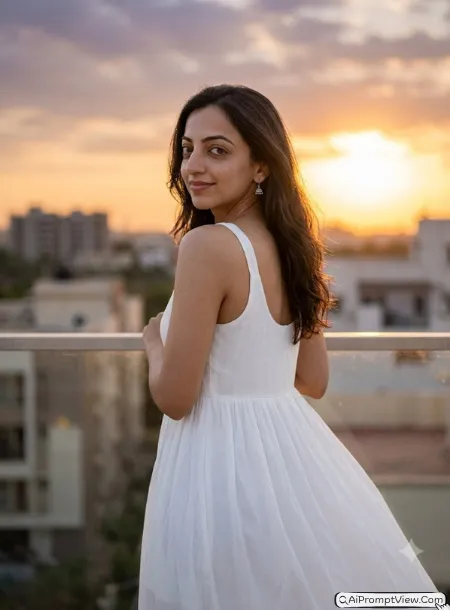
STAGE AND ENVIRONMENT SETUP CORE STYLE: Create a hyper realistic sunset portrait on a peaceful rooftop during the golden hour. The mood should feel warm, relaxed, and natural with a vertical 4:5 portrait composition that keeps the subject as the main focus. STRICT IDENTITY LOCK ANTI AI REALISM: Edit the uploaded photo and use the uploaded image as the only reference for facial features, skin tone, face shape, eye shape, nose structure, lip lines, jawline, hairstyle, and body structure. Keep the face one hundred percent unchanged without reshaping or beautifying it. Preserve natural pores, soft skin texture, tiny facial details, loose hair strands, and realistic depth. OUTFIT POSE AND EXPRESSION SHIFT: Show the subject standing near the rooftop edge with her back facing the camera while gently looking over her left shoulder. Keep a calm smile with relaxed eyes. Dress her in a flowing white summer dress with soft fabric folds and small silver earrings moving lightly in the breeze. PROFESSIONAL CAMERA AND LIGHTING MATRIX: Use a full frame 85mm lens look with f1.8 aperture, left rear three quarter camera angle, soft golden side lighting, realistic skin tones, sharp eye focus, and creamy background blur. BACKGROUND AND ENVIRONMENT: Place the subject on a clean rooftop overlooking distant buildings with warm orange skies, soft clouds, and glowing evening sunlight creating natural depth. NEGATIVE PROMPT: face alteration, identity mismatch, plastic skin, artificial AI look, over smoothing, cartoon rendering, anime style, harsh digital HDR, distorted features, double jewelry overlays, cluttered backgrounds, text overlays.
Prompt 5. Lavender Field Soft Turn
When I used this prompt, I noticed the flower field looked better with softer colors. I also learned that a small shoulder turn looked more natural than turning the whole face.
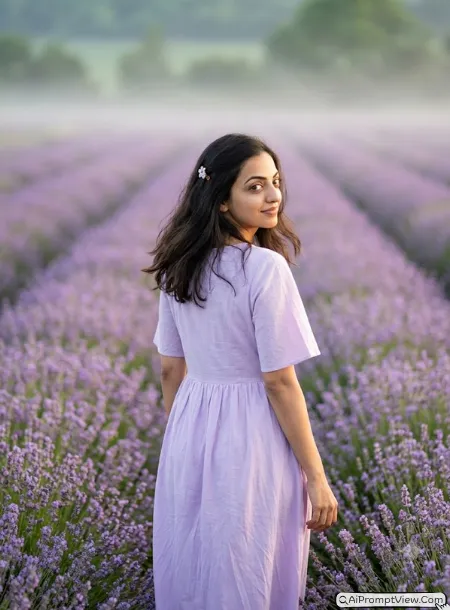
STAGE AND ENVIRONMENT SETUP CORE STYLE: Create a hyper realistic portrait inside a peaceful lavender field during the early morning. The photo should feel dreamy, fresh, and soft using a vertical 4:5 portrait composition with balanced framing. STRICT IDENTITY LOCK ANTI AI REALISM: Edit the uploaded image using only the uploaded face and body as the identity reference. Preserve facial structure, skin tone, eye shape, eyebrows, nose, lips, jawline, hairstyle, and body proportions exactly as they appear. Maintain natural skin pores, realistic texture, tiny facial details, and soft hair movement without over smoothing. OUTFIT POSE AND EXPRESSION SHIFT: Show the subject walking slowly through the flowers with her back toward the camera while giving a gentle shoulder glance and a peaceful smile. Dress her in a light lavender cotton dress with soft flowing fabric and a simple flower hair clip. PROFESSIONAL CAMERA AND LIGHTING MATRIX: Use a full frame 85mm lens style with f2 aperture, right rear three quarter camera angle with a gentle diagonal composition, natural sunrise lighting, smooth subject focus, soft depth of field, and realistic color balance. BACKGROUND AND ENVIRONMENT: Place the subject between endless lavender flowers with gentle morning mist, soft sunlight, and clean green tones that create calm natural depth. NEGATIVE PROMPT: face alteration, identity mismatch, plastic skin, artificial AI look, over smoothing, cartoon rendering, anime style, harsh digital HDR, distorted features, double jewelry overlays, cluttered backgrounds, text overlays.
Prompt 6. Library Window Quiet Moment
This one felt very different from the outdoor styles. I tried this prompt several times before getting the right light. The window light made the shoulder pose look much more realistic.
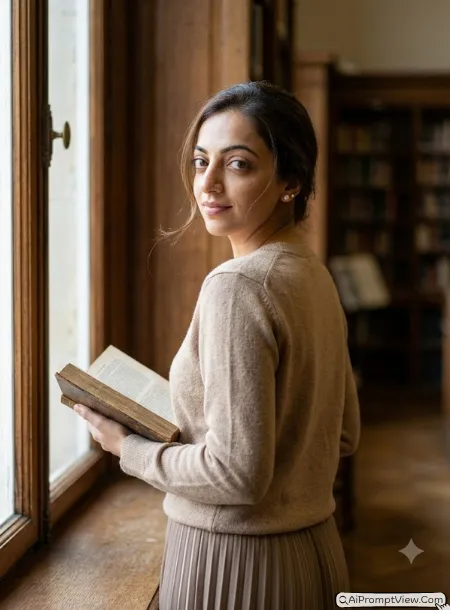
STAGE AND ENVIRONMENT SETUP CORE STYLE: Create a hyper realistic portrait inside a peaceful old library with a quiet reading mood. The image should feel elegant and calm using a vertical 4:5 portrait composition with soft natural framing. STRICT IDENTITY LOCK ANTI AI REALISM: Edit the uploaded photo and use it as the only identity reference for facial features, skin tone, face shape, eye shape, nose, lips, jawline, hairstyle, and body structure. Preserve natural pores, true skin texture, realistic facial depth, and loose hair strands without changing the person's identity. OUTFIT POSE AND EXPRESSION SHIFT: Show the subject standing beside a large wooden window while holding an open book close to her side. Keep her back toward the camera with a gentle glance over the shoulder and a relaxed thoughtful expression. Dress her in a simple beige knitted sweater with a long pleated skirt and small pearl stud earrings. PROFESSIONAL CAMERA AND LIGHTING MATRIX: Use a full frame 85mm portrait lens look with f1.8 aperture, close shoulder crop from eye level behind the subject, soft window lighting, balanced shadows, natural skin tones, and creamy background blur. BACKGROUND AND ENVIRONMENT: Place the subject inside a classic library filled with wooden bookshelves, warm brown colors, soft daylight, and subtle depth that creates a peaceful reading atmosphere. NEGATIVE PROMPT: face alteration, identity mismatch, plastic skin, artificial AI look, over smoothing, cartoon rendering, anime style, harsh digital HDR, distorted features, double jewelry overlays, cluttered backgrounds, text overlays.
Prompt 7. Mountain View Morning
I tried this prompt after testing many outdoor locations. This one gave me a fresh and peaceful result. I noticed the mountain light looked more natural when the face stayed only partly visible.
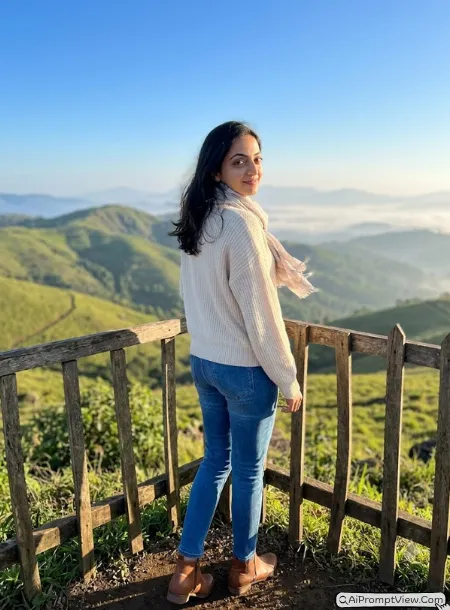
STAGE AND ENVIRONMENT SETUP CORE STYLE: Create a hyper realistic morning portrait on a peaceful mountain viewpoint with fresh air and soft sunrise colors. The image should feel calm and refreshing with a vertical 4:5 portrait composition that keeps the subject naturally framed against the landscape. STRICT IDENTITY LOCK ANTI AI REALISM: Edit the uploaded photo and use the uploaded image as the only reference for facial features, skin tone, face shape, eye shape, nose structure, lip lines, jawline, hairstyle, ears, and body proportions. Keep the identity completely unchanged. Preserve natural pores, soft skin texture, tiny facial details, realistic hair strands, and true human depth without smoothing or beauty effects. OUTFIT POSE AND EXPRESSION SHIFT: Show the subject standing near a wooden fence with her back toward the camera while gently looking over her right shoulder with a peaceful smile. Dress her in a soft cream knitted sweater, comfortable blue jeans, brown ankle boots, and a light scarf moving gently in the breeze. PROFESSIONAL CAMERA AND LIGHTING MATRIX: Use a full frame 85mm lens look with f1.8 aperture, wide rear environmental camera angle showing the mountain landscape, soft sunrise side lighting, balanced exposure, realistic color tones, sharp eye focus, and creamy background blur. BACKGROUND AND ENVIRONMENT: Place the subject on a mountain viewpoint surrounded by green hills, soft morning mist, golden sunlight, and a clear blue sky creating natural depth and a peaceful outdoor feeling. NEGATIVE PROMPT: face alteration, identity mismatch, plastic skin, artificial AI look, over smoothing, cartoon rendering, anime style, harsh digital HDR, distorted features, double jewelry overlays, cluttered backgrounds, text overlays.
Prompt 8. White Curtain Window Glow
I almost removed this prompt while testing because my first result looked too bright. After reducing the light, it became one of my favorite indoor edits. The soft window glow looked beautiful.
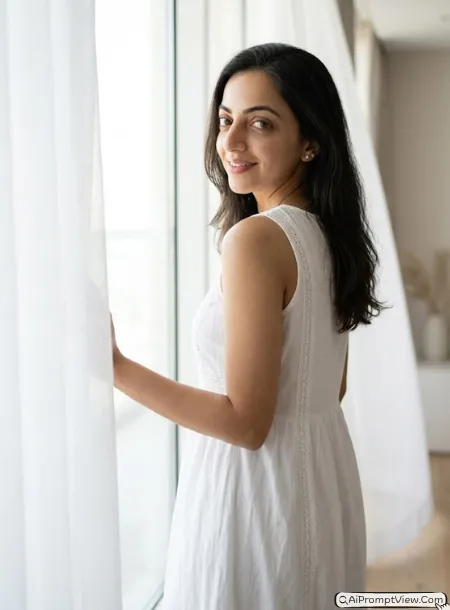
STAGE AND ENVIRONMENT SETUP CORE STYLE: Create a hyper realistic indoor portrait beside a large white window during a peaceful morning. The mood should feel clean, soft, and elegant using a vertical 4:5 portrait composition with gentle natural framing around the subject. STRICT IDENTITY LOCK ANTI AI REALISM: Edit the uploaded image and use it as the only identity reference for facial features, skin tone, face shape, eye shape, eyebrows, nose, lips, jawline, hairstyle, ears, and body structure. Keep every facial detail exactly the same while preserving realistic pores, soft skin texture, fine hair strands, and natural human depth. OUTFIT POSE AND EXPRESSION SHIFT: Show the subject standing beside flowing white curtains with her back facing the camera while giving a soft shoulder glance and a relaxed smile. Dress her in a simple white cotton dress with delicate lace details and small pearl earrings. PROFESSIONAL CAMERA AND LIGHTING MATRIX: Use a full frame 85mm portrait lens style with f2 aperture, medium rear portrait angle framed through flowing white curtains, diffused window light, smooth highlights, balanced shadows, natural skin colors, and soft background blur. BACKGROUND AND ENVIRONMENT: Place the subject inside a bright modern room with white curtains, light wooden flooring, soft neutral colors, and clean minimal decor creating a peaceful home atmosphere. NEGATIVE PROMPT: face alteration, identity mismatch, plastic skin, artificial AI look, over smoothing, cartoon rendering, anime style, harsh digital HDR, distorted features, double jewelry overlays, cluttered backgrounds, text overlays.
Tips to Get Better Results with These Prompts
These prompts already gave me good results during testing, but I still make small changes depending on the photo I use. If your first result is not perfect, try changing only one or two words instead of rewriting the whole prompt.
- Add daylight vibe: Replace sunrise with soft daylight, golden hour, cloudy morning, or warm evening light to match your photo.
- Change the background: Replace the location with a garden, old street, waterfall, snowy mountains, flower field, palace, or any place that matches your idea.
- Try another outfit: Change the dress to a saree, casual outfit, hoodie, gown, traditional wear, or any outfit that fits your style.
- Adjust the camera view: You can replace the camera angle with eye level rear angle, slightly high rear angle, slightly low rear angle, or close shoulder crop for a different look.
- Match your mood: Add words like happy smile, calm expression, thoughtful look, gentle laugh, or peaceful eyes to create a different feeling.
- Keep changes small: In my experience, changing only one detail at a time gives better results than changing many parts together.
Final Words
This over the shoulder style looked much better than I expected when I first tested it. One thing I noticed was that a small shoulder turn always felt more natural than showing too much of the face. I also kept the backgrounds simple because they helped the subject stand out. Another thing I learned was that every photo is a little different, so I never expect the first result to be perfect. I usually make one small change at a time, like the lighting, outfit, or camera angle, instead of changing the whole prompt. That makes it much easier to find the look I want. If you try these prompts, take a few minutes to test small changes that match your own photo. I hope they help you create realistic portraits that you will enjoy sharing.