AI Prompts for Professional Real Estate Virtual Staging help you turn simple empty room photos into fully designed, ready to sell spaces. In this article, I have created and tested different AI prompts that can help you convert blank interiors into modern living rooms, luxury bedrooms, clean offices, and stylish dining areas. These prompts are useful for real estate listings, property marketing, interior visualization, and social media posts.
You can use these prompts with tools like Gemini AI, Flow AI image editor or ChatGPT image editing features. If you want your property images to look bright, realistic, and more attractive for buyers, these virtual staging prompts will help you achieve that in a simple way.
AI Prompts for Professional Real Estate Virtual Staging
I have used these prompts on real empty room photos, and the difference was clearly visible. Rooms started looking more spacious, clean, and ready to live in. If you use them properly, you will get natural lighting, correct furniture placement, and a very real finish. Just make sure your base photo is clear, because the final result depends a lot on that.
Use them like this:
- Take a clear wide photo of your empty room
- Upload it in your AI editing tool
- Copy any prompt from below
- Paste and apply it directly
- Check the result and adjust if needed
Section 1: Modern Living Rooms Bright and Airy
1. Scandinavian Minimalist Living Room
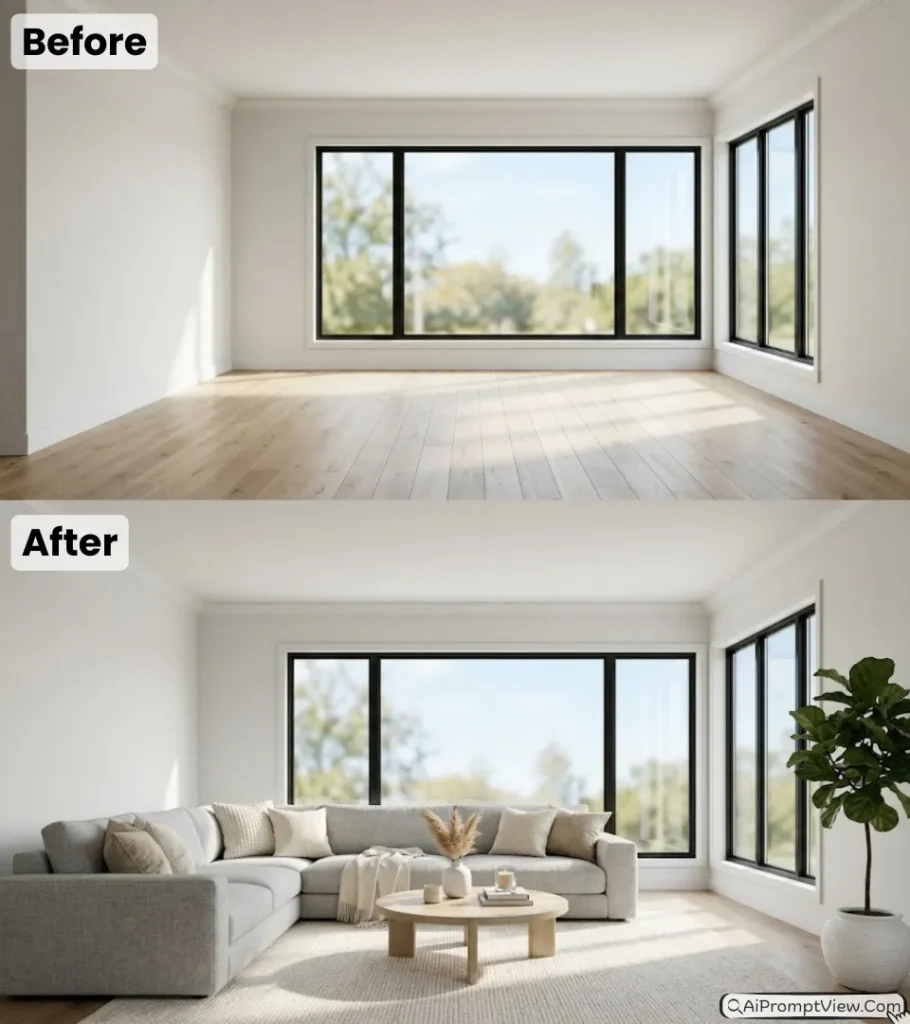
Edit my photo by using it as the main room structure. Turn this empty living room into a clean Scandinavian style space. Add a large light grey fabric sofa in L shape placed against the wall. Add soft cream and beige cushions on it. Place a round wooden coffee table in the center on a light cream rug. Add a tall green indoor plant in a white pot in one corner. Keep natural sunlight coming from the window with soft shadows on the floor. Maintain original walls and floor. Make it look very real with bright and airy feeling in high detail.
2. Modern Luxury Living Space
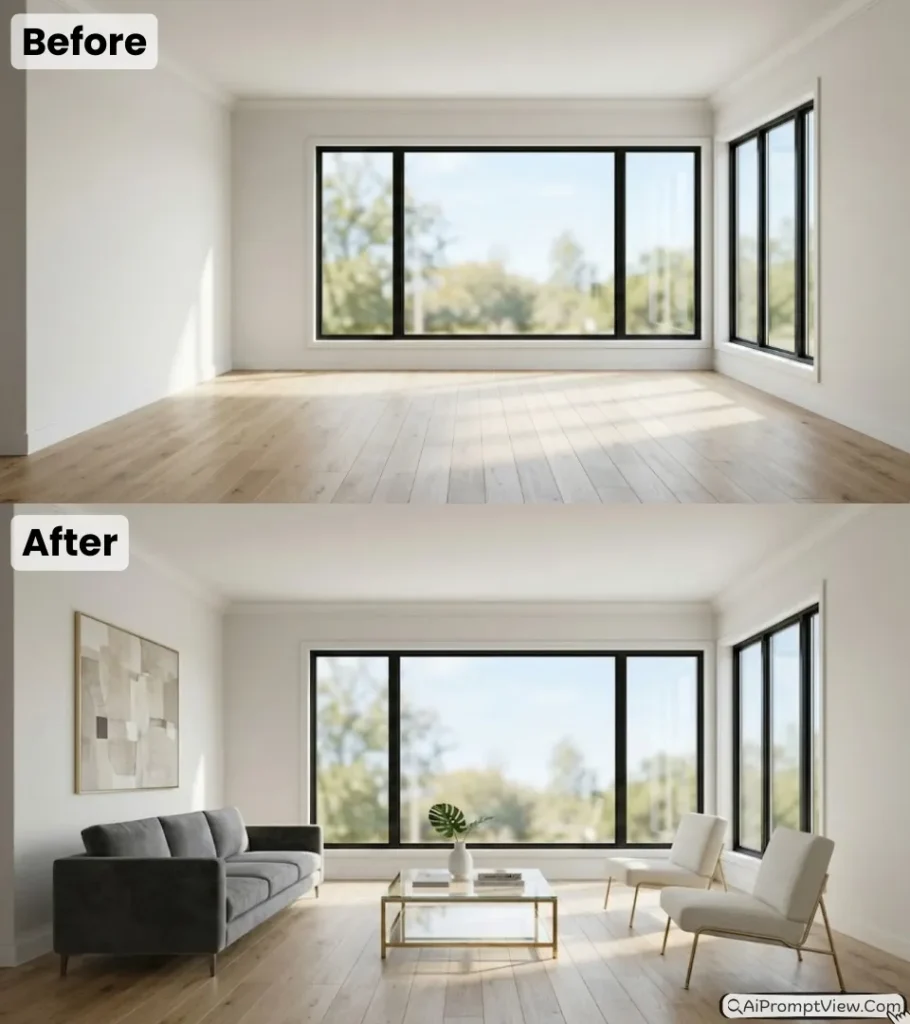
Edit my photo and keep the original room layout same. Add a modern dark grey velvet sofa and two off white chairs with thin metal legs. Place a glass coffee table with a gold frame in the center. Add a large simple abstract wall art in neutral shades like beige and grey. Keep the room bright with warm sunlight entering from windows. Do not change the structure of walls and floor. Make the image look like a real interior photoshoot with clean finish and high quality lighting.
Section 2: Master Bedrooms Cozy and Luxurious
3. Luxury Hotel Style Bedroom
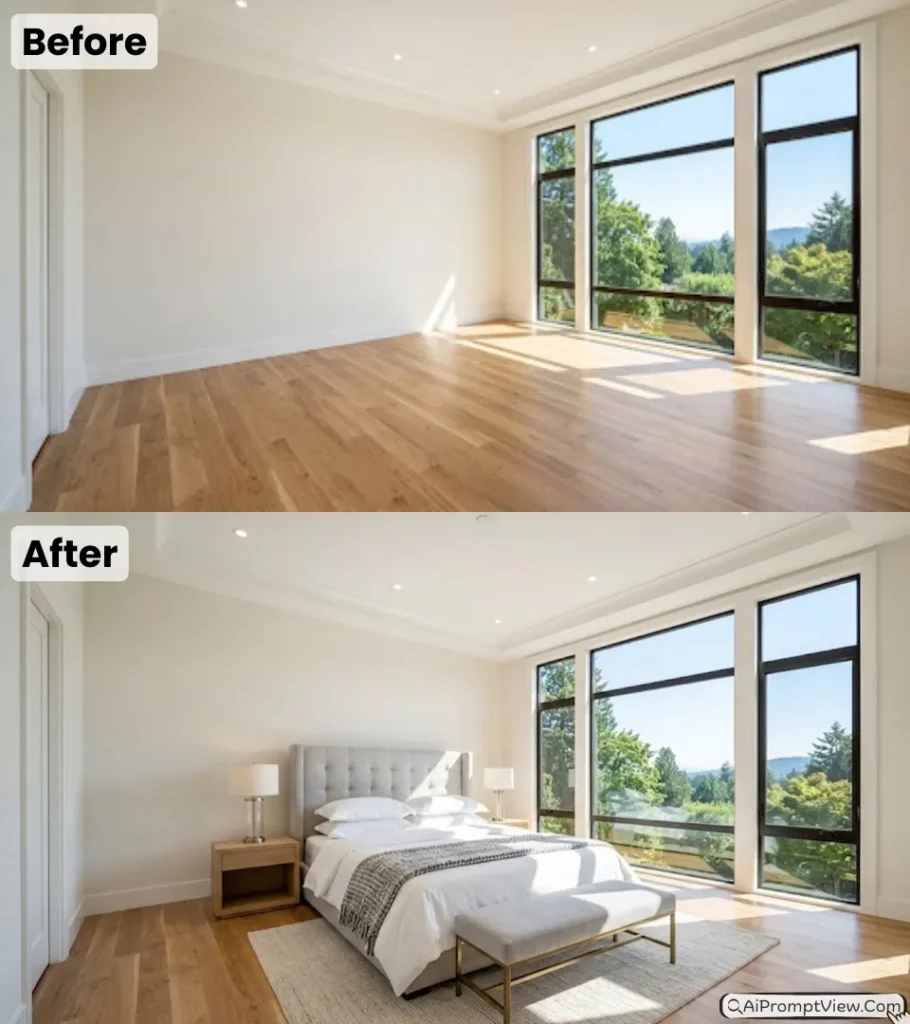
Edit my photo by using it as the base bedroom. Add a king size bed with a tall light grey padded headboard placed in the center. Use white bed sheets with a thick folded blanket and four soft pillows. Add two small wooden side tables with modern lamps. Place a soft bench at the foot of the bed. Keep strong natural daylight coming inside and falling on the bed. Keep walls simple and clean. Make everything look very real and neat like a luxury hotel room.
4. Calm Coastal Bedroom Setup
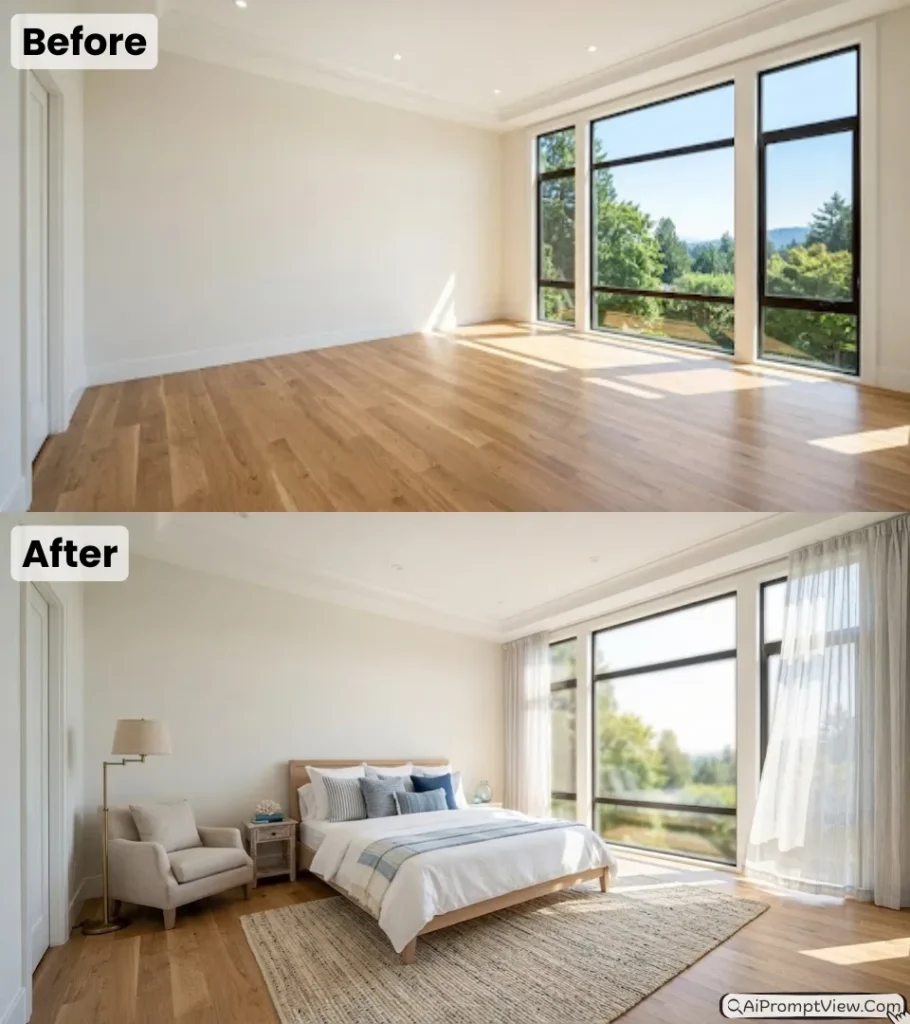
Edit my photo and turn this empty room into a peaceful coastal bedroom. Add a light wood bed with white and blue cushions. Place a textured rug under the bed. In one corner add a small chair with a lamp for reading. Add soft curtains on the windows with light coming through them. Keep outside view slightly blurred. Maintain clean walls and natural colors. Make the image look bright and realistic with a calm and relaxing feel.
Section 3: Professional Home Offices Sleek and Productive
5. Executive Office Setup
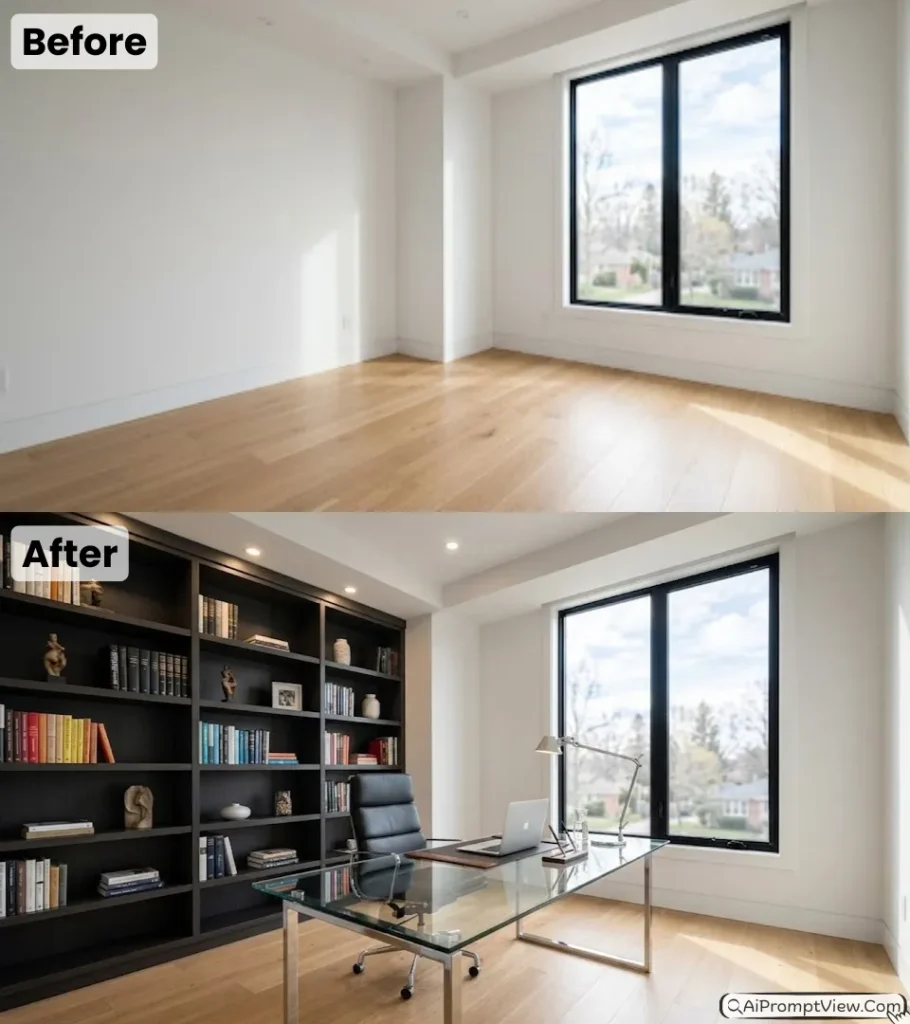
Edit my photo and convert this empty room into a professional office. Add a glass top desk with a metal frame in the center. Place a black office chair behind it. Add a full wall bookshelf with neatly arranged books and small decor items. Keep lighting bright and focused on the desk area. Maintain the original room size and layout. Make reflections on glass look real. Keep the overall look clean, spacious, and suitable for work.
6. Bright Creative Workspace
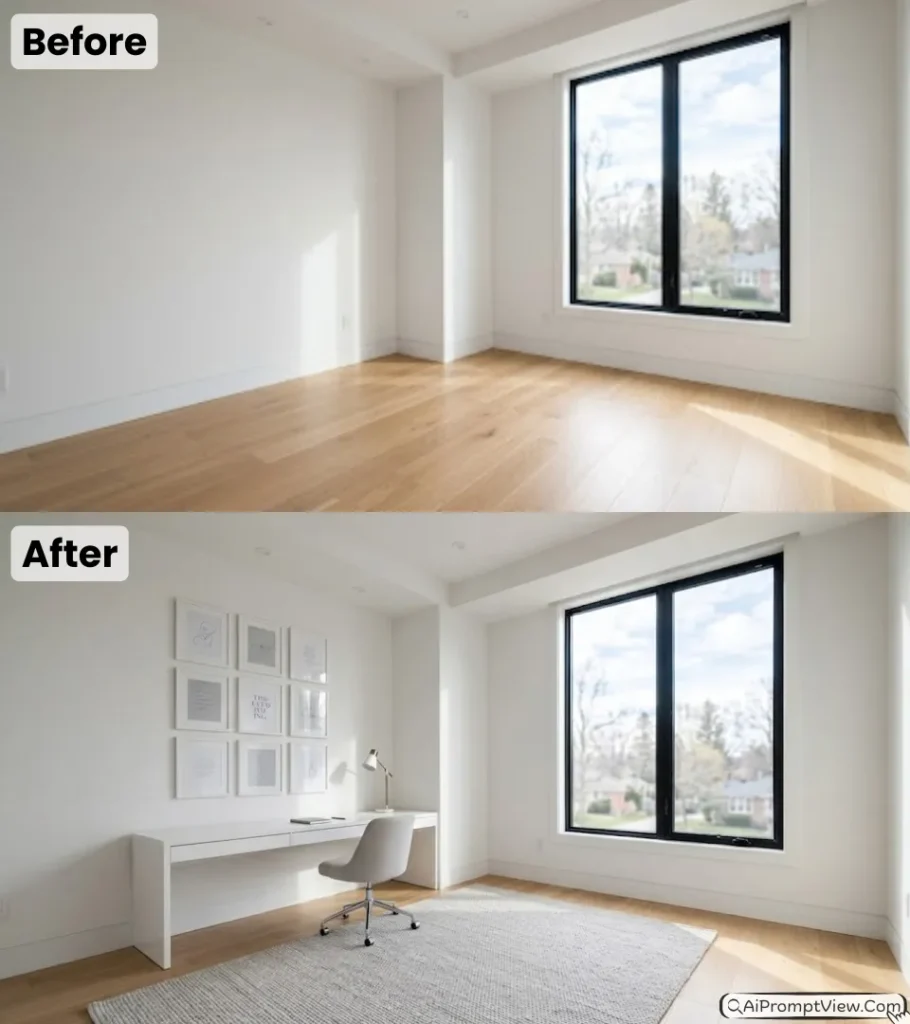
Edit my photo and create a modern creative office. Add a long white desk near the window. Place a simple chair and a small desk lamp. Add a light color rug on the floor. Put a few minimal wall frames in a neat grid style. Keep the space open and free from clutter. Use bright natural light to make the room look bigger. Maintain original walls and floor. Make the image look very real and modern.
Section 4: Dining Areas Elegant and Social
7. Modern Marble Dining Area
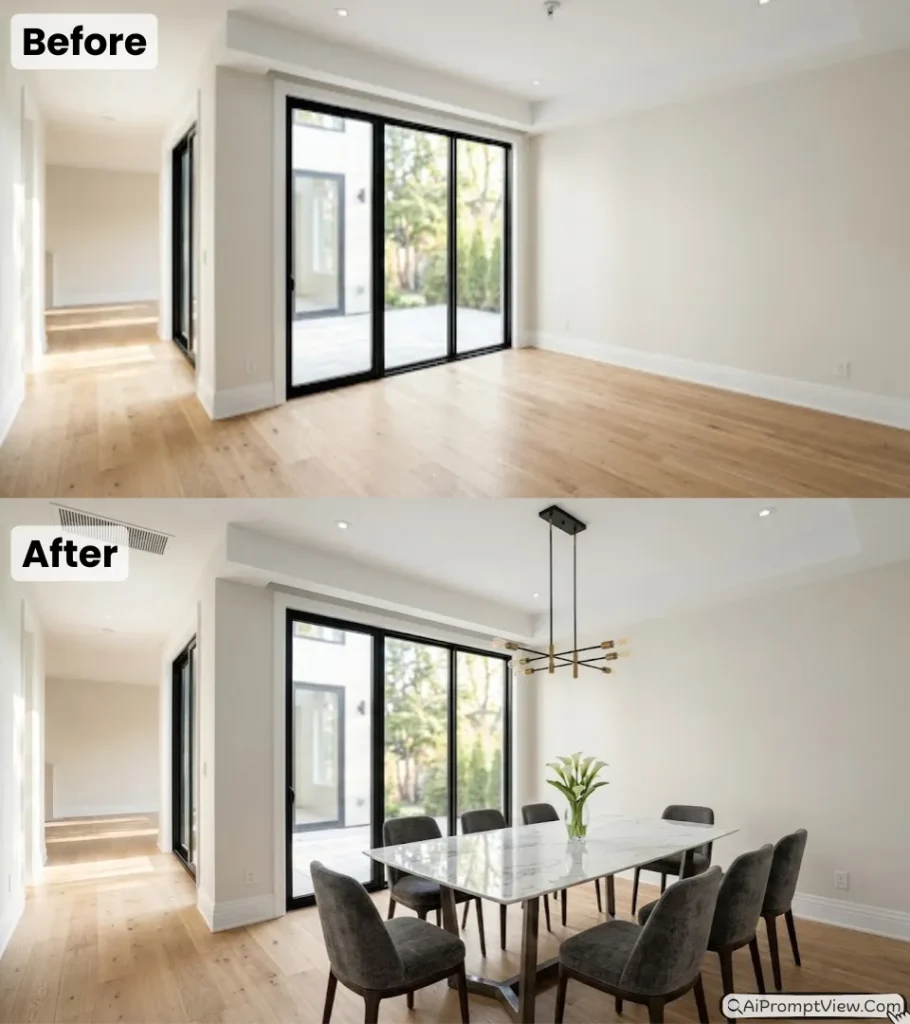
Edit my photo and design a modern dining space. Add a large white marble table with a dark base. Place six soft chairs around it. Add a simple flower vase in the center. Hang a modern light above the table. Keep natural light coming from the side. Highlight the shine of the table and texture of chairs. Maintain the room structure and keep the background clean. Make the image look like a real high end dining setup.
8. Warm Family Dining Room
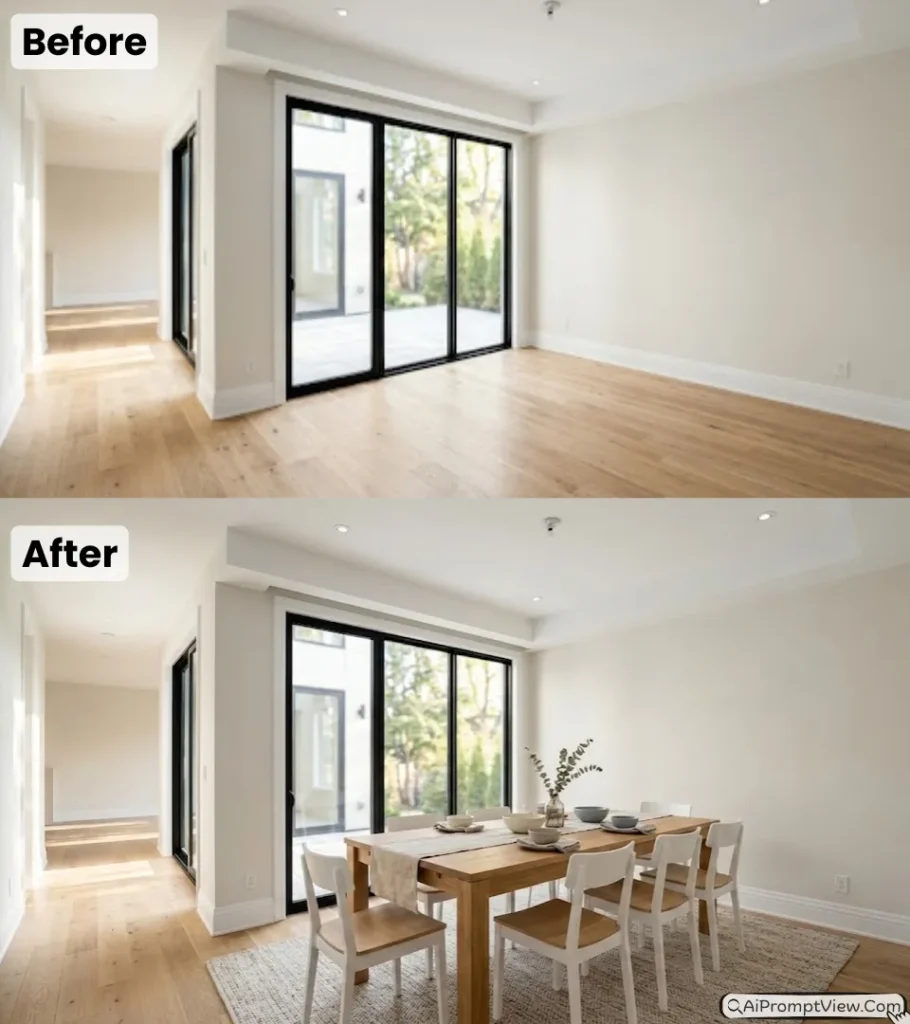
Edit my photo and create a warm dining area. Add a long wooden table with light finish. Place white chairs around it. Add a simple table runner and a few bowls on top. Put a large rug under the table. Keep soft sunlight coming from nearby windows. Maintain the original room layout. Make the setup look clean, welcoming, and realistic with a modern family feel.
Section 5: Open Kitchen and Breakfast Spaces
9. Modern Kitchen Bar Setup
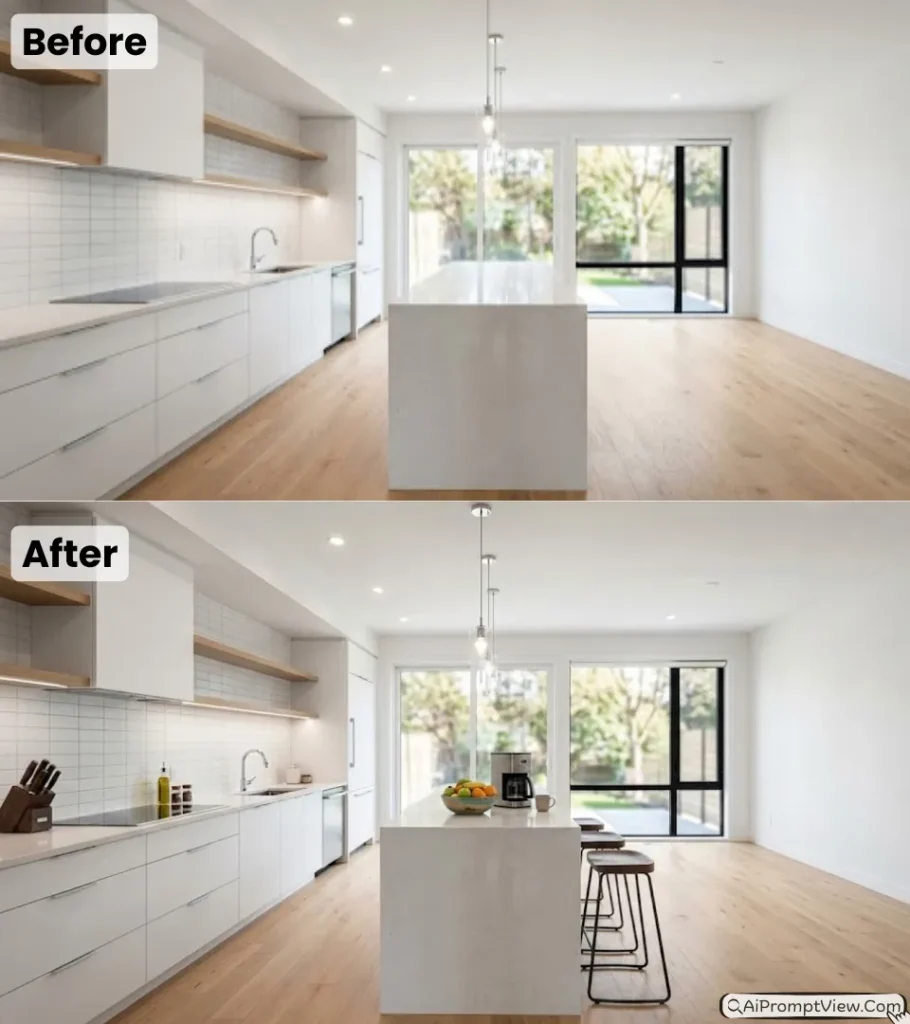
Edit my photo and use the kitchen area as base. If there is a counter add three simple bar stools with dark finish. Place a bowl of fresh fruits and a coffee machine on the counter. Keep lighting focused on the counter surface. Show natural shine on stone and metal surfaces. Keep the rest of the kitchen clean and clutter free. Maintain original layout. add things in kitchen according to requirements. Make the image look like a real kitchen listing photo.
10. Small Breakfast Corner
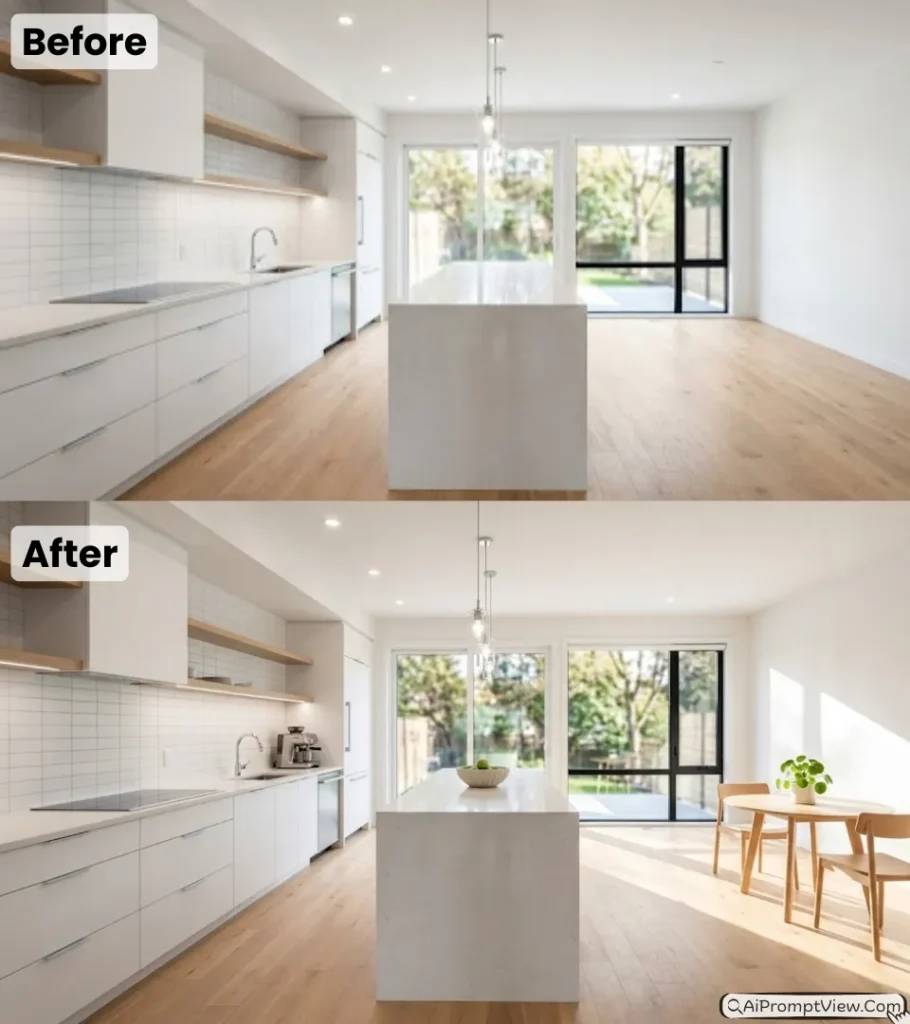
Edit my photo and design a small breakfast space. Add a round table with two chairs. Place a small plant on the table. Keep sunlight directly falling on this area to create a morning feel. Maintain the original walls and floor. Keep everything simple and clean. add things in kitchen according to requirements. Make the image very realistic and bright like a real home corner.
Last words
I have used these AI Prompts for Professional Real Estate Virtual Staging on real empty room photos, and I can say they make a big difference when done properly. You just need a clear image and a little patience to test what looks best. Always keep lighting natural and furniture simple so buyers can connect with the space. Try these prompts yourself and see how your property images start looking more clean, real, and ready to attract serious buyers.