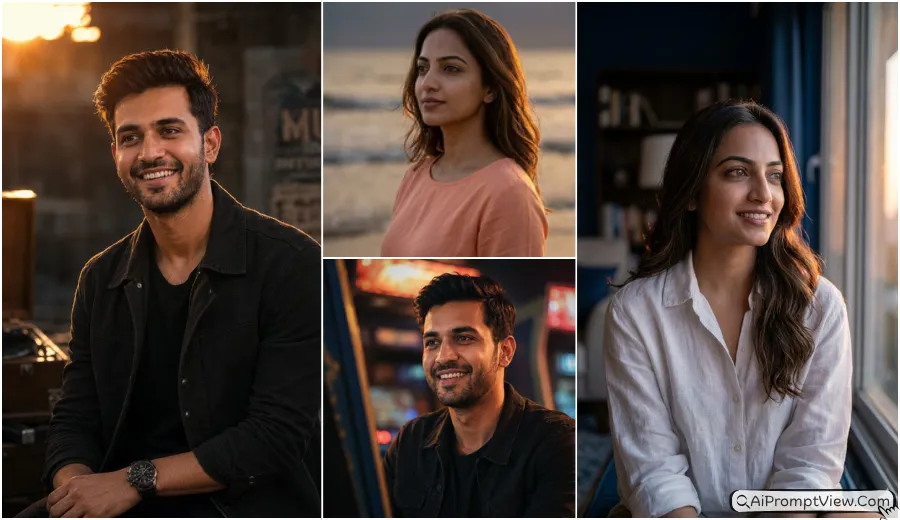
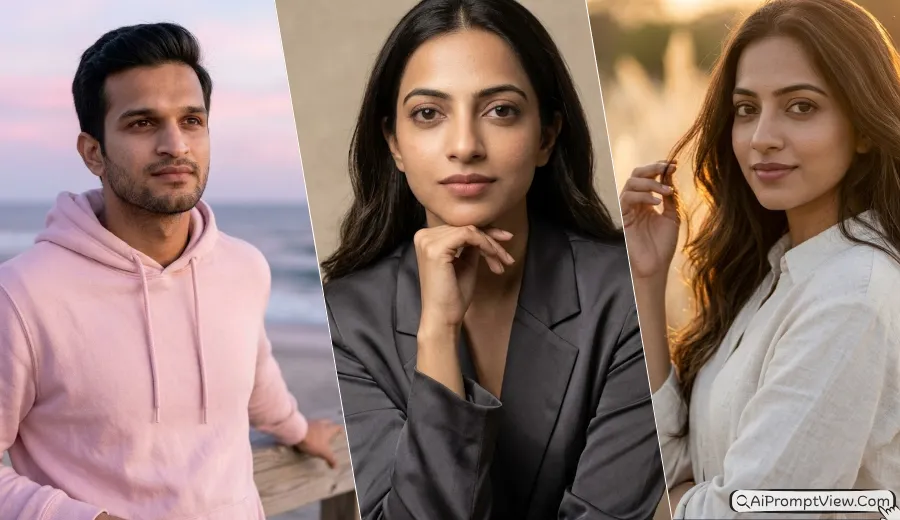
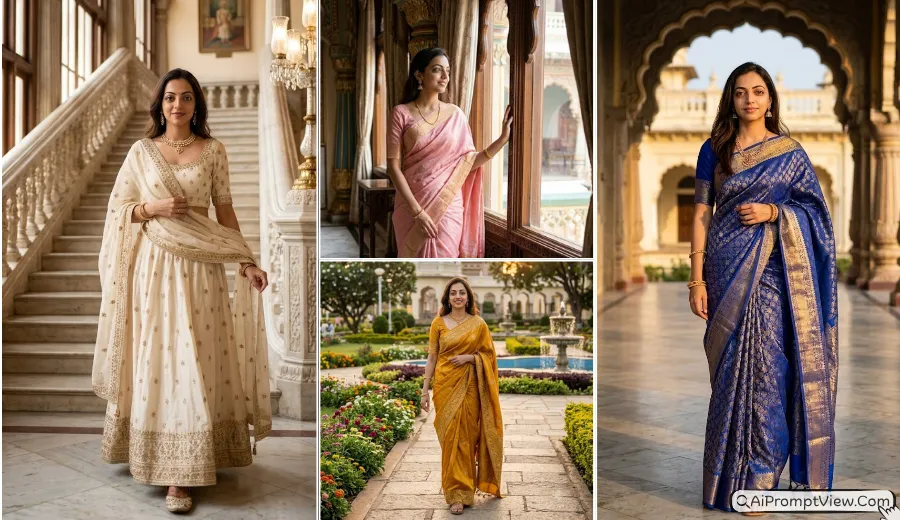
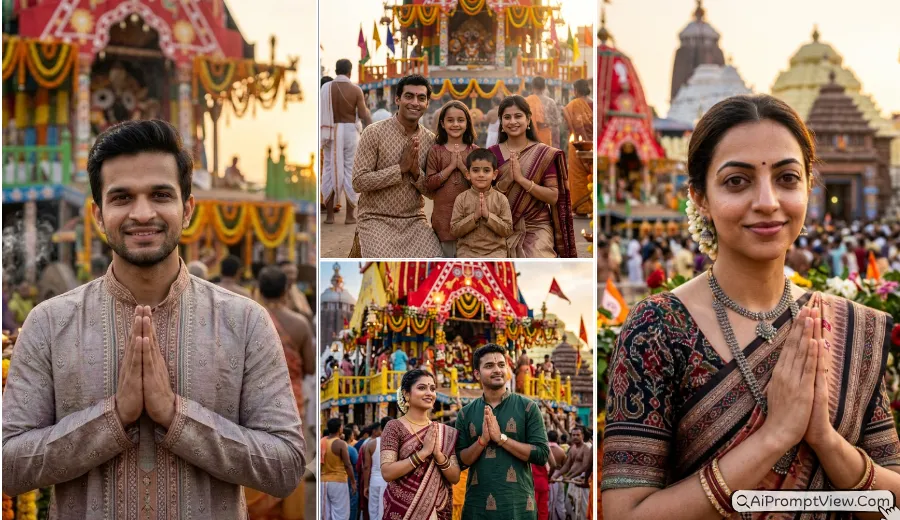
Ultra close up cinematic portrait AI photo prompt is one of the most interesting styles I tested this year. The first time I tried an ultra close facial portrait, I noticed that small details made a huge difference. Real skin texture, eye detail, and natural lighting created a result that looked much closer to a real camera photo than a typical AI image.
I tested these prompts using several AI photo editing tools that support portrait editing and image generation. Some early results looked too smooth and artificial. After many tests, I found that adding detailed skin texture, realistic lighting, and camera instructions helped create much better images. These are the prompts that worked best for me.
Ultra Close Up Cinematic AI Photo Prompt
Ultra close up portraits are very different from normal portraits. The camera is extremely close to the face, so every detail becomes important. In my experience, realistic skin texture matters more than fancy backgrounds. When I tested these prompts, the best results always showed real pores, natural facial depth, and authentic eye detail instead of artificial beauty filter effects.
Prompt 1. Neon Night Street Ultra Close Up Portrait
This was one of the first close up styles I tested. The neon reflections created amazing eye detail. I noticed that keeping the expression serious helped the portrait look more cinematic and realistic.
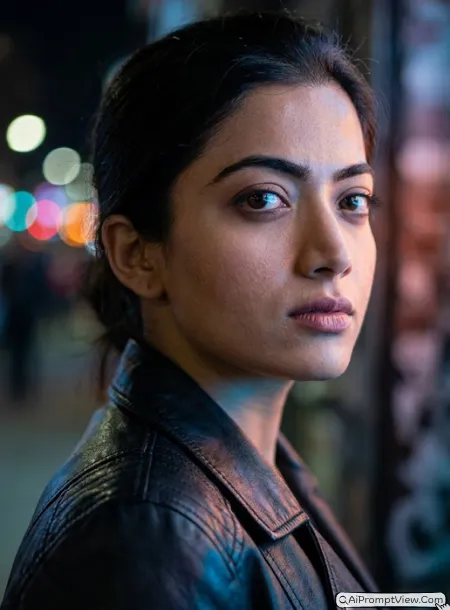
STAGE AND ENVIRONMENT SETUP CORE STYLE: Create a hyper realistic ultra close up cinematic street portrait inspired by luxury cinema photography and modern urban fashion. The image should feel dramatic, immersive, and emotionally powerful. Use an extremely tight facial composition where the face fills most of the frame while maintaining realistic proportions and natural perspective. STRICT IDENTITY LOCK ANTI AI REALISM: Edit the uploaded photo. Use the uploaded image as the only reference for facial features, skin tone, face shape, eye shape, nose structure, lip lines, jawline, facial proportions, and natural identity markers. Keep the face completely unchanged. Do not beautify or reshape any facial area. Preserve visible pores, natural skin grain, realistic peach fuzz facial hair, tiny skin imperfections, fine expression lines, subtle eye moisture, realistic lip texture, authentic skin translucency, and true human depth. Avoid artificial smoothing or beauty filter effects. OUTFIT POSE AND EXPRESSION SHIFT: Show the subject wearing a premium black leather jacket with realistic stitching and natural material texture. Position the face in a slight side angle with the chin lowered slightly and eyes focused toward distant neon lights. Keep the expression serious, confident, and emotionally controlled. PROFESSIONAL CAMERA AND LIGHTING MATRIX: Use a full frame cinema camera with an 85mm lens look at f/1.4 aperture. Focus sharply on the nearest eye while allowing realistic depth falloff across facial features. Add blue and orange neon side lighting that creates realistic reflections in the eyes and subtle highlights across the skin texture. Preserve realistic shadow transitions and true skin dimensionality. BACKGROUND AND ENVIRONMENT: Place the subject on a busy night street with softly blurred city lights, neon shop signs, reflective surfaces, and realistic urban atmosphere. Keep the background heavily blurred but visually believable. Use cinematic color balance and natural environmental depth. NEGATIVE PROMPT: face alteration, identity mismatch, plastic skin, artificial AI look, over smoothing, cartoon rendering, anime style, harsh digital HDR, distorted features, double jewelry overlays, cluttered backgrounds, text overlays.
Prompt 2. Rain Covered Glass Window Portrait
I personally liked this one because the skin looked very natural. The rain reflections added depth without hiding facial details. Most of the time this gave me realistic results when I kept the lighting soft.
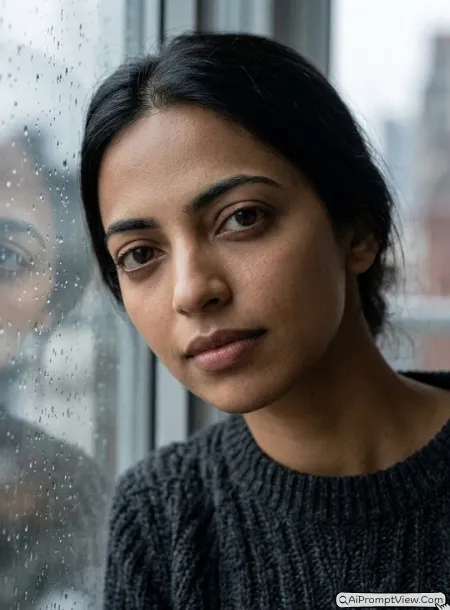
STAGE AND ENVIRONMENT SETUP CORE STYLE: Create a hyper realistic ultra close up cinematic portrait inspired by emotional storytelling photography and premium editorial portrait work. The image should feel intimate, calm, and visually rich while maintaining complete realism. Use an extremely close facial framing where every facial detail remains visible and natural. STRICT IDENTITY LOCK ANTI AI REALISM: Edit the uploaded photo. Use the uploaded image as the only reference for facial features, skin tone, face shape, eye shape, nose structure, lip lines, jawline, and overall identity. Keep the face one hundred percent unchanged. Preserve natural pores, subtle skin imperfections, realistic facial texture, fine baby hairs, peach fuzz, visible skin grain, natural eye moisture, soft under eye texture, realistic lip details, and authentic skin depth. Do not create glass skin or artificial beauty effects. OUTFIT POSE AND EXPRESSION SHIFT: Show the subject standing close to a rain covered window while leaning slightly forward. Dress the subject in a premium charcoal wool sweater with highly realistic knit texture and natural fabric folds. Keep the facial expression thoughtful, calm, and emotionally relaxed with soft eyes and relaxed eyebrows. PROFESSIONAL CAMERA AND LIGHTING MATRIX: Use a professional cinema camera with a 100mm macro portrait lens appearance at f/2 aperture. Maintain extremely sharp eye detail while preserving realistic facial depth. Add soft cloudy daylight passing through the rain covered glass to create gentle highlights and realistic skin shadows. Ensure realistic skin translucency and natural light diffusion. BACKGROUND AND ENVIRONMENT: Place the subject beside a large rain covered window with realistic water droplets, soft reflections, and subtle environmental blur. Use muted colors and cinematic atmosphere while keeping the face as the main focus. NEGATIVE PROMPT: face alteration, identity mismatch, plastic skin, artificial AI look, over smoothing, cartoon rendering, anime style, harsh digital HDR, distorted features, double jewelry overlays, cluttered backgrounds, text overlays.
Prompt 3. Urban Office Sun Shadow Ultra Close Up Portrait
I tested many office style portraits before creating this version. Most early results looked flat. When I added strong window shadows and realistic skin detail, the portrait started looking like a real editorial photo. This one worked especially well for serious and professional looking close ups.
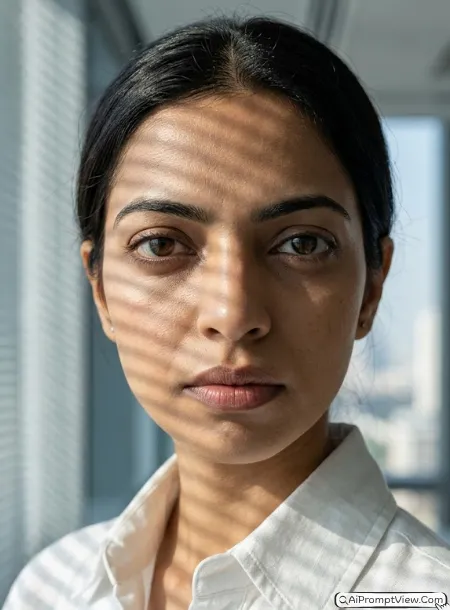
STAGE AND ENVIRONMENT SETUP CORE STYLE: Create a hyper realistic ultra close up cinematic editorial portrait inspired by luxury business photography and modern fashion magazines. The image should feel sophisticated, confident, and visually powerful while maintaining complete realism. Use an extremely tight close up composition where the face occupies most of the frame and every facial detail remains naturally visible. STRICT IDENTITY LOCK ANTI AI REALISM: Edit the uploaded photo. Use the uploaded image as the only reference for facial features, skin tone, face shape, eye shape, nose structure, lip lines, jawline, facial proportions, and overall identity. Keep the face fully unchanged. Preserve natural skin pores, subtle blemishes, realistic skin grain, fine facial hair, tiny texture variations, authentic under eye detail, realistic eyelashes, natural eye moisture, visible lip texture, and true human depth. Avoid glass skin effects, beauty filter appearance, artificial sharpening, or unrealistic smoothness. OUTFIT POSE AND EXPRESSION SHIFT: Show the subject wearing a premium white linen shirt with realistic fabric texture and a structured collar. Position the shoulders slightly angled away from the camera while the face remains close to the lens. Keep the expression serious, focused, and professional with steady eyes and relaxed facial muscles. PROFESSIONAL CAMERA AND LIGHTING MATRIX: Use a full frame cinema camera with a 105mm portrait lens appearance at f/2 aperture. Focus sharply on the eyes while maintaining realistic facial depth transitions. Create strong sunlight patterns crossing part of the face through office blinds. Preserve realistic skin translucency, subtle shadow gradients, and accurate light falloff. Capture natural micro contrast without excessive digital processing. BACKGROUND AND ENVIRONMENT: Place the subject inside a modern glass office with softly blurred architectural details, large windows, distant city elements, and realistic environmental depth. Keep the background unobtrusive so attention stays on facial realism and expression. NEGATIVE PROMPT: face alteration, identity mismatch, plastic skin, artificial AI look, over smoothing, cartoon rendering, anime style, harsh digital HDR, distorted features, double jewelry overlays, cluttered backgrounds, text overlays.
Prompt 4. Golden Hour Luxury Field Ultra Close Up Portrait
This became one of my favorite outdoor close up prompts. I noticed that golden hour light revealed facial texture beautifully without making the skin look harsh. The result felt natural, warm, and very close to professional camera photography.
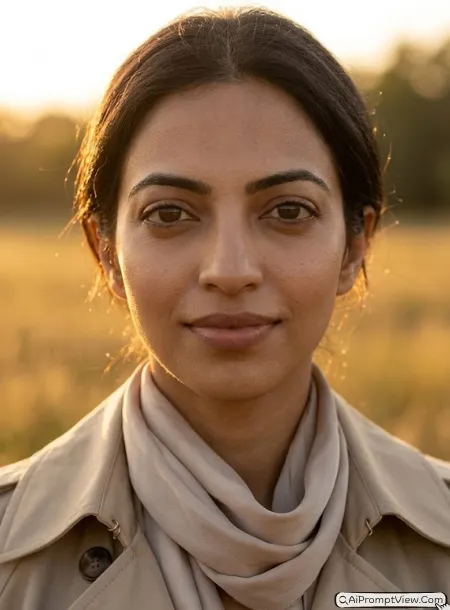
STAGE AND ENVIRONMENT SETUP CORE STYLE: Create a hyper realistic ultra close up cinematic portrait inspired by luxury lifestyle photography and golden hour fashion editorials. The image should feel warm, elegant, and naturally beautiful while maintaining authentic human realism. Use an extremely close facial composition with immersive detail and realistic perspective. STRICT IDENTITY LOCK ANTI AI REALISM: Edit the uploaded photo. Use the uploaded image as the only reference for facial features, skin tone, face shape, eye shape, nose structure, lip lines, jawline, and overall identity characteristics. Keep every facial feature unchanged. Preserve visible pores, natural skin grain, realistic peach fuzz facial hair, subtle freckles if present, authentic skin texture variations, fine expression lines, realistic eye reflections, natural lip texture, and true skin depth. Avoid plastic looking skin, artificial beauty enhancements, or unrealistic facial perfection. OUTFIT POSE AND EXPRESSION SHIFT: Show the subject wearing a premium beige trench coat layered over elegant clothing with a soft silk scarf gently moving in the breeze. Position the head slightly tilted toward the sunlight while maintaining relaxed shoulders and a calm posture. Keep the expression confident, peaceful, and naturally composed with soft eyes and a neutral smile. PROFESSIONAL CAMERA AND LIGHTING MATRIX: Use a high end full frame cinema camera with an 85mm portrait lens appearance at f/1.8 aperture. Focus precisely on the eyes while preserving realistic depth across facial features. Add warm golden hour sunlight creating natural edge lighting around the face and hair. Preserve realistic shadow transitions, subtle skin highlights, and authentic color rendering. Maintain true skin translucency and natural photographic realism. BACKGROUND AND ENVIRONMENT: Place the subject in a softly blurred golden grass field during sunset with realistic environmental depth, warm tones, distant vegetation, and cinematic atmosphere. Keep the background gentle and natural while emphasizing the facial details and skin realism. NEGATIVE PROMPT: face alteration, identity mismatch, plastic skin, artificial AI look, over smoothing, cartoon rendering, anime style, harsh digital HDR, distorted features, double jewelry overlays, cluttered backgrounds, text overlays.
Prompt 5. High Key Studio Fashion Ultra Close Up Portrait
I spent quite a bit of time testing studio close up portraits. Many results looked too perfect and artificial. After adding more realistic skin instructions, I started getting images that looked much closer to professional fashion photography. This prompt worked best for me when I wanted clean studio lighting without losing natural facial texture.
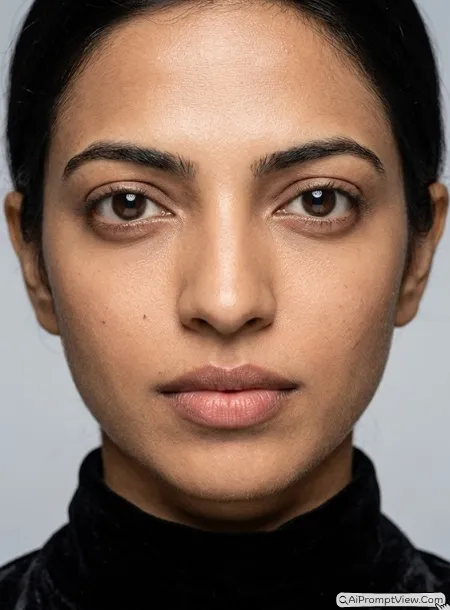
STAGE AND ENVIRONMENT SETUP CORE STYLE: Create a hyper realistic ultra close up studio fashion portrait inspired by premium magazine photography and luxury editorial campaigns. The image should feel clean, elegant, and professionally photographed while maintaining complete human realism. Use an extremely tight facial composition where the face dominates the frame and every natural facial detail remains visible. STRICT IDENTITY LOCK ANTI AI REALISM: Edit the uploaded photo. Use the uploaded image as the only reference for facial features, skin tone, face shape, eye shape, nose structure, lip lines, jawline, facial proportions, and identity characteristics. Keep the face completely unchanged. Preserve realistic pores, natural skin grain, subtle texture variations, tiny facial imperfections, authentic peach fuzz facial hair, natural eyelashes, realistic eye moisture, true under eye texture, natural lip texture, and accurate skin translucency. Maintain visible micro details that appear in professional camera photography. Avoid artificial smoothing, beauty filter effects, glass skin appearance, excessive sharpening, or unrealistic perfection. OUTFIT POSE AND EXPRESSION SHIFT: Show the subject wearing a premium black velvet high neck fashion outfit with realistic fabric texture and luxury tailoring details. Keep the shoulders squared and posture upright while maintaining a direct camera facing angle. Keep the expression powerful, confident, and composed with steady eyes and relaxed facial muscles. PROFESSIONAL CAMERA AND LIGHTING MATRIX: Use a professional medium format studio camera with an 110mm portrait lens appearance at f/2 aperture. Focus sharply on the eyes while preserving realistic depth across the face. Add high key studio lighting with large soft light modifiers creating smooth but realistic shadow transitions. Preserve authentic skin texture visibility and natural color accuracy. Maintain realistic catchlights and professional editorial contrast. BACKGROUND AND ENVIRONMENT: Place the subject inside a luxury photography studio with a clean soft grey backdrop and subtle depth. Keep the environment simple so all attention remains on facial detail, expression, and realistic skin texture. NEGATIVE PROMPT: face alteration, identity mismatch, plastic skin, artificial AI look, over smoothing, cartoon rendering, anime style, harsh digital HDR, distorted features, double jewelry overlays, cluttered backgrounds, text overlays.
Prompt 6. Evening Gala Cinematic Ultra Close Up Portrait
This was one of the most premium looking prompts during my testing. The soft gala lighting added beautiful depth to the face. I noticed that keeping the jewelry subtle helped the portrait remain realistic instead of looking overly edited.
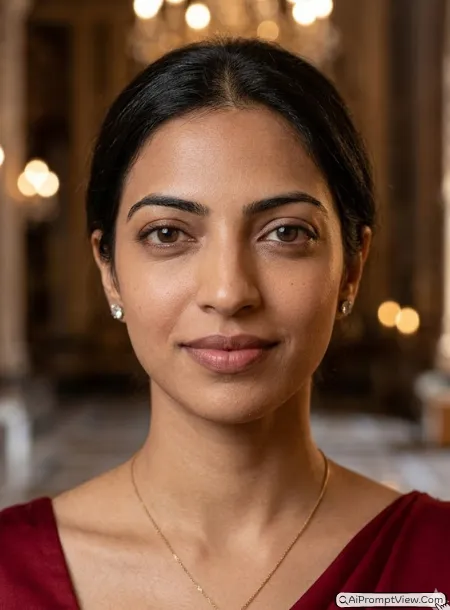
STAGE AND ENVIRONMENT SETUP CORE STYLE: Create a hyper realistic ultra close up cinematic gala portrait inspired by luxury red carpet photography and premium cinema close ups. The image should feel elegant, sophisticated, and emotionally rich while maintaining authentic realism. Use an extremely close facial framing with natural perspective and exceptional facial detail. STRICT IDENTITY LOCK ANTI AI REALISM: Edit the uploaded photo. Use the uploaded image as the only reference for facial features, skin tone, face shape, eye shape, nose structure, lip lines, jawline, facial proportions, and unique identity details. Keep the face fully unchanged. Preserve realistic skin pores, subtle facial texture, authentic skin grain, natural peach fuzz, fine expression lines, realistic eyelashes, natural eye reflections, accurate lip texture, true skin translucency, and visible human imperfections. Maintain realistic depth and dimensionality across all facial features. Avoid beauty filter effects, plastic skin appearance, artificial glow, unrealistic sharpening, or digital smoothing. OUTFIT POSE AND EXPRESSION SHIFT: Show the subject wearing elegant evening attire with refined luxury fabric details and subtle premium jewelry accents. Position the head slightly forward with relaxed shoulders and graceful posture. Keep the expression calm, confident, and naturally composed with a gentle closed smile and relaxed eyes. PROFESSIONAL CAMERA AND LIGHTING MATRIX: Use a full frame cinema camera with a premium 100mm portrait lens appearance at f/2 aperture. Focus precisely on the eyes while allowing realistic depth transitions across the face. Add soft gala lighting from multiple directions to create natural facial contouring and realistic highlights. Preserve authentic skin texture visibility, cinematic contrast, and professional color depth. Maintain natural shadow transitions and realistic skin rendering. BACKGROUND AND ENVIRONMENT: Place the subject inside a luxury gala venue with distant chandelier bokeh lights, elegant architectural details, and softly blurred surroundings. Keep the background rich but unobtrusive so the face remains the primary visual focus. Use warm cinematic tones and realistic environmental depth. NEGATIVE PROMPT: face alteration, identity mismatch, plastic skin, artificial AI look, over smoothing, cartoon rendering, anime style, harsh digital HDR, distorted features, double jewelry overlays, cluttered backgrounds, text overlays.
Final Words
The biggest lesson I learned while testing these ultra close up portrait prompts was that realistic skin texture matters more than dramatic effects. Some of my earliest tests looked artificial because the skin was too smooth. Once I started adding detailed instructions for pores, facial texture, eye moisture, and natural imperfections, the results improved a lot. My personal favorite was the Golden Hour Luxury Field portrait because it balanced realism and cinematic beauty very well. Try changing the lighting direction and expression first before changing anything else. Small adjustments often create the most natural looking portraits.