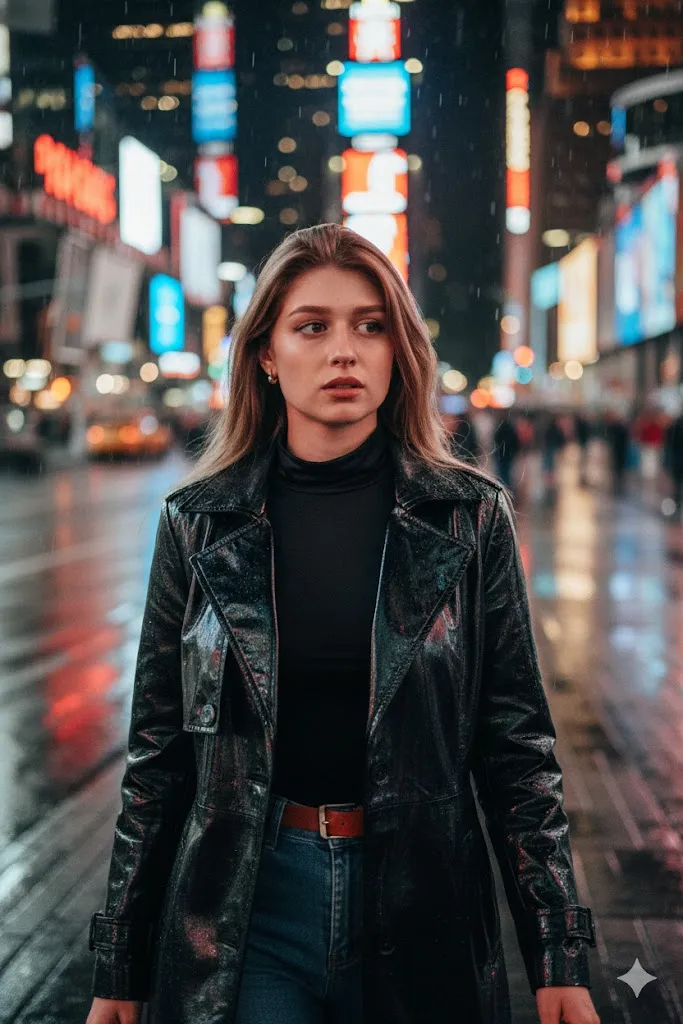
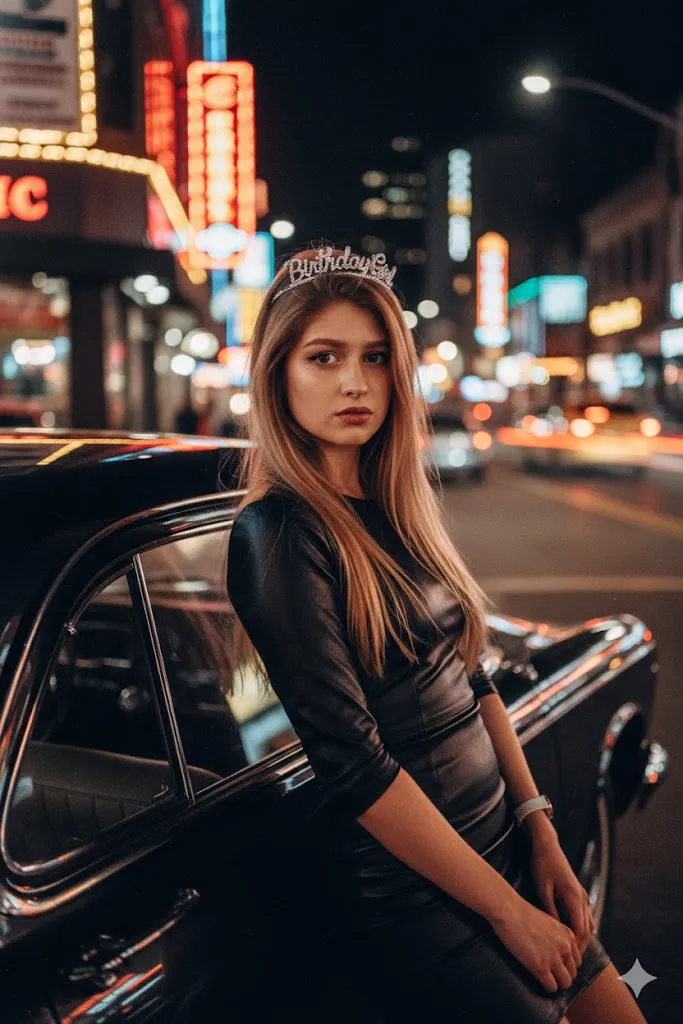
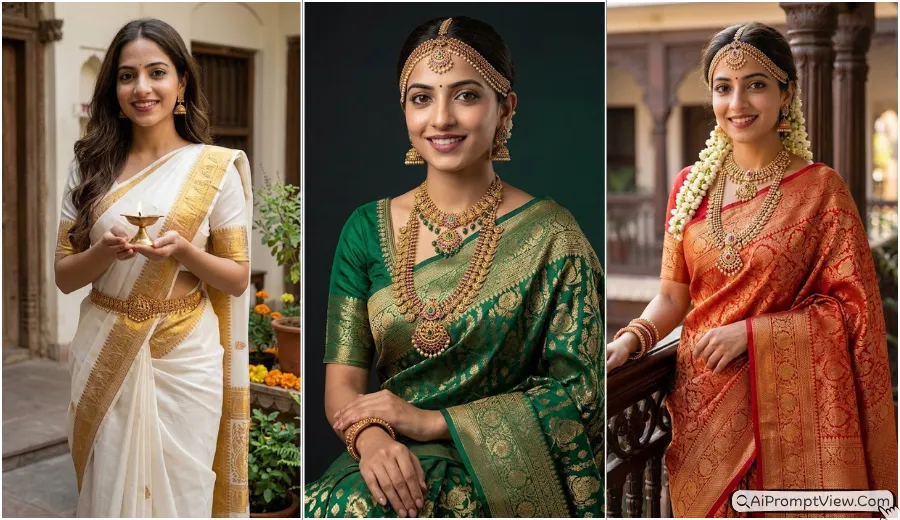
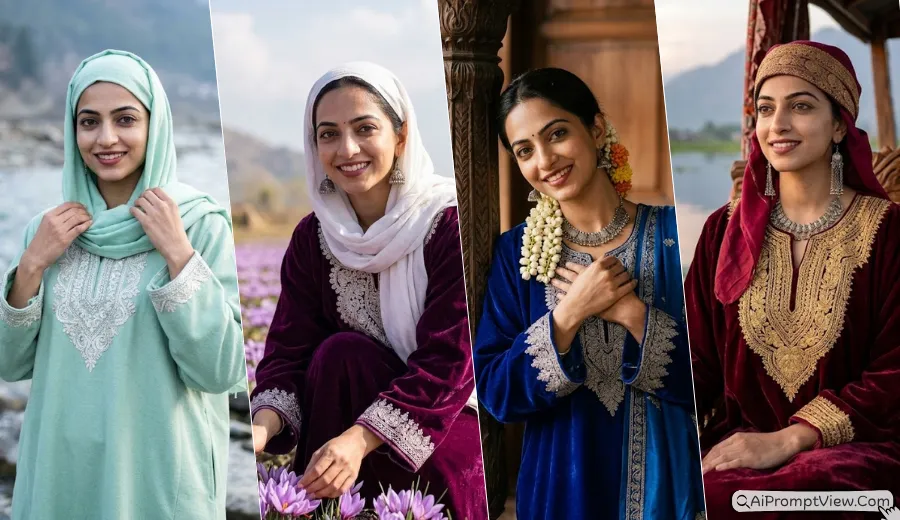
Gemini AI Flash Filter Photo Prompts for Girls are becoming one of the biggest trends for realistic social media photo edits. These prompts help you create bright flash photos with soft skin texture, vintage camera feel, party mood, and stylish cinematic looks. In this article you will get detailed flash filter prompts for night parties, cafe photos, rooftop vibes, beach shots, mirror selfies, and more. All prompts are written for realistic edits so your final image looks natural instead of fake AI art.
You can use these prompts in Gemini AI, ChatGPT image tools, Flow AI, or other realistic AI photo editing apps. Just upload your photo and copy paste the prompt you like. I personally tested this flash style many times because normal AI edits often make skin look too smooth and unreal. These prompts are written in a simple way so the final result keeps real skin texture, natural lighting, and your original face details safe.
Best Gemini AI Flash Filter Girl Photo Prompts
Below I shared different types of flash filter photo prompts that can help you create realistic social media style edits with natural lighting and cinematic vibes. You will find prompts for party photos, outdoor flash shots, wedding edits, rooftop vibes, beach scenes, mirror selfies, and more.
1. Night Party Flash Photo Prompt
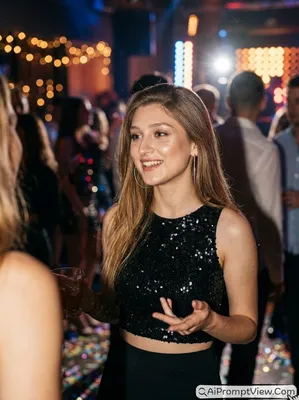
Edit my photo into a realistic late night party scene with strong direct camera flash lighting. Keep my exact face shape, skin tone, and body structure fully natural and unchanged. Add a stylish black sequin crop top with silver hoop earrings and soft glowing makeup. Make me smile naturally while talking to someone during a fun party moment. Add warm club lights in the background with soft blur, confetti on the floor, and realistic retro camera shadows behind me. Keep skin texture fully real with visible pores and natural shine. Add slight grain texture for an old digital camera look with full cinematic realism.
2. Outdoor Daylight Flash Photo Prompt
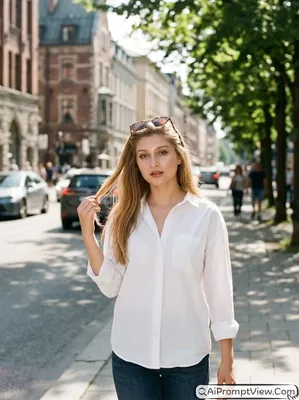
Edit my photo into a bright outdoor city fashion shot during daytime. Use a strong flash effect even in sunlight so my skin looks glowing but still realistic. Keep my original face details and natural body shape exactly the same. Add a white loose shirt with sunglasses resting on my head while I pose casually touching my hair. Create a soft blurred city road background with green trees and warm afternoon light. Add natural shadows and realistic skin pores without beauty filter effect. Make the image look like it was clicked using a real vintage camera with cinematic street photography style.
3. Wedding Function Flash Prompt
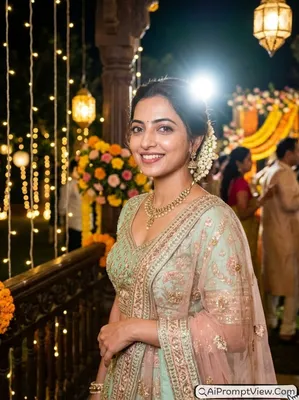
Edit my photo into a realistic wedding function flash photo during evening time. Keep my original face, skin texture, and body structure fully unchanged. Add a modern pastel lehenga with detailed embroidery and soft festive makeup. Capture me smiling naturally while looking slightly away from the camera. Use a bright camera flash on my face with warm golden decorative lights in the background. Add soft blur effect on floral decorations and wedding lights for realistic depth. Make the image look like a real candid wedding memory with natural shadows, authentic skin texture, and cinematic festive atmosphere.
4. Street Market Flash Prompt
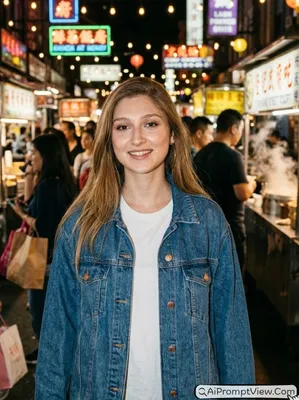
Edit my photo into a busy night street market scene with realistic flash photography style. Keep my exact face details and natural skin texture safe without changing my real look. Add an oversized denim jacket over a simple casual shirt. Make me smile warmly while walking through the market at night. Add colorful street shops, glowing neon signs, hanging bulbs, and soft crowd blur in the background. Use a strong front camera flash with deep shadows and realistic film grain texture. Make the final image look like authentic street photography with natural cinematic lighting and real human skin detail.
5. Cafe Candid Flash Prompt
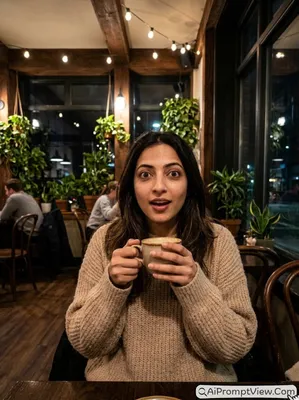
Edit my photo into a cozy cafe night scene with realistic digital camera flash effect. Keep my original face and body shape exactly the same with natural skin texture. Add a soft oversized beige sweater and place a coffee mug in my hands. Make me look surprised and playful while sitting at a wooden table inside a warm cafe. Add indoor lamps, plants, and dark window reflections in the background with soft blur effect. Use realistic flash lighting with natural skin pores and cinematic shadows. Make the final photo look raw and personal like a real candid memory instead of AI art.
6. Beach Flash Photo Prompt
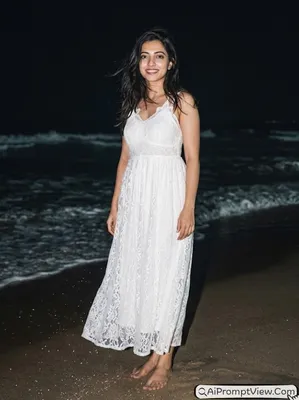
Edit my photo into a realistic beach night photoshoot with strong flash lighting. Keep my exact face features and natural skin tone fully preserved. Add a soft summer dress with slightly messy hair moving in sea breeze. Make me stand near dark ocean waves while looking directly into the camera with a calm expression. Use bright camera flash on my face and body while the background stays dark and cinematic. Add realistic sand texture in the foreground with soft atmospheric night lighting. Keep the image fully hyper realistic with natural skin details, realistic shadows, and vintage digital camera grain effect.
7. Rooftop Flash Party Prompt
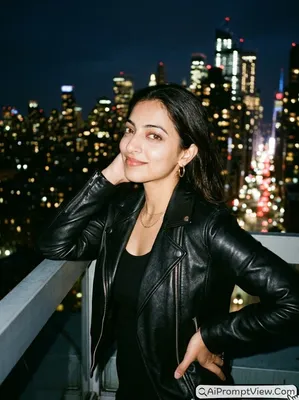
Edit my photo into a stylish rooftop party scene during midnight. Keep my real face shape, skin texture, and body posture fully unchanged. Add a trendy leather jacket with simple jewelry and natural makeup. Make me lean near a rooftop railing while looking back toward the camera with a confident smile. Use harsh camera flash lighting with realistic washed color tones and deep cinematic shadows. Add blurry city lights and tall buildings in the background under a dark night sky. Keep the image realistic with natural skin pores and authentic vintage film camera texture for a true social media flash aesthetic.
8. Festival Flash Prompt
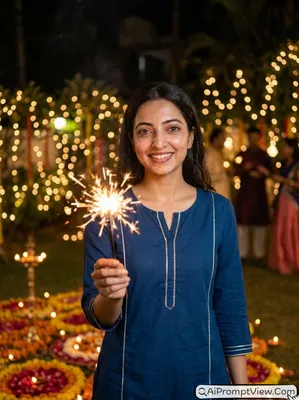
Edit my photo into a realistic festival celebration scene at night with bright flash photography style. Keep my original face and skin texture completely natural and unchanged. Add a modern ethnic kurta with simple festive styling. Make me hold a glowing sparkler while smiling happily toward the camera. Add warm decorative lights, diyas, and flower decorations in the background with soft blur effect. Use strong camera flash mixed with warm festive lighting for realistic contrast and glow. Keep the skin realistic with natural texture and cinematic lighting so the image feels like a real festival memory instead of AI generated art.
9. Car Window Flash Prompt
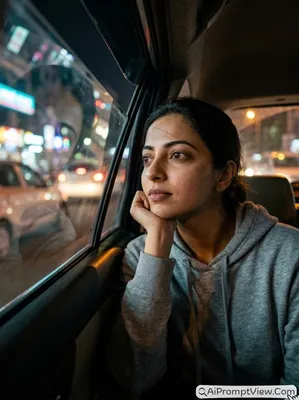
Edit my photo into a realistic late night car scene with direct camera flash effect. Keep my exact facial details and natural body structure safe and unchanged. Add a simple casual hoodie and make me sit near an open car window while resting my chin on my hand. Use realistic flash reflections on the car glass and soft cinematic lighting on my face. Add blurry neon street lights outside the car for a moody travel feel. Keep the image hyper realistic with natural shadows, authentic skin pores, and realistic camera grain so the final result looks like a real night drive photograph.
10. Mirror Selfie Flash Prompt
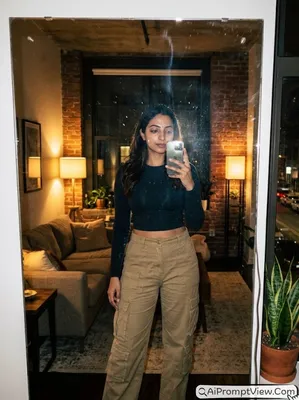
Edit my photo into a realistic mirror selfie (With Phone) scene inside a stylish dim room. Keep my real face, body shape, and natural skin texture exactly the same. Add trendy streetwear clothes with cargo pants and a fitted top. Add a bright flash reflection covering part of the mobile camera for authentic realism. Keep soft marks on the mirror and realistic shadows around the room. Use cinematic flash lighting with natural skin pores and realistic depth. Make the final image look like a real early digital camera selfie with full cinematic realism and no cartoon effect.
Simple Tips For Better Results
These small changes can improve your final AI photo edit a lot. I personally use these tricks while testing prompts because even one small line can change the whole mood of the image.
- Add daylight vibe: If you want brighter photos then add words like soft daylight, warm sunlight, or natural outdoor lighting inside the prompt.
- Change background mood: You can replace cafe, rooftop, or beach with any place you want. Just write the new background name naturally inside the prompt.
- Add outfit changes: If you want another fashion style then replace outfit lines with your own clothing ideas like hoodie, saree, streetwear, party dress, or casual look.
- Improve realism: Add lines like natural skin texture, visible skin pores, realistic shadows, or cinematic camera quality for better realistic output.
- Keep your face safe: Always add lines like keep my original face unchanged or preserve exact facial details for more accurate edits.
FAQ
1. Why do some AI edited photos look too fake?
This mostly happens because of heavy beauty filters or extra smooth skin settings. Realistic prompts with natural skin texture usually give much better results.
2. Can I change the vibe of these prompts without ruining the result?
Yes. You can change small things like lighting, background, outfit, or mood. Just keep the realistic camera style and face preservation lines inside the prompt.
3. Why do I test different flash lighting styles before final editing?
Every photo has different skin tone, background, and lighting. That is why I try small prompt changes like warm flash, soft shadows, or vintage camera grain before choosing the final version for my articles.