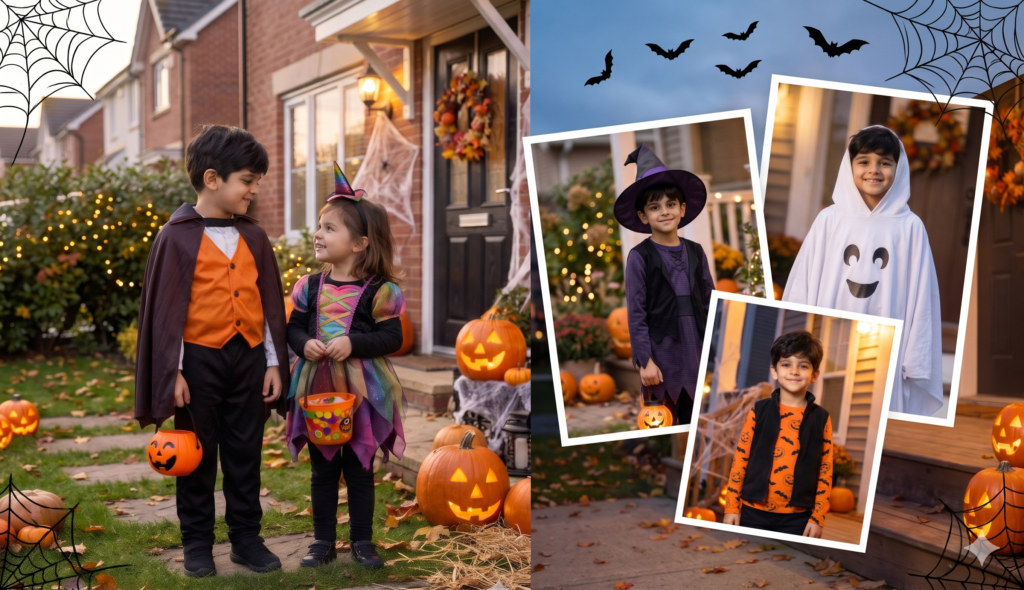
Halloween photos of kids can look so cute when the costumes, little candy buckets, and happy expressions feel real. I love the idea of creating trick-or-treat AI photo prompts for kids that capture those small Halloween moments. Think of a little witch standing beside a pumpkin, a tiny ghost holding sweets, or siblings walking past houses covered in orange lights. These are the kinds of photos that make lovely memories. You can also try cute Halloween photo editing prompts for kids using a picture you already have. The goal is to keep your child’s real face while changing the setting and costume. I have put together ten different ideas, from playful portraits to sweet moments on a Halloween street.
You can try these prompts with Gemini AI or ChatGPT using a photo you have permission to edit. I recommend starting with a clear picture where your child’s face is easy to see. AI edits can sometimes change facial details or make costumes look strange, so check the result before saving it. For this article, the prompts focus on fully clothed children, natural expressions, and family friendly Halloween scenes. You can change the costume details to suit your child’s taste. Just remember that a simple edit often looks more believable than one filled with too many effects. Let’s try some cute Halloween photo ideas together.
Why These Halloween AI Photo Prompts Are Worth Trying
I like these prompts because they let you create a Halloween setting without needing a decorated house or a professional photoshoot. You can try a pumpkin patch, a candy hunt, or a cozy evening portrait using an existing photo. In my experience, clear instructions about the face and lighting matter more than adding lots of spooky effects. The sweetest results usually keep things simple.
10 Cute Trick-or-Treat AI Photo Prompts for Kids
The best Halloween photos have more than a cute costume. They also capture a natural smile, soft lighting, and a setting that feels like a real autumn evening. These ten prompts cover different Halloween photo poses for kids, including solo portraits, sibling pictures, and best friend moments. Each prompt is designed for a realistic photo style rather than a cartoon look.
Only upload photos you are allowed to use, and always involve a parent or guardian when editing a child’s photo.
Prompt 1. Little Trick-or-Treater at a Halloween House
This look gives your child a cute costume and a decorated house with pumpkins near the door. I would keep the smile natural and the lights soft for a photo that feels like a real Halloween evening.
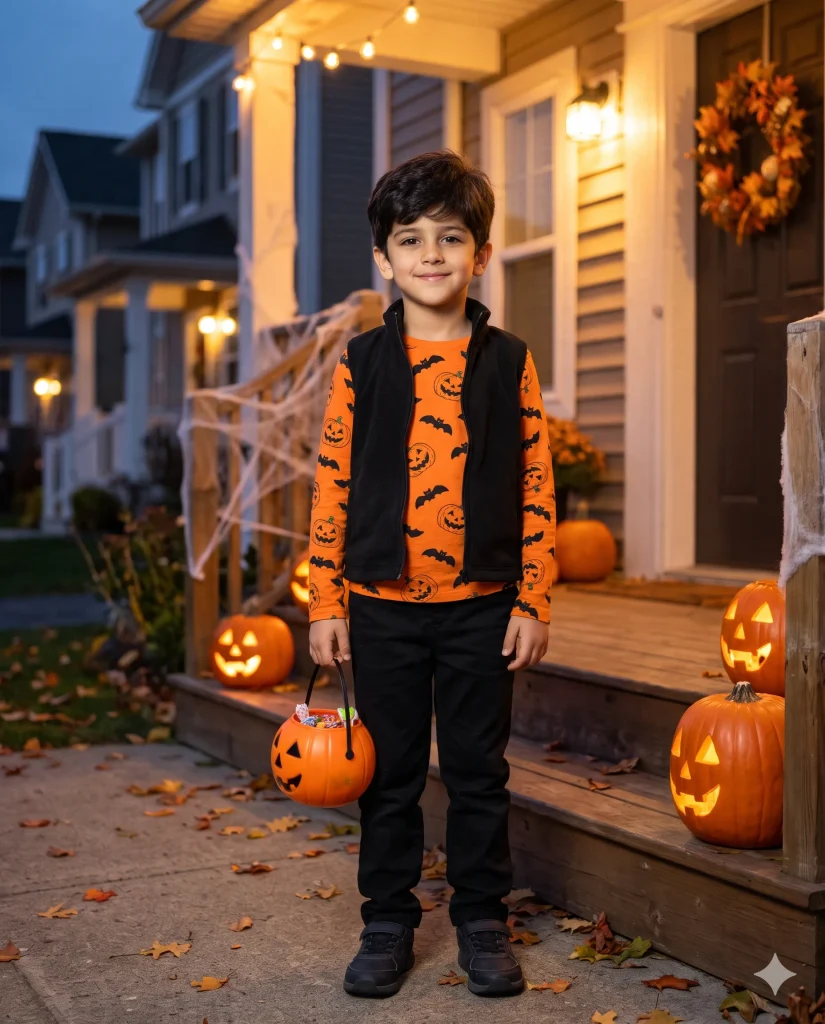
SCENE SETUP: Create a photorealistic Halloween evening portrait outside a cozy decorated family home. IDENTITY PRESERVATION: Keep the child's original face, skin tone, age, and facial features unchanged. COSTUME AND POSE: Dress the fully clothed child in a cute orange and black costume, holding a small candy bucket with a cheerful natural smile. LIGHTING AND CAMERA: Use an 85mm portrait lens, soft warm porch lighting, and realistic skin texture. BACKGROUND DETAILS: Add pumpkins, friendly decorations, and autumn leaves. NEGATIVE PROMPT: face alteration, identity mismatch, plastic skin, artificial AI look, over smoothing, cartoon rendering, anime style, harsh digital HDR, distorted features, double jewelry overlays, cluttered backgrounds, text overlays.
Prompt 2. Cute Sheet Ghost with a Candy Bucket
A friendly ghost costume can look adorable without making the scene frightening. I would use soft white fabric, a bright candy bucket, and a playful expression to keep the picture sweet.
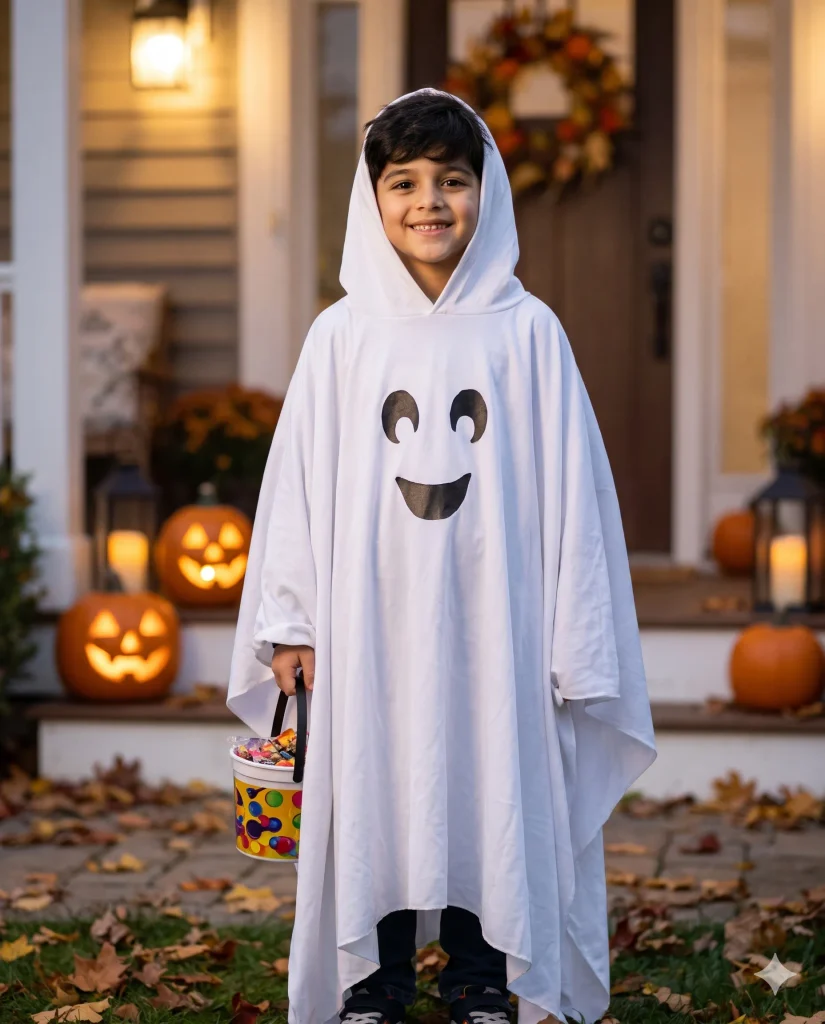
IDENTITY LOCK: Preserve the child's real face, natural skin tone, age, and facial proportions from the reference photo. ENVIRONMENT AND STYLE: Create a realistic Halloween portrait beside a decorated front porch at dusk. WARDROBE AND EXPRESSION: Show the fully clothed child wearing a safe white ghost costume over regular clothes, holding a colorful candy bucket and smiling playfully. CAMERA AND LIGHT: Use an 85mm lens, gentle lantern light, and balanced exposure. SETTING DETAILS: Include pumpkins and fallen autumn leaves. NEGATIVE PROMPT: face alteration, identity mismatch, plastic skin, artificial AI look, over smoothing, cartoon rendering, anime style, harsh digital HDR, distorted features, double jewelry overlays, cluttered backgrounds, text overlays.
Prompt 3. Pumpkin Patch Halloween Adventure
This idea is perfect for a little outdoor adventure with pumpkins all around. I would keep the pose relaxed, as though your child has just spotted a favorite pumpkin.
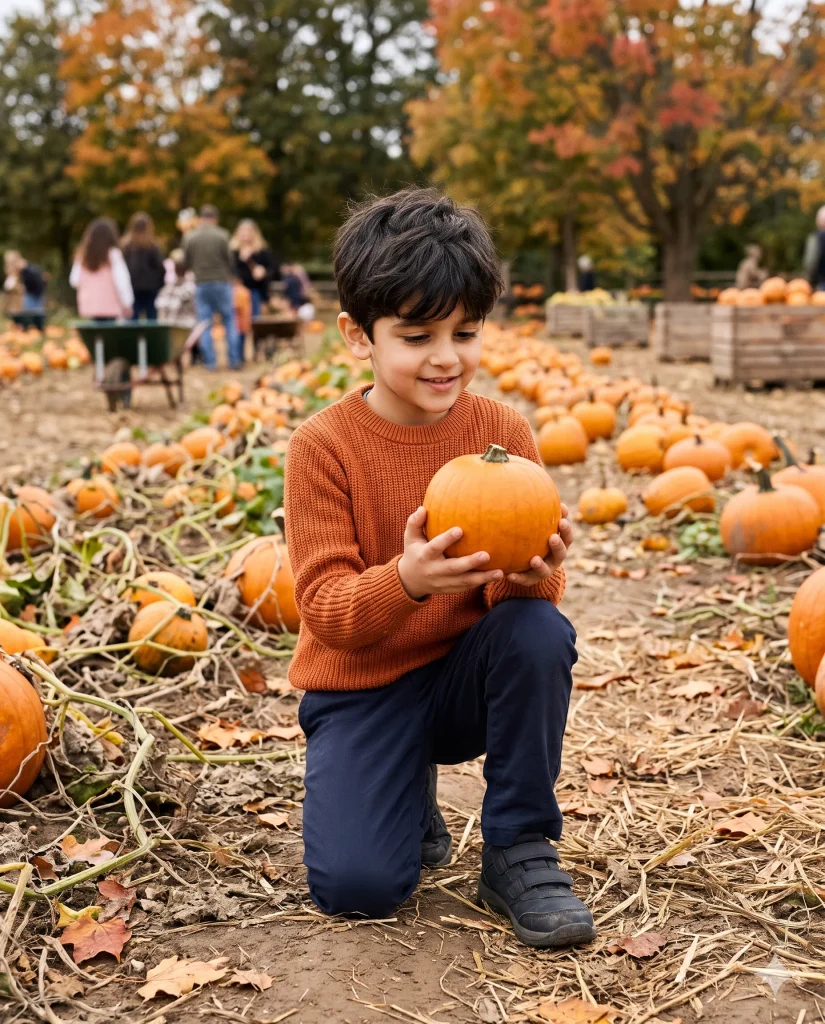
REAL PHOTO STYLE: Create a highly realistic autumn portrait in a family friendly pumpkin patch. FACE PRESERVATION: Keep the child's identity, facial shape, skin tone, and natural age exactly as shown in the uploaded photo. OUTFIT AND ACTION: Dress the fully clothed child in a cozy orange sweater, dark trousers, and comfortable shoes, holding a small pumpkin with a curious smile. CAMERA SETUP: Use a 50mm lens, soft daylight, and natural colors. SCENE DETAILS: Add pumpkin rows and scattered autumn leaves. NEGATIVE PROMPT: face alteration, identity mismatch, plastic skin, artificial AI look, over smoothing, cartoon rendering, anime style, harsh digital HDR, distorted features, double jewelry overlays, cluttered backgrounds, text overlays.
Prompt 4. Little Witch with a Glowing Pumpkin
A tiny witch costume paired with a glowing pumpkin makes a lovely Halloween portrait. I would choose warm light and a friendly expression instead of dark shadows or scary effects.
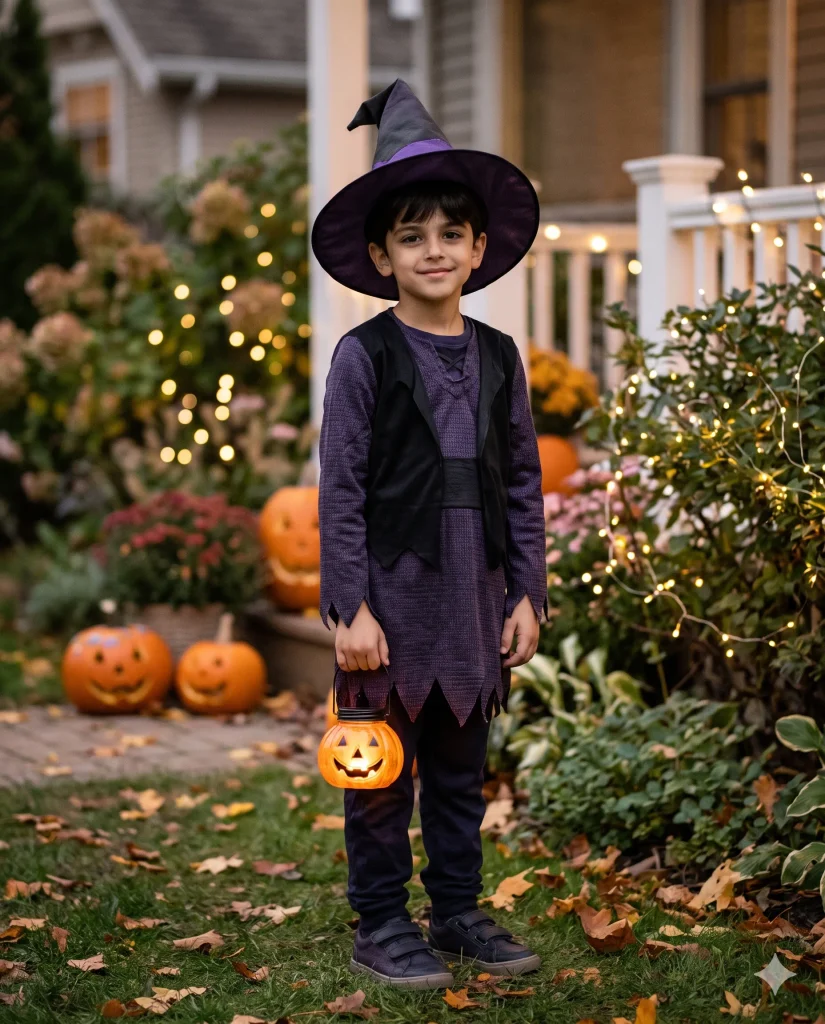
CAMERA AND MOOD: Create a photorealistic Halloween portrait during a calm autumn evening, using soft golden light. IDENTITY LOCK: Preserve the child's original face, skin tone, age, and facial details without reshaping them. COSTUME AND POSE: Dress the fully clothed child in a modest purple witch outfit, a simple pointed hat, and comfortable shoes, holding a glowing pumpkin lantern with a gentle smile. BACKGROUND: Place the child near a family friendly garden with pumpkins and warm fairy lights. REALISM CONTROL: Keep natural skin texture and realistic shadows. NEGATIVE PROMPT: face alteration, identity mismatch, plastic skin, artificial AI look, over smoothing, cartoon rendering, anime style, harsh digital HDR, distorted features, double jewelry overlays, cluttered backgrounds, text overlays.
Prompt 5. Candy Hunt on a Spooky Street
This prompt captures the excitement of walking around to collect Halloween treats. I would keep the street welcoming, with glowing pumpkins and decorations that look fun rather than frightening.
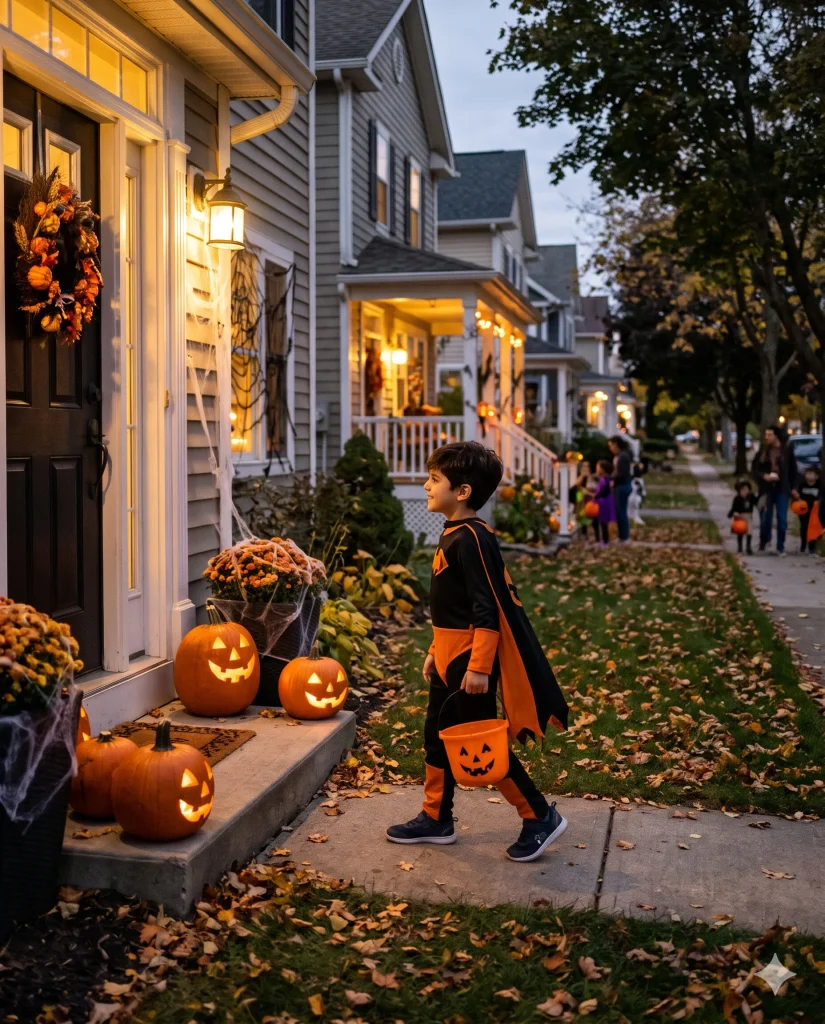
ENVIRONMENT FIRST: Create a realistic residential Halloween street at dusk with decorated homes and glowing pumpkins. FACE AND AGE LOCK: Preserve the child's real facial features, skin tone, age, and identity from the uploaded photo. ACTION AND CLOTHING: Show the fully clothed child in a cute Halloween costume, carrying a candy bucket and looking happily toward a decorated doorway. CAMERA DETAILS: Use a 35mm lens, natural perspective, warm street lighting, and clear facial focus. VISUAL STYLE: Include autumn leaves and friendly decorations with believable depth. NEGATIVE PROMPT: face alteration, identity mismatch, plastic skin, artificial AI look, over smoothing, cartoon rendering, anime style, harsh digital HDR, distorted features, double jewelry overlays, cluttered backgrounds, text overlays.
Prompt 6. Before-the-Party Costume Portrait
Sometimes a simple costume portrait is all you need for a lovely Halloween memory. I would use a clean background and soft light so the outfit and your child’s expression remain the main focus.
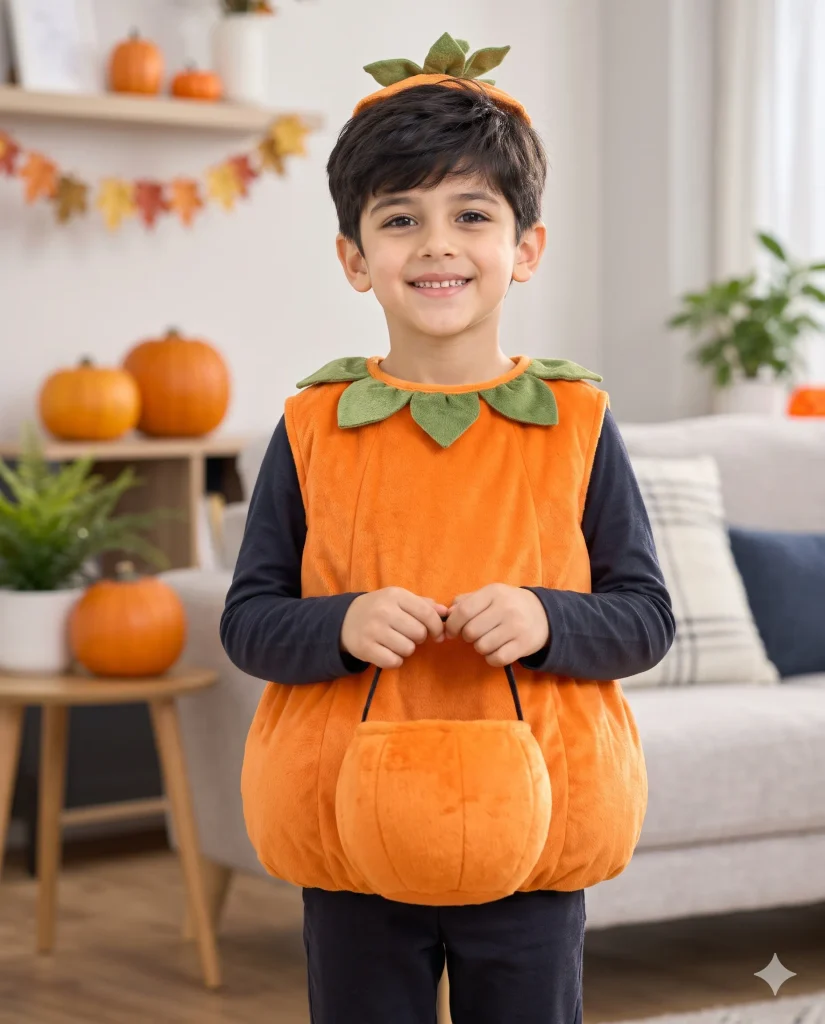
PORTRAIT SETUP: Create a high resolution, realistic Halloween costume portrait in a softly decorated family room. IDENTITY PRESERVATION: Keep the child's face, age, skin tone, and facial proportions unchanged. OUTFIT AND POSE: Dress the fully clothed child in a comfortable, age appropriate pumpkin costume with a small matching accessory, standing naturally with a bright smile. PROFESSIONAL LIGHTING: Use soft studio style lighting, an 85mm lens, and gentle background blur. BACKDROP: Add a few pumpkins and subtle orange decorations. REALISM CHECK: Retain natural skin texture and accurate clothing details. NEGATIVE PROMPT: face alteration, identity mismatch, plastic skin, artificial AI look, over smoothing, cartoon rendering, anime style, harsh digital HDR, distorted features, double jewelry overlays, cluttered backgrounds, text overlays.
Prompt 7. Best Friends’ Halloween Photoshoot
Matching Halloween costumes can make a sweet photo of two friends. I would ask the AI to preserve both faces separately, because group edits can sometimes mix up facial details.
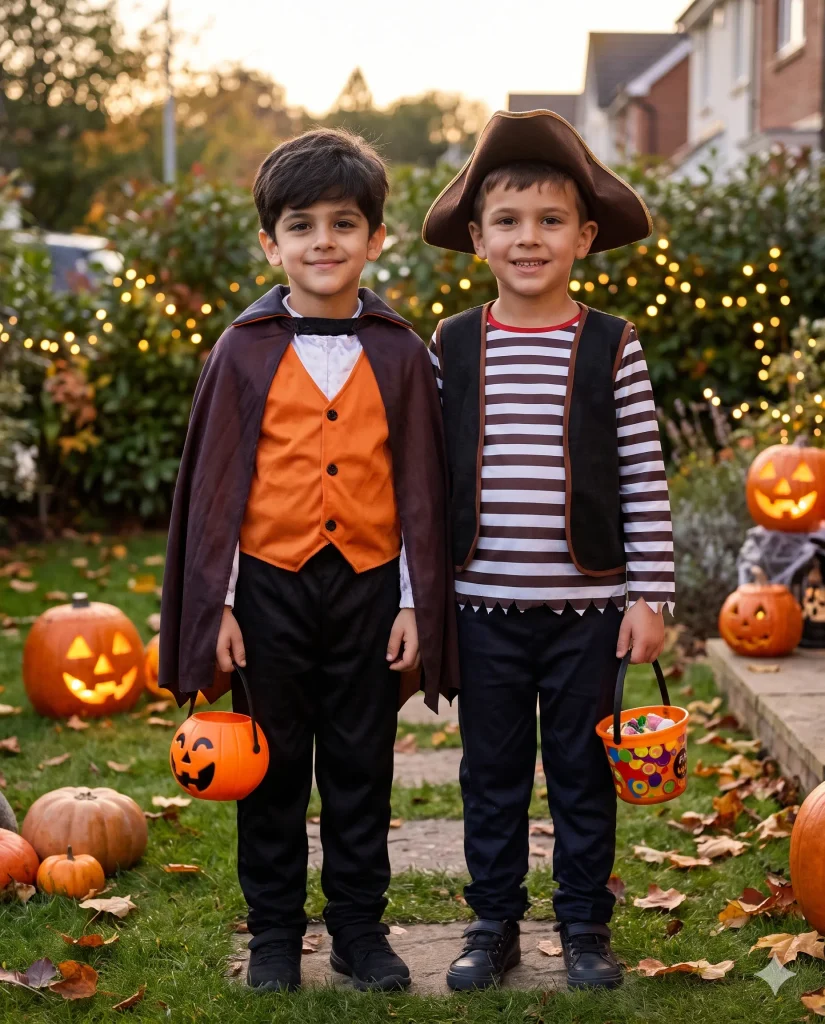
GROUP PHOTO STYLE: Create a realistic Halloween portrait of two friends in a decorated garden during early evening. IDENTITY LOCK: Preserve each child's individual face, age, skin tone, and facial features from the permitted reference photos. CLOTHING AND POSE: Dress both fully clothed children in modest, age appropriate Halloween costumes, standing side by side with natural smiles and small candy buckets. CAMERA AND LIGHT: Use a 50mm lens, soft warm lighting, and clear focus on both faces. BACKGROUND: Include pumpkins, autumn leaves, and friendly festive lights. NEGATIVE PROMPT: face alteration, identity mismatch, plastic skin, artificial AI look, over smoothing, cartoon rendering, anime style, harsh digital HDR, distorted features, double jewelry overlays, cluttered backgrounds, text overlays.
Prompt 8. Siblings’ Trick-or-Treat Adventure
A sibling photo can feel extra special when both children look relaxed and happy together. I would keep their heights, faces, and individual outfits true to the original photos.
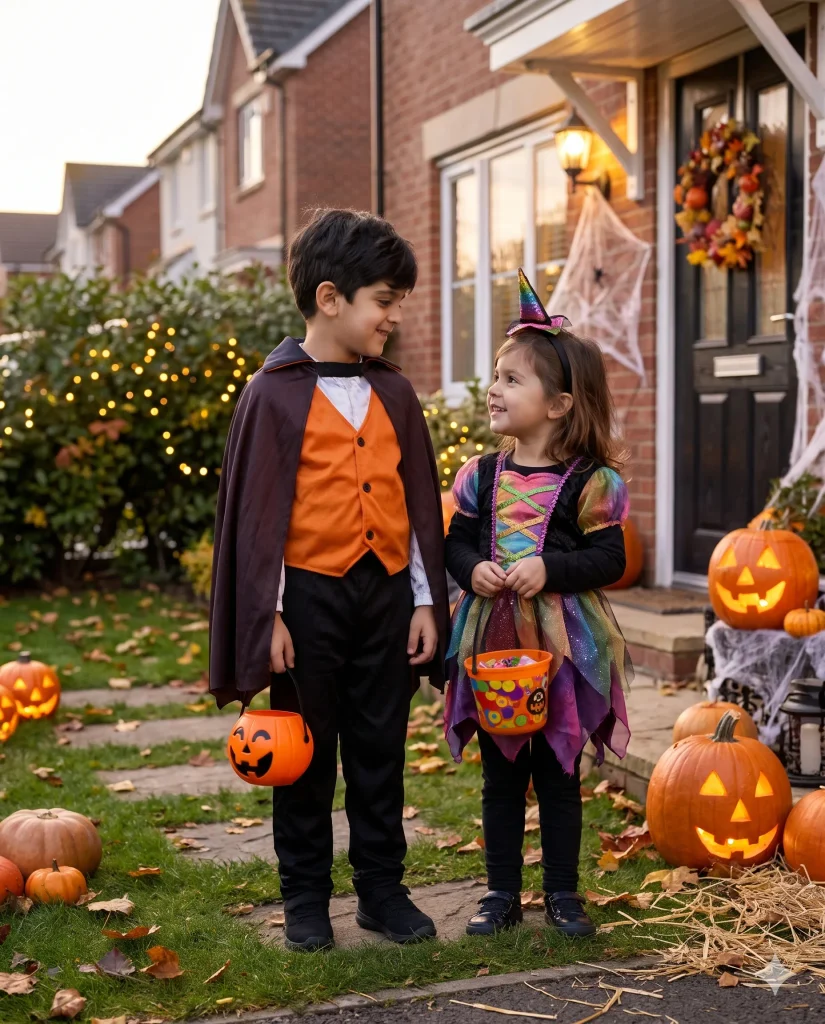
SCENE AND COMPOSITION: Create a photorealistic Halloween evening photo of siblings standing near a decorated family home. FACE PRESERVATION: Maintain each child's unique identity, age, skin tone, and facial features without blending their faces. OUTFITS AND ACTION: Dress both children in fully covering, age appropriate costumes, holding separate candy buckets and smiling naturally at each other. LIGHTING SETUP: Use warm porch lights, realistic shadows, and a 50mm portrait lens. BACKGROUND DETAILS: Add pumpkins, safe decorations, and fallen autumn leaves. Keep the mood playful and welcoming. NEGATIVE PROMPT: face alteration, identity mismatch, plastic skin, artificial AI look, over smoothing, cartoon rendering, anime style, harsh digital HDR, distorted features, double jewelry overlays, cluttered backgrounds, text overlays.
Prompt 9. Magical Halloween Night Portrait
This look adds a little Halloween magic while keeping the photo believable. I would use tiny warm lights and a soft night background instead of heavy effects around the face.
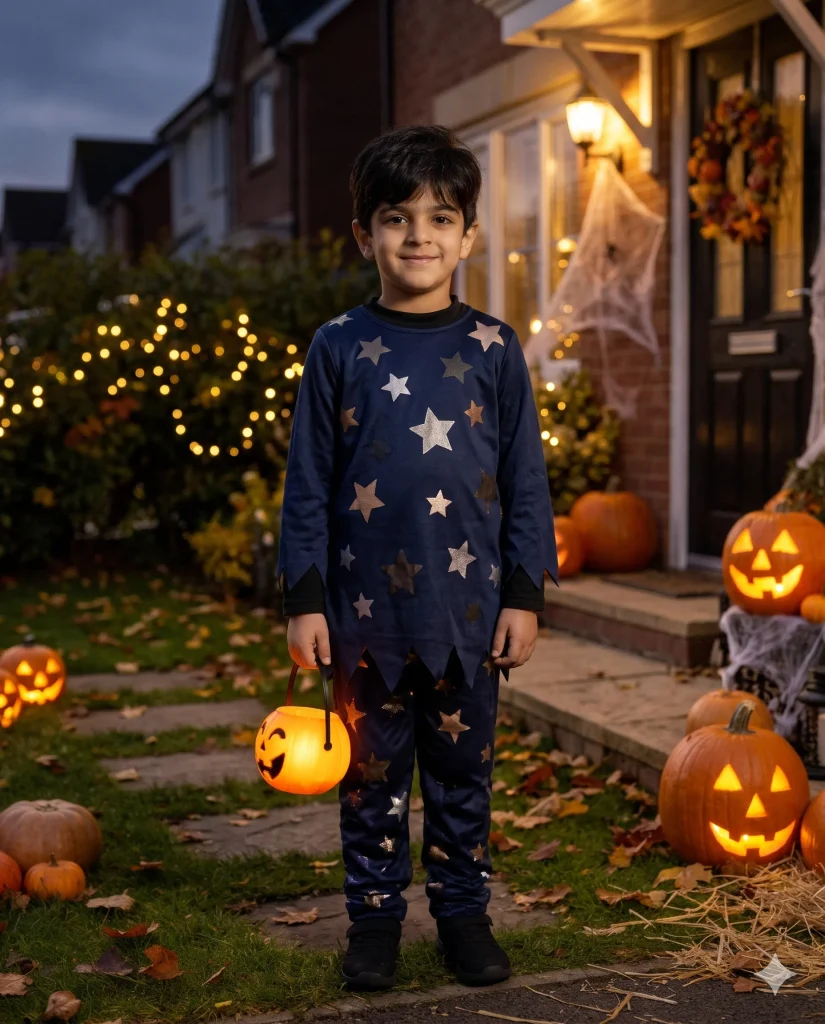
NIGHT SCENE: Create a highly realistic Halloween portrait in a safe, decorated garden after sunset. IDENTITY PRESERVATION: Keep the child's original facial structure, skin tone, age, and expression recognizable and unchanged. COSTUME AND POSE: Dress the fully clothed child in a modest star themed Halloween costume, holding a small pumpkin lantern and smiling gently. CAMERA AND LIGHTING: Use an 85mm lens, soft lantern illumination, realistic low light exposure, and natural skin detail. BACKGROUND STYLE: Add subtle fairy lights, pumpkins, and autumn foliage. Keep every effect physically believable. NEGATIVE PROMPT: face alteration, identity mismatch, plastic skin, artificial AI look, over smoothing, cartoon rendering, anime style, harsh digital HDR, distorted features, double jewelry overlays, cluttered backgrounds, text overlays.
Prompt 10. Sleepy Trick-or-Treater with a Candy Bucket
This idea captures that quiet moment after a long evening of collecting sweets. I would use a cozy seated pose and gentle lighting while keeping the child fully dressed and comfortable.
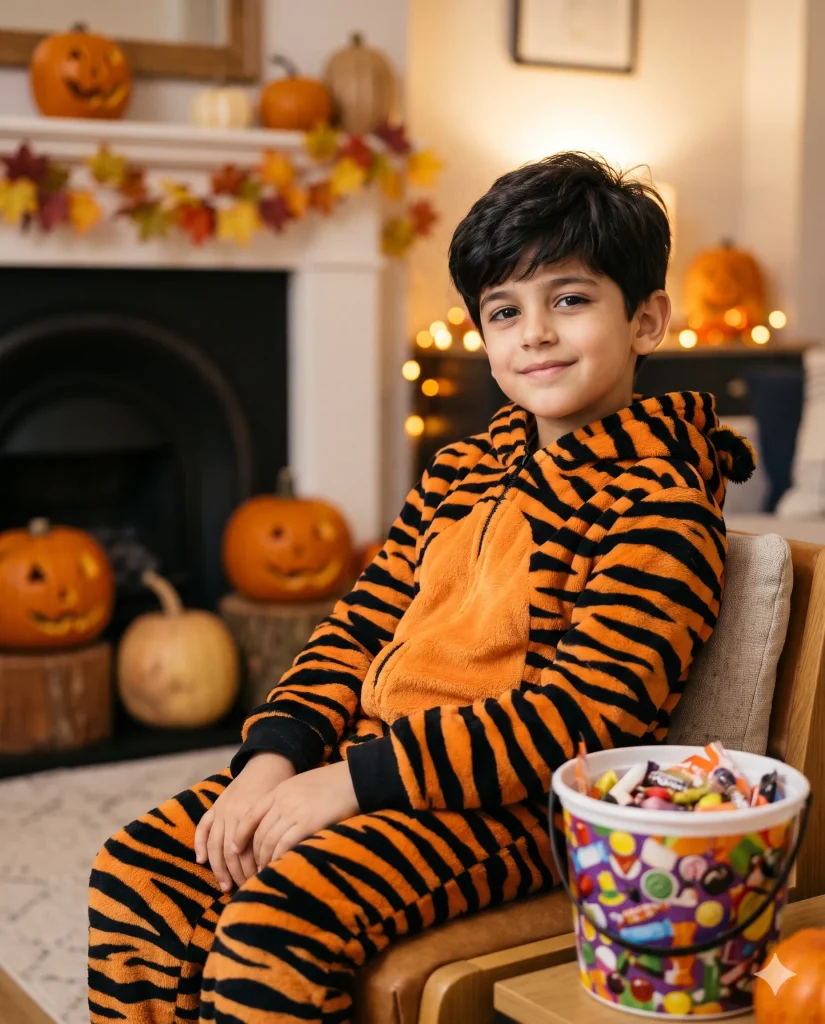
PHOTO MOOD: Create a realistic, cozy Halloween portrait at a decorated family home after trick-or-treating. FACE LOCK: Preserve the child's real face, age, skin tone, and natural facial details. CLOTHING AND POSE: Keep the child fully clothed in a soft, comfortable Halloween costume, sitting safely on a chair with a candy bucket beside them and a gentle, tired smile. CAMERA AND LIGHT: Use a 50mm lens, warm indoor lighting, and realistic skin texture. BACKGROUND: Add pumpkins and a few autumn decorations. Keep the scene calm and family friendly. NEGATIVE PROMPT: face alteration, identity mismatch, plastic skin, artificial AI look, over smoothing, cartoon rendering, anime style, harsh digital HDR, distorted features, double jewelry overlays, cluttered backgrounds, text overlays.
How I Use These Prompts in Gemini AI or ChatGPT
- Choose your original photo. Use a clear picture with the child’s face visible. Good lighting helps the tool keep facial details.
- Upload the photo. Open Gemini AI or ChatGPT and attach the picture you have permission to edit.
- Paste your chosen prompt. Copy the full prompt and send it with your photo. Wait for the edited image.
- Check the face and costume. Look closely at the eyes, smile, hands, and clothing. If the face changes, ask the tool to preserve the original facial features and try again.
I suggest trying one prompt at a time. That makes it easier to see which style suits your photo.
Best Image Size for Cute Halloween Photos
These sizes work well for different uses:
- Instagram post: 1080 × 1350 pixels for a portrait.
- Instagram Story: 1080 × 1920 pixels for a vertical photo.
- WhatsApp DP: A square image, ideally 1080 × 1080 pixels.
- Family photo album: A high resolution portrait with a 4:5 or 3:4 ratio.
I would start with a vertical portrait for Halloween costumes. You can crop it later without losing too much of the scene.
How to Make These Prompts Your Own
- Change the costume to a pumpkin, friendly ghost, little witch, or another age appropriate idea.
- Mention your preferred colors, such as purple, orange, or black.
- Add a specific setting, like a pumpkin patch or decorated front porch.
- Ask for a happy smile, a curious expression, or a natural candid moment.
- Keep the face preservation instructions when changing other details.
One tip: Change only one or two details at a time. It makes it easier to see which changes improve the result.
Sharing Your Halloween Photos on Social Media
These photos can look lovely on Instagram, Facebook, or a family WhatsApp group. You could use a caption like:
“Tiny costume, big Halloween smiles! 🎃🍬 Making the sweetest little memories.”
Try relevant hashtags such as #HalloweenKids, #TrickOrTreat, #HalloweenPhotoIdeas, and #CuteHalloween.
Before posting, check the background for private details. Share children’s photos only with the right permissions and privacy settings.
Questions People Ask Me About These Halloween AI Photo Prompts
1. How do I make realistic Halloween photos of kids with AI?
Start with a clear photo and use a prompt that describes the costume, lighting, and setting. I would also tell the tool to preserve the child’s original face.
2. Can I use these trick-or-treat prompts in Gemini AI?
Yes, you can try these prompts in Gemini AI with an uploaded photo. Results may vary, so check the face and costume carefully.
3. Why does AI change my child’s face when editing Halloween photos?
AI may recreate facial details instead of preserving them exactly. Ask it to keep the original face unchanged, and try again with a clearer reference photo.
4. What are the best Halloween costumes for cute AI photos?
I would start with a little witch, a friendly ghost, or a pumpkin costume. These ideas work well with simple backgrounds and warm lighting.
5. Is it safe to upload my child’s photo for an AI Halloween edit?
Only upload a child’s photo when you have permission to use it, and always involve a parent or guardian. Review the tool’s privacy settings before uploading, and avoid including names, school details, or location information.
Last Words
The little ghost and pumpkin costume ideas are my favorites because they can look cute without needing lots of effects. I also like how a simple porch setting can make a Halloween portrait feel warm and natural.
One thing I would pay close attention to is the face. Even a beautiful costume edit can feel wrong when the eyes or smile look different from the original photo.
Try a couple of prompts first and see which one suits your picture. You can change the background, costume, or lighting until the result feels right.
Most importantly, keep the photo fun and age appropriate. Halloween memories do not need perfect lighting or fancy costumes to feel special. Sometimes, a little pumpkin bucket and a happy smile are enough.