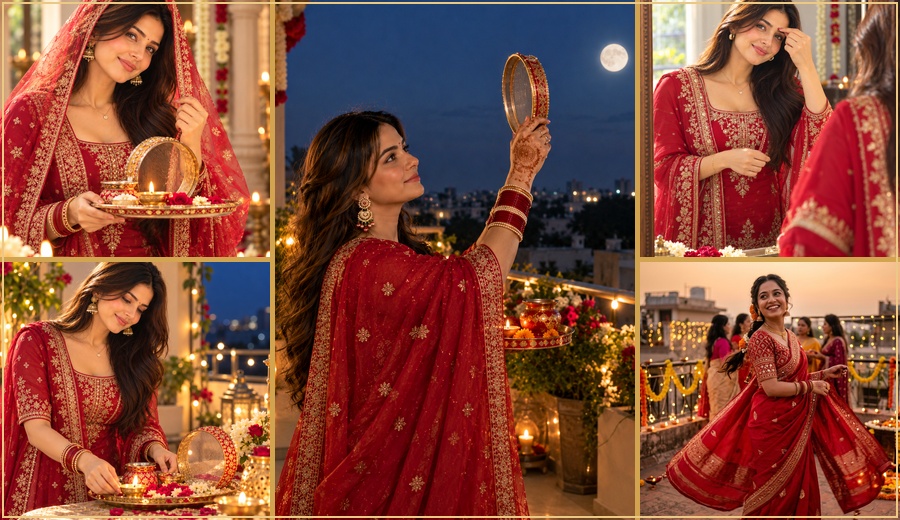
The first time I tried making a dreamy Karwa Chauth photo, I wanted it to look like a real festive evening. I pictured a beautiful saree, soft moonlight, glowing diyas, and a little mehendi on my hands. Getting that feeling right took a few tries. Some edits looked too smooth, while others changed small details in the outfit. That is why I love working with detailed Karwa Chauth AI photo prompts. They help create beautiful Karwa Chauth photos that feel personal, festive, and natural. Whether you want a Karwa Chauth photoshoot pose, a traditional Indian look, or an aesthetic photo for Instagram, these ideas give you a place to start.
I have put together ten different looks, from a moonlit sieve portrait to a flowing dupatta shot on the terrace. Each prompt focuses on a different part of the celebration. You can try these ideas with Gemini AI or ChatGPT using a clear photo of yourself. Results can vary, especially when the original picture has poor lighting or hides your face. I cannot claim that I personally tested these exact prompts, so I have written them with practical details to help guide your edits. Keep your original photo handy, choose the look you like most, and see how the first result turns out.
Why These Karwa Chauth Photo Prompts Are Worth Trying
A festive photo does not need a full photoshoot to feel special. A few clear details can help create the mood of a real Karwa Chauth evening. I would focus on the lighting, the fabric, and the way the hands hold the puja thali. These details can make a bigger difference than adding lots of effects. They also help keep the final portrait closer to your own style.
10 Aesthetic Karwa Chauth AI Photo Prompts for Women
Karwa Chauth portraits look lovely when traditional outfits meet soft, natural light. I like the idea of mixing sharp facial details with a gentle festive glow. You can try a classic red saree or choose a rich maroon or blue look. These prompts also include small moments that feel less posed, like fixing a bindi or arranging a thali.
Prompt 1. Moonlit Portrait Through a Golden Sieve
This look focuses on the traditional moment of seeing the moon through a golden channi. The soft light and detailed jewellery help create a romantic Karwa Chauth portrait.
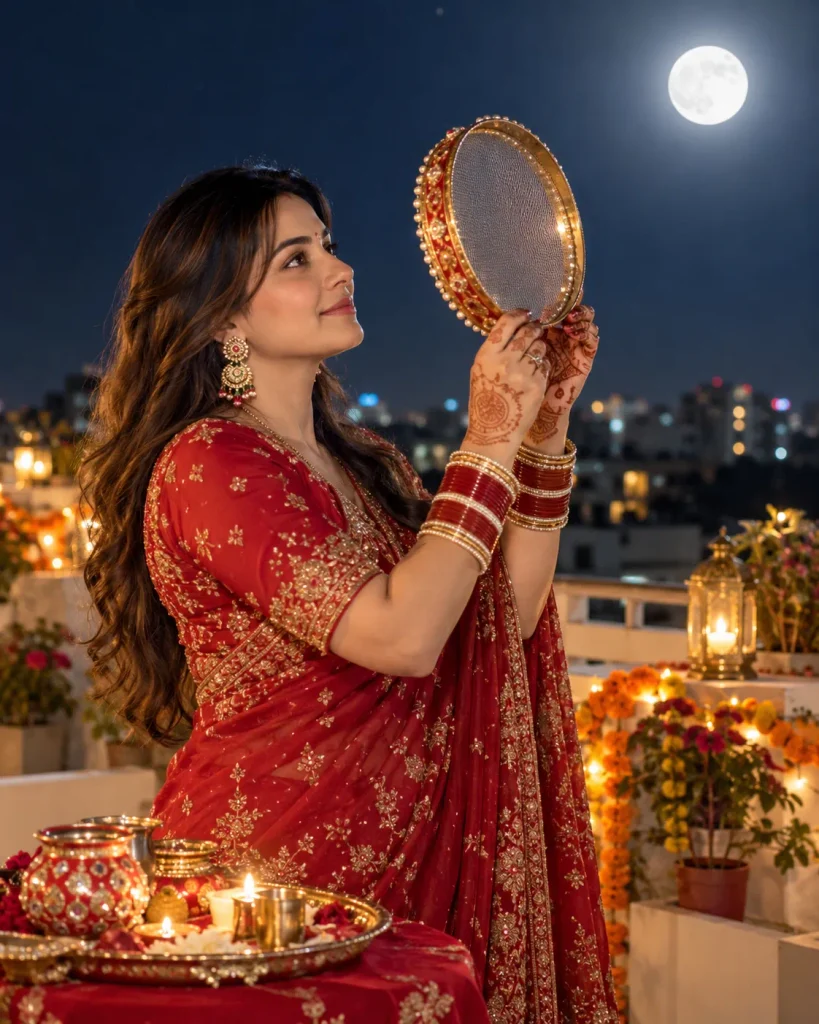
SCENE AND STYLE: Create a hyper realistic Karwa Chauth portrait on an open rooftop beneath a clear moonlit sky. IDENTITY PRESERVATION: Keep the woman's exact face, skin texture, features, and natural age from the reference photo. WARDROBE AND POSE: Dress her in a rich red embroidered saree, traditional bangles, and a golden sieve held gently before her face. LIGHTING AND CAMERA: Use an 85mm portrait lens, soft moonlight, and warm diya highlights. SETTING: Add subtle festive flowers and distant city lights. NEGATIVE PROMPT: face alteration, identity mismatch, plastic skin, artificial AI look, over smoothing, cartoon rendering, anime style, harsh digital HDR, distorted features, double jewelry overlays, cluttered backgrounds, text overlays.
Prompt 2. Red Saree Twirl with Dreamy Motion Blur
A flowing saree can make a festive portrait feel full of life. This prompt aims to keep the face sharp while the saree moves gently around the body.
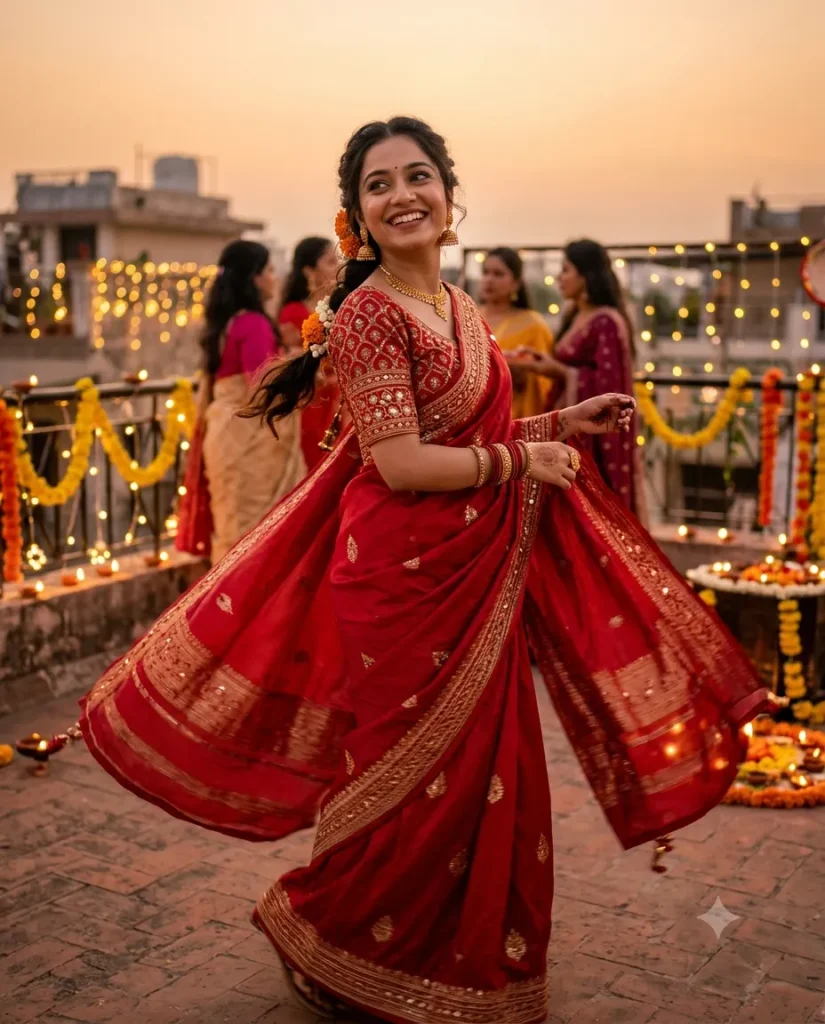
MOVEMENT AND SETTING: Create a realistic Karwa Chauth rooftop portrait during a gentle saree twirl at dusk. CAMERA AND LIGHT: Capture with a 50mm lens, natural motion blur along the saree edge, and warm string lights. FACE AND IDENTITY: Preserve the woman's exact facial identity, natural pores, and original skin tone. OUTFIT AND EXPRESSION: Show a graceful red silk saree, embroidered blouse, gold earrings, and a relaxed smile. BACKGROUND DETAILS: Include a softly blurred terrace with diyas and festive flowers. NEGATIVE PROMPT: face alteration, identity mismatch, plastic skin, artificial AI look, over smoothing, cartoon rendering, anime style, harsh digital HDR, distorted features, double jewelry overlays, cluttered backgrounds, text overlays.
Prompt 3. Diya Glow Close-Up with Bridal Mehendi
This close-up brings attention to mehendi, bangles, and the warm glow of diyas. The aim is to keep the hands detailed without changing the woman’s face.
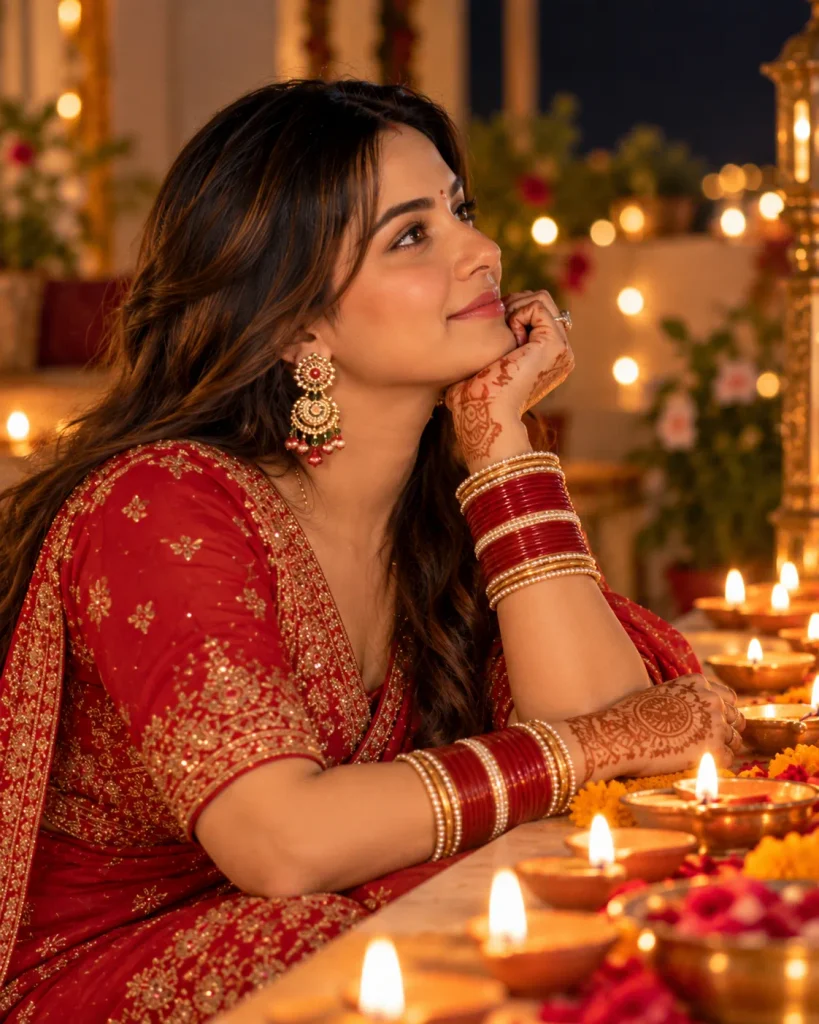
PORTRAIT ENVIRONMENT: Create an intimate Karwa Chauth close-up beside a row of glowing clay diyas. REALISM AND IDENTITY: Retain the woman's exact face, real skin texture, and natural facial proportions from the reference. HANDS AND STYLING: Show detailed bridal mehendi, red glass bangles, delicate rings, and a traditional embroidered sleeve near her cheek. CAMERA SETUP: Use an 85mm lens, shallow depth of field, and warm candlelight balanced with soft fill light. BACKGROUND MOOD: Keep the festive room softly blurred. NEGATIVE PROMPT: face alteration, identity mismatch, plastic skin, artificial AI look, over smoothing, cartoon rendering, anime style, harsh digital HDR, distorted features, double jewelry overlays, cluttered backgrounds, text overlays.
Prompt 4. Waiting for Moonrise on a Flower-Filled Balcony
This idea gives the portrait a calm, romantic feeling before moonrise. Flowers and gentle evening light add detail without taking attention away from the woman.
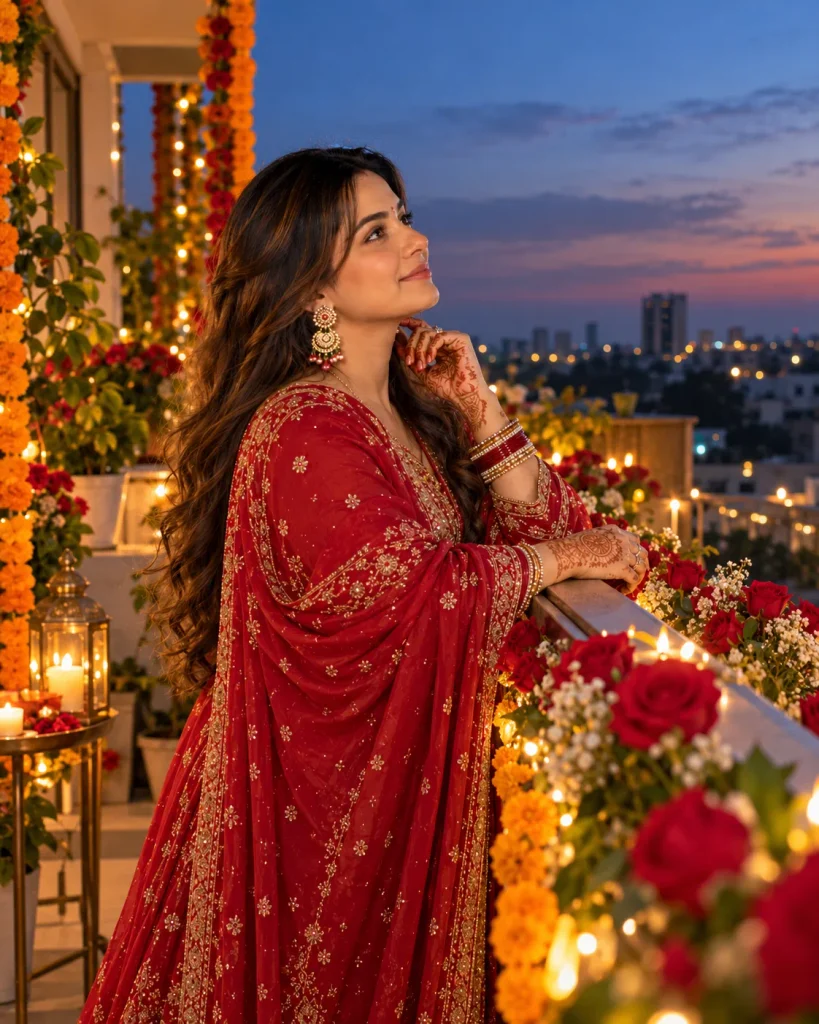
FESTIVE SCENE: Place the woman on a balcony decorated with fresh roses, marigolds, and subtle fairy lights before moonrise. FACE LOCK: Preserve her exact identity, facial structure, skin tone, and natural expression from the supplied photo. CLOTHING AND POSE: Dress her in an embroidered red suit with a flowing dupatta, looking toward the evening sky. PHOTO QUALITY: Use a 50mm lens, soft blue-hour light, and realistic fabric texture. AMBIENCE: Include potted flowers and a quiet city skyline. NEGATIVE PROMPT: face alteration, identity mismatch, plastic skin, artificial AI look, over smoothing, cartoon rendering, anime style, harsh digital HDR, distorted features, double jewelry overlays, cluttered backgrounds, text overlays.
Prompt 5. Wind-Blown Dupatta on a Moonlit Rooftop
A dupatta moving in the breeze can add a lovely candid touch. This prompt keeps the motion gentle so the outfit remains clear and the face stays in focus.
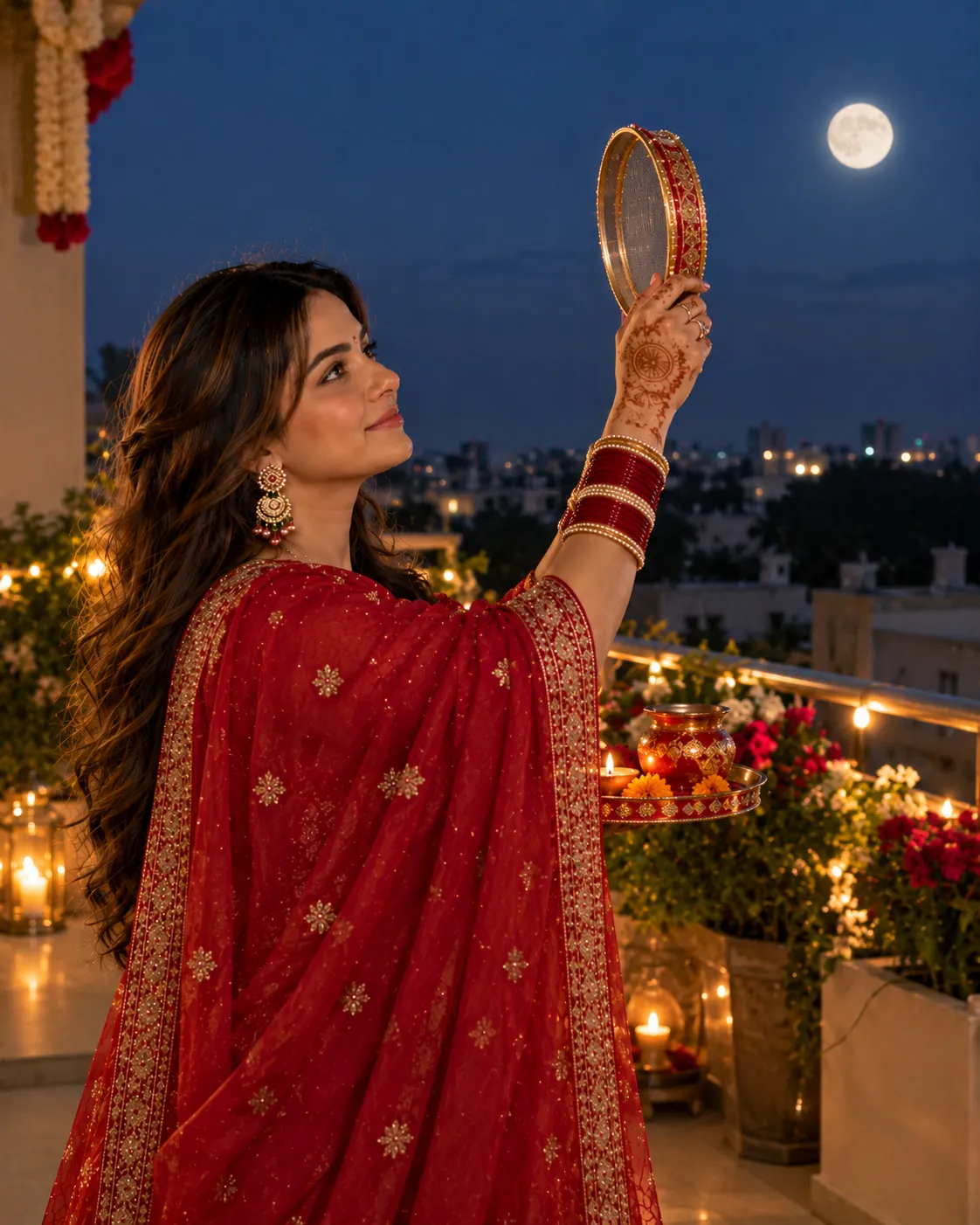
ROOFTOP ATMOSPHERE: Create a moonlit Karwa Chauth portrait with a gentle evening breeze moving the dupatta. CAMERA AND LIGHTING: Use a 70mm lens, soft moonlight, warm diya accents, and slight motion blur in the fabric only. IDENTITY SAFEGUARD: Keep the woman's real face, facial proportions, and skin details unchanged. OUTFIT AND POSE: Show a deep red embroidered suit, matching bangles, and a relaxed side glance. BACKGROUND DESIGN: Add distant rooftops and a few warm festive lights without distracting details. NEGATIVE PROMPT: face alteration, identity mismatch, plastic skin, artificial AI look, over smoothing, cartoon rendering, anime style, harsh digital HDR, distorted features, double jewelry overlays, cluttered backgrounds, text overlays.
Prompt 6. Candid Smile While Arranging the Puja Thali
This scene feels more natural than a formal portrait. It captures a small festive moment while keeping the thali, jewellery, and outfit visible.
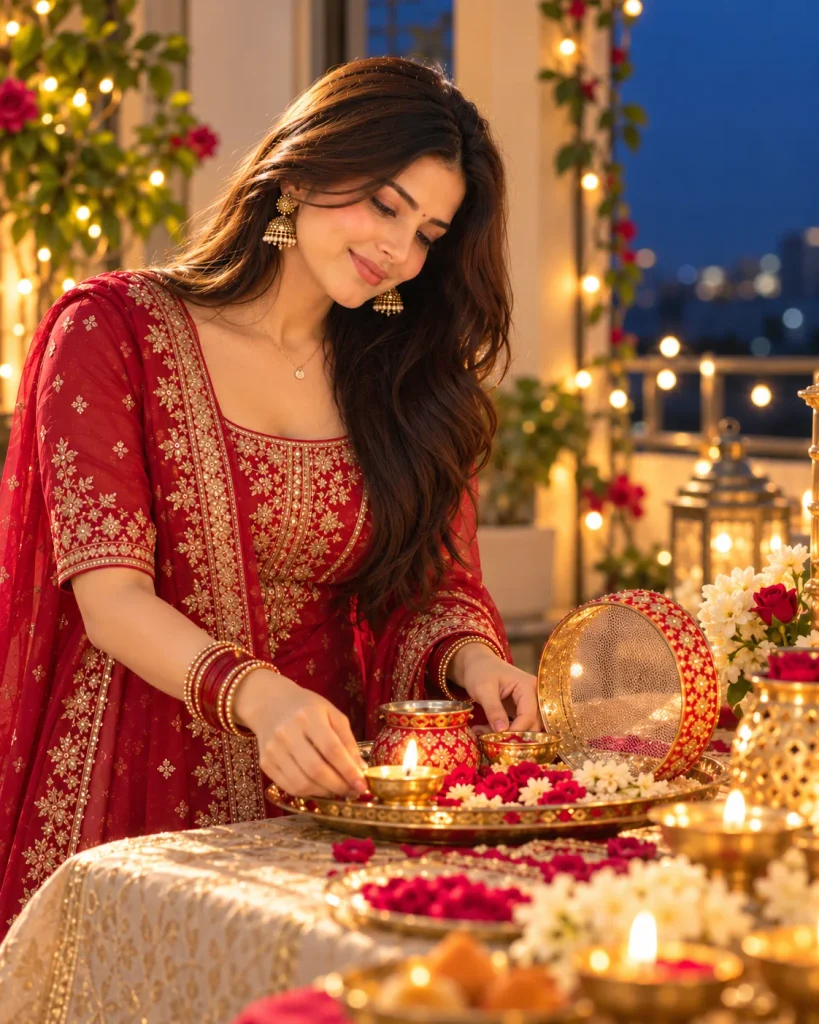
CANDID MOMENT: Show the woman arranging a Karwa Chauth puja thali on a decorated terrace table. IDENTITY AND SKIN: Preserve her exact face, natural pores, original skin tone, and recognizable features. ACTION AND OUTFIT: Capture a gentle smile as she adjusts a diya beside a red embroidered suit, gold earrings, and traditional bangles. CAMERA DETAILS: Use a 50mm lens, realistic hand positioning, and warm side lighting. BACKGROUND: Include flowers and softly glowing terrace lights. NEGATIVE PROMPT: face alteration, identity mismatch, plastic skin, artificial AI look, over smoothing, cartoon rendering, anime style, harsh digital HDR, distorted features, double jewelry overlays, cluttered backgrounds, text overlays.
Prompt 7. Soft Mirror Portrait While Adjusting Her Bindi
Mirror portraits can feel personal and elegant when the reflection looks natural. This prompt focuses on the bindi, facial detail, and a softly lit festive room.
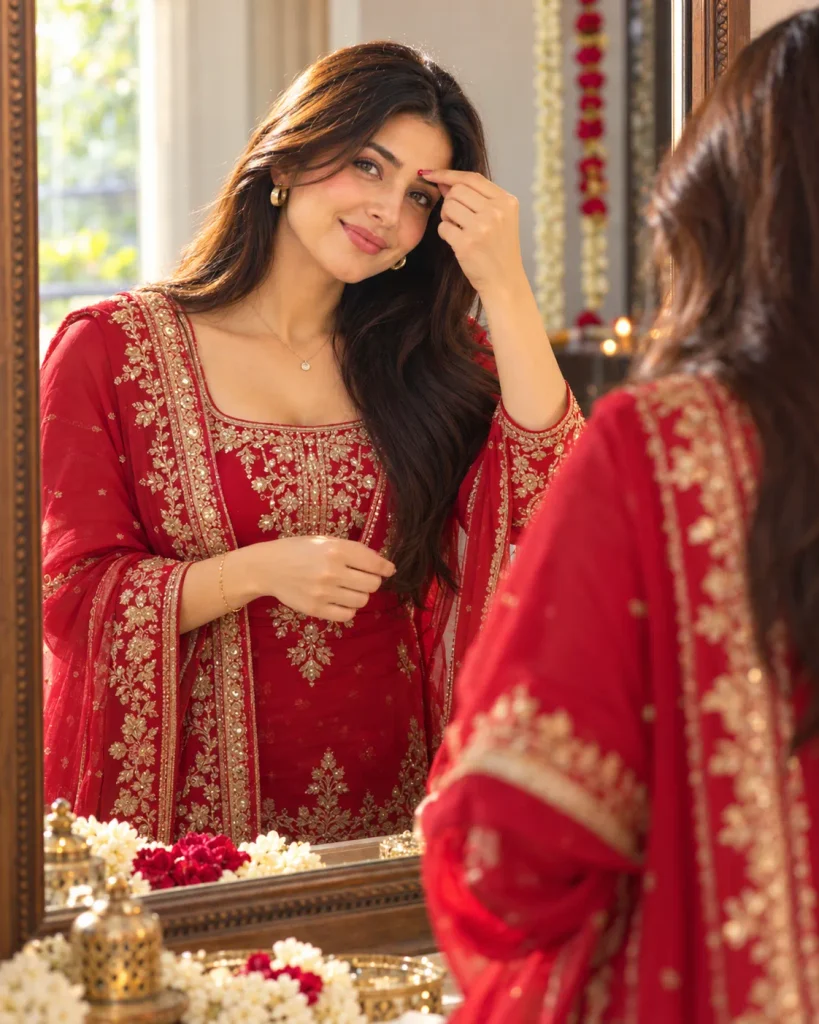
MIRROR SCENE: Create a realistic portrait of a woman adjusting her bindi before Karwa Chauth celebrations. CAMERA AND LIGHT: Use a 50mm lens, soft window light, gentle shadows, and a clear natural reflection. IDENTITY LOCK: Preserve the exact face, facial proportions, and skin texture shown in the reference photo. STYLING: Dress her in a red embroidered suit with small gold earrings and a neatly arranged dupatta. ROOM DETAILS: Add a simple mirror frame and subtle festive flowers. NEGATIVE PROMPT: face alteration, identity mismatch, plastic skin, artificial AI look, over smoothing, cartoon rendering, anime style, harsh digital HDR, distorted features, double jewelry overlays, cluttered backgrounds, text overlays.
Prompt 8. Royal Maroon Saree in a Heritage Courtyard
This look suits anyone who prefers a rich, traditional portrait. A heritage courtyard and deep maroon fabric create an elegant mood without needing heavy effects.
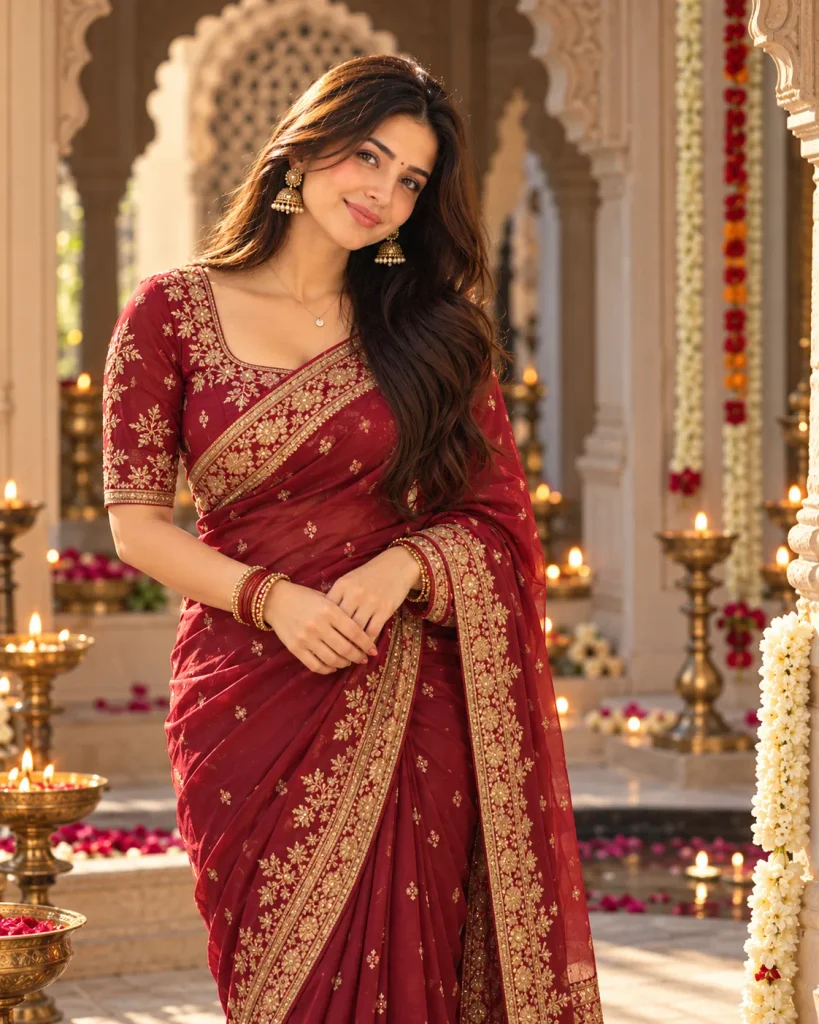
HERITAGE SETTING: Create a regal Karwa Chauth portrait in a traditional Indian courtyard with carved stone arches. OUTFIT AND POSE: Style the woman in a maroon silk saree with gold embroidery, classic earrings, and a poised standing pose. IDENTITY CONTROL: Keep her exact face, natural skin texture, and original facial features unchanged. CAMERA AND EXPOSURE: Use an 85mm lens, soft directional light, and balanced shadows. BACKGROUND MOOD: Include subtle brass diyas and muted floral decorations. NEGATIVE PROMPT: face alteration, identity mismatch, plastic skin, artificial AI look, over smoothing, cartoon rendering, anime style, harsh digital HDR, distorted features, double jewelry overlays, cluttered backgrounds, text overlays.
Prompt 9. Close-Up Behind a Sheer Embroidered Dupatta
The sheer dupatta creates a soft, dreamy frame around the face. I would keep the fabric transparent enough to show the embroidery and preserve clear facial details.
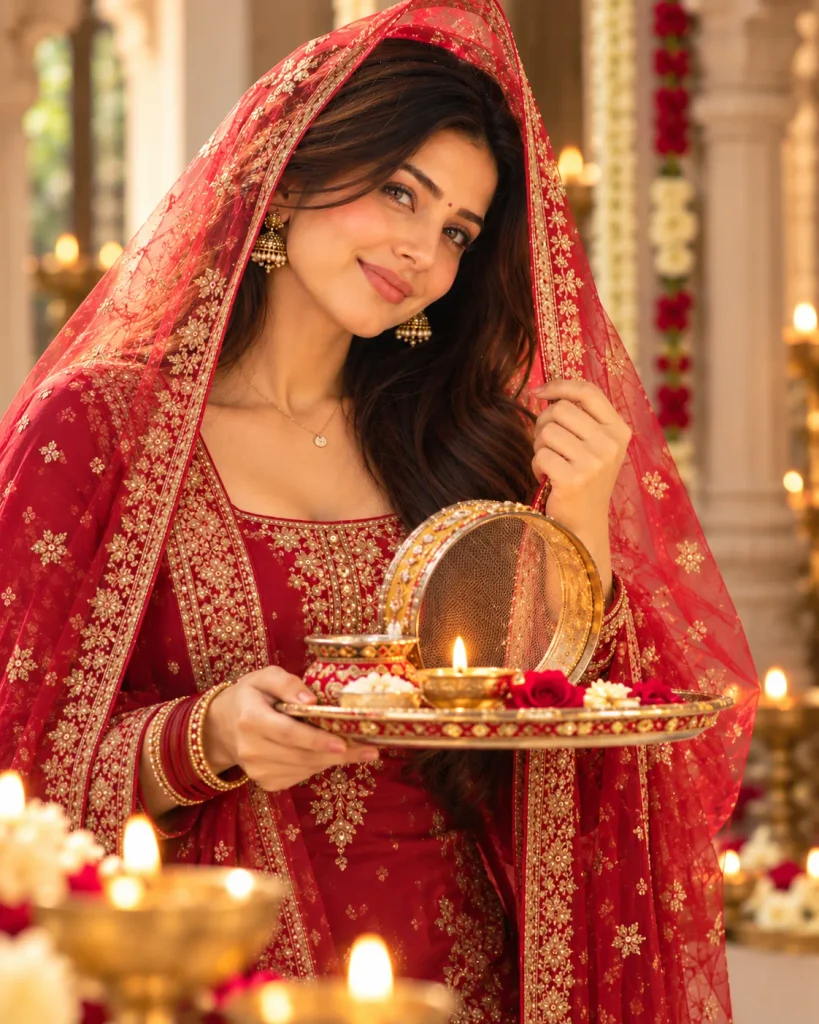
PORTRAIT COMPOSITION: Frame the woman's face behind a sheer red dupatta with delicate gold embroidery. LIGHT AND CAMERA: Use diffused window light, an 85mm portrait lens, and gentle background blur. IDENTITY PRESERVATION: Retain her exact facial features, skin tone, and natural skin texture from the original photo. WARDROBE AND EXPRESSION: Show a traditional embroidered suit, subtle earrings, and a calm festive expression. BACKGROUND: Add softly glowing diyas and warm neutral decor. NEGATIVE PROMPT: face alteration, identity mismatch, plastic skin, artificial AI look, over smoothing, cartoon rendering, anime style, harsh digital HDR, distorted features, double jewelry overlays, cluttered backgrounds, text overlays.
Prompt 10. Blue-Hour Terrace Portrait with Glowing Diyas
Blue-hour lighting gives this portrait a lovely contrast between the cool sky and warm diyas. It works well for a modern festive photo with a traditional outfit.
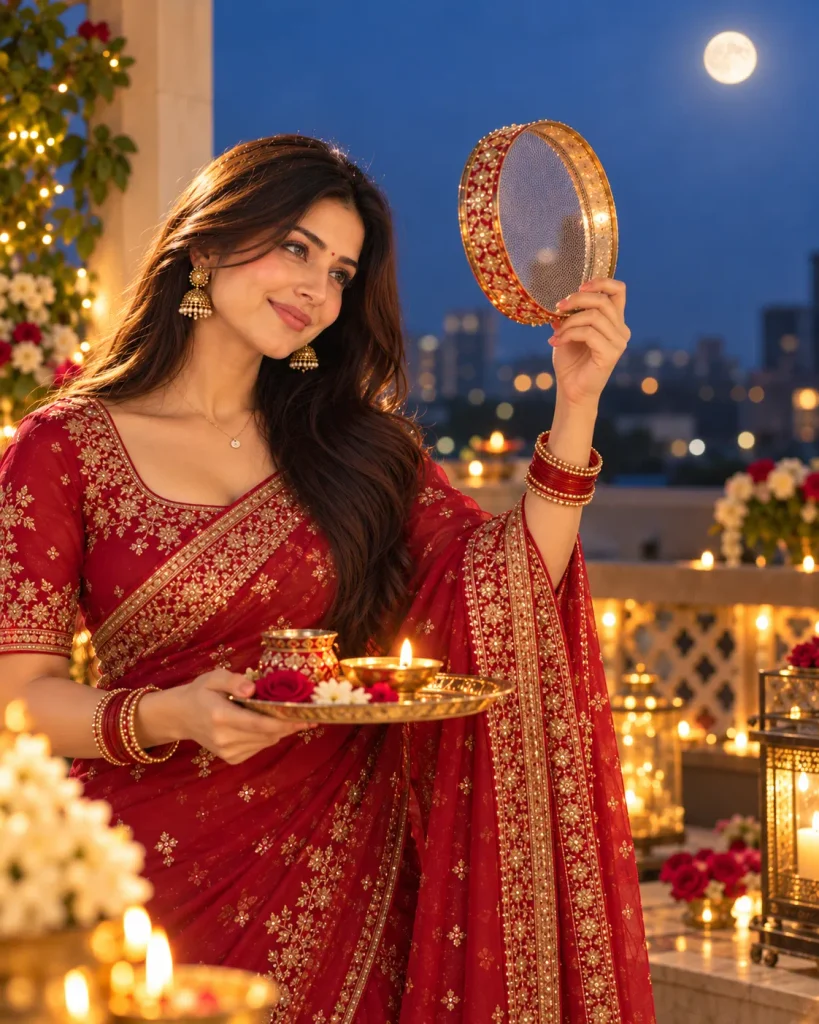
BLUE-HOUR SCENE: Create a realistic Karwa Chauth terrace portrait just after sunset, with glowing diyas nearby. CAMERA AND EXPOSURE: Use a 50mm lens, balanced low-light exposure, soft shadows, and natural warm highlights. FACE PRESERVATION: Keep the woman's exact identity, facial proportions, and realistic skin texture. OUTFIT AND POSE: Style her in a deep red embroidered saree with gold earrings, looking gently toward the moon. ENVIRONMENT: Show a blue evening sky, distant city lights, and a few flower arrangements. NEGATIVE PROMPT: face alteration, identity mismatch, plastic skin, artificial AI look, over smoothing, cartoon rendering, anime style, harsh digital HDR, distorted features, double jewelry overlays, cluttered backgrounds, text overlays.
How I Would Use These Prompts in Gemini AI or ChatGPT
- Choose a clear photo. Pick a picture where your face is visible and well lit. A front facing photo is a good starting point.
- Open your AI tool. Upload your photo to Gemini AI or ChatGPT, then paste one complete prompt.
- Check the first result. Look closely at your face, hands, jewellery, outfit, and dupatta. These details can change during editing.
- Make small corrections. If your face looks different, ask the tool to preserve your original identity. You can also upload a clearer photo and try again.
Best Image Size for Karwa Chauth Photos
For Instagram posts, try a portrait size of 1080 × 1350 pixels. For Instagram Stories and Reels covers, use 1080 × 1920 pixels. A square size of 1080 × 1080 pixels works well for WhatsApp profile pictures, though the circular crop may hide some details.
My tip: Choose portrait size for saree and full outfit shots. It gives the clothes more room in the frame.
How to Customize These Prompts for Your Own Style
- Replace the red saree with your favourite outfit or suit style.
- Add your preferred jewellery, such as jhumkas, bangles, or a maang tikka.
- Change the setting to a balcony, rooftop, garden, or indoor festive corner.
- Ask for softer lighting if the first result looks too bright.
- Keep the identity instructions when changing the outfit or background.
Keep your changes small at first. Changing too many details at once can make it harder to see what improved the result.
Sharing Your Karwa Chauth Photos on Social Media
These portraits work well for Instagram posts, Stories, WhatsApp status updates, and festive profile pictures. Choose a caption that feels personal, such as “A little moonlight, a little mehendi, and a heart full of love. 🌙❤️”
Try relevant hashtags like #KarwaChauth2026, #KarwaChauthLook, #KarwaChauthPhotography, #IndianFestiveLook, and #SareeLook.
My tip: Use a mix of festive and outfit related hashtags. Choose the ones that match your actual photo.
Questions People Ask Me About These Karwa Chauth Photo Prompts
1. Can I create realistic Karwa Chauth photos with AI?
Yes, you can create realistic looking portraits using a clear reference photo and detailed instructions. Results vary, so check your facial features and jewellery carefully.
2. Does Gemini AI work for Karwa Chauth photo editing?
Gemini AI can help create festive edits from a reference image when image editing is available. The result depends on the photo, prompt, and features available to your account.
3. What should I do if AI changes my face in a Karwa Chauth photo?
Use a clearer original photo and repeat the identity instructions. Ask for changes to the lighting and background only, while keeping your face unchanged.
4. How can I make my AI Karwa Chauth photo look like a real photoshoot?
Describe the camera lens, light direction, fabric texture, and background. Avoid asking for too many glowing effects because they can make skin look unnatural.
5. Which Karwa Chauth AI prompt is best for Instagram?
The red saree twirl is a good choice for a lively post, while the golden sieve portrait suits a traditional festive look. Choose based on the mood you want.
Last Words
For me, the nicest part of a Karwa Chauth portrait is the little detail that makes it feel like your own celebration. It could be the mehendi on your hands, the glow from a diya, or the way your dupatta catches the evening breeze.
One thing I would pay close attention to is the face. Beautiful lighting can make a picture feel dreamy, but your natural features are what make it personal. I would rather have a simple, realistic portrait than an edit with too many effects.
Start with the prompt that matches your outfit and mood. Try it once, check the details, and make small changes until you like the result. You do not need a perfect first attempt.
I hope one of these ideas helps you create a Karwa Chauth picture you feel happy sharing. ❤️