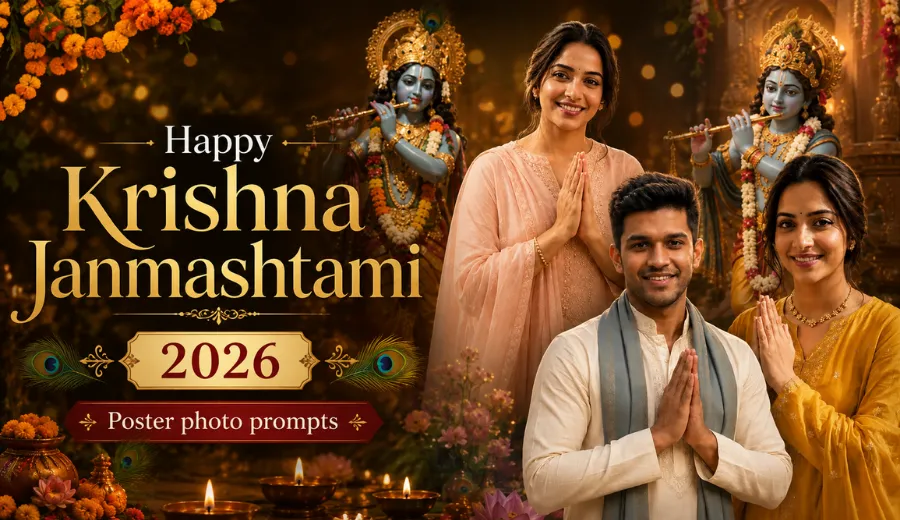
I wanted to make something different for Krishna Janmashtami this year, so I started testing a few festival poster ideas with my own photo. After trying different temple backgrounds, Krishna elements, lighting styles and prayer poses, I found some combinations that looked much more natural. That is why I created these Krishna Janmashtami 2026 poster prompts for anyone who wants to make a festive poster from their own photo. These copy paste AI photo prompts are useful for Janmashtami photo editing, Krishna poster ideas and trending photo prompts.
I made these prompts specially for ChatGPT and tested the designs with realistic photo editing in mind. The uploaded photo stays as the main reference, while the prompt changes the outfit, setting, lighting and Krishna themed details. I have added the ChatGPT results here because those looked the most real to me during testing. You can also use these prompts in Gemini AI and see how the results compare. The prompts can be used with different personal photos, so you can create a design that feels more like your own Janmashtami greeting.
Happy Krishna Janmashtami 2026 Poster Prompts
I designed these prompts for a festive personal photo edit where the person stands with folded hands. Every design has “Happy Krishna Janmashtami” and “2026” clearly placed on the poster, with a short familiar Krishna greeting.
Prompt 1. Krishna Blessing Temple Poster
This one is designed like a grand devotional greeting poster. I kept Krishna’s presence behind the person so the bhakt and Bhagwan feeling stays clear.
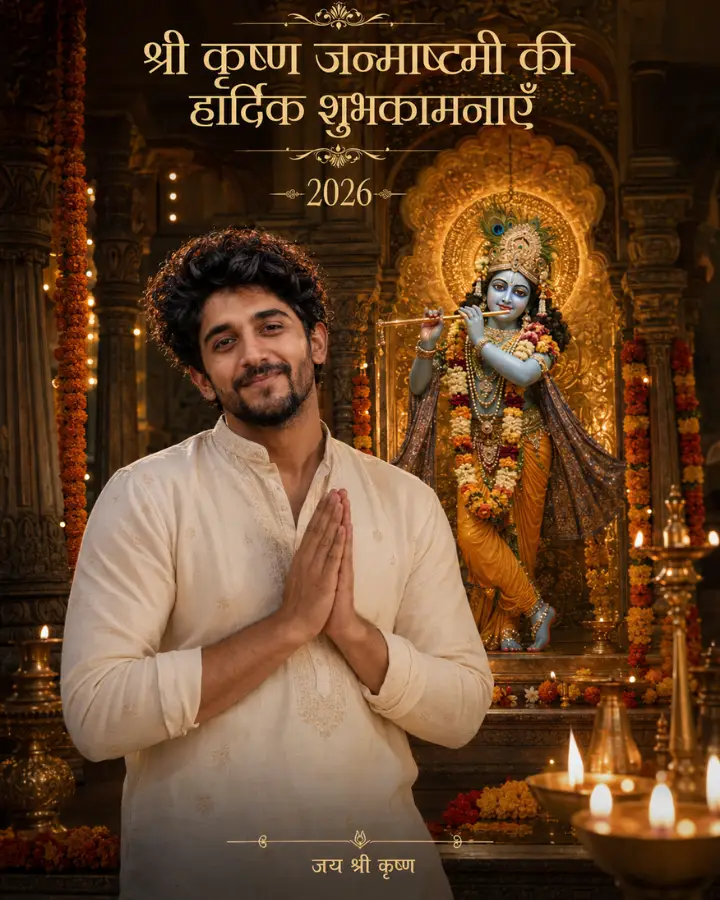
Create a premium Krishna Janmashtami festival poster using my uploaded photo, placing me inside a magnificent Indian temple decorated for the celebration. Keep my exact facial identity, natural skin texture, hairstyle, facial proportions and original appearance unchanged. Show me standing respectfully with both hands joined in namaste, slightly turned toward a beautifully detailed Krishna deity figure placed behind and above me, creating a clear devotee and divine presence composition. Dress me in an elegant cream kurta with subtle traditional embroidery. Use a 50mm full frame camera look, warm temple illumination, soft facial fill, realistic shadows and natural depth. Add brass diyas, marigold garlands, temple pillars and a soft golden halo around the Krishna deity artwork. Place the main greeting slightly below the upper margin as “श्री कृष्ण जन्माष्टमी की हार्दिक शुभकामनाएँ”, with “2026” underneath and “जय श्री कृष्ण” in small Hindi lettering near the lower area. Keep typography elegant and never cover my face. Negative prompt: face alteration, identity mismatch, plastic skin, artificial AI look, over smoothing, cartoon rendering, anime style, harsh digital HDR, distorted features, double jewelry overlays, cluttered backgrounds, text overlays.Prompt 2. Krishna Flute Devotion Poster
This design uses the flute as the main Krishna symbol. I kept the personal photo large while the divine element remains slightly behind for depth.
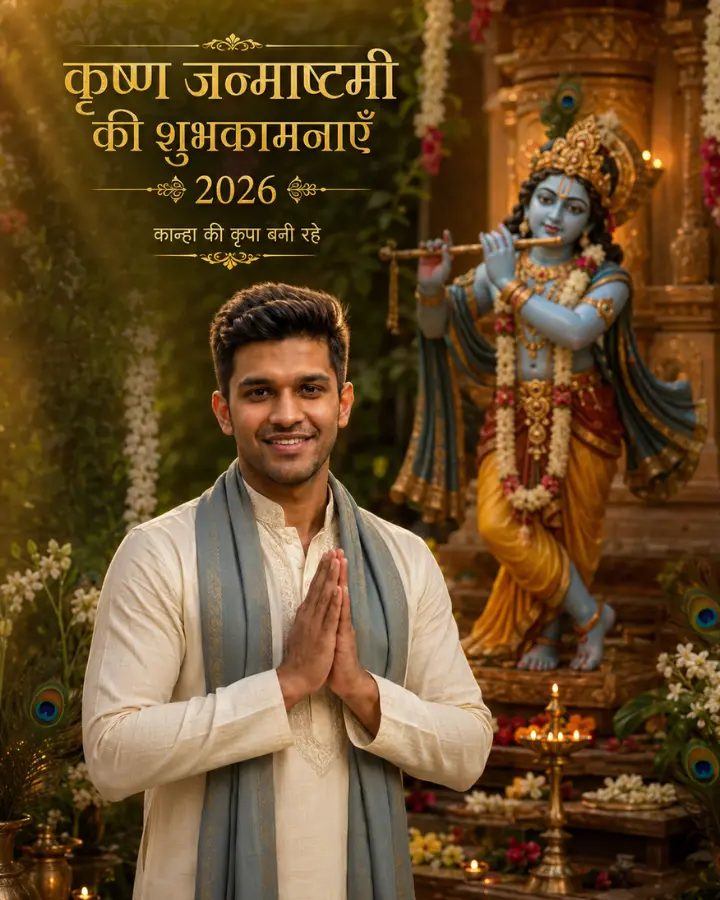
Create an elegant Krishna Janmashtami poster around my uploaded photograph, using a warm temple garden setting with a detailed Krishna deity holding a traditional flute in the background. Preserve my exact facial identity, natural complexion, facial structure, eyes, lips, eyebrows, hairline and hairstyle without changing my real appearance. Show me standing upright with both hands folded in namaste, slightly angled toward the Krishna figure with a peaceful expression. Dress me in a soft cream kurta with a muted blue stole. Use a 70mm professional camera appearance, diffused golden hour lighting, subtle backlight, realistic skin exposure and soft background separation. Add peacock feathers, jasmine flowers, small diyas and gentle greenery around the scene. Instead of the usual English greeting, place “कृष्ण जन्माष्टमी की शुभकामनाएँ” slightly below the top area, add “2026” beneath it and use “कान्हा की कृपा बनी रहे” as a small supporting Hindi line. Keep the text elegant and away from my face. Negative prompt: face alteration, identity mismatch, plastic skin, artificial AI look, over smoothing, cartoon rendering, anime style, harsh digital HDR, distorted features, double jewelry overlays, cluttered backgrounds, text overlays.Prompt 3. Royal Temple Janmashtami Poster
I wanted the first design to feel grand and traditional without making the frame too crowded. The royal blue and golden temple setting gave me a strong festival poster look.
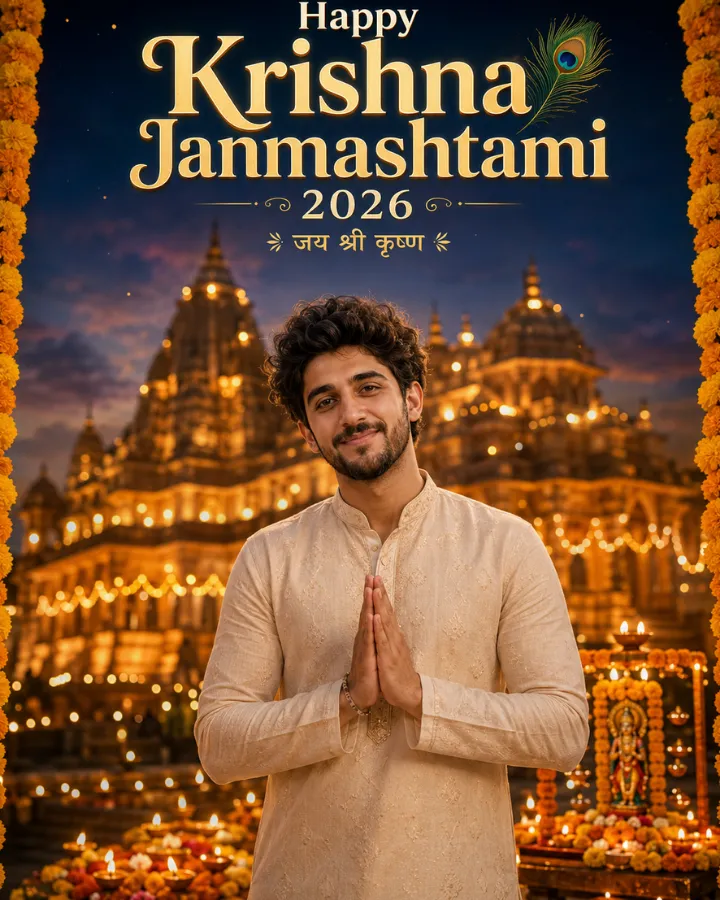
Create a grand Krishna Janmashtami 2026 greeting poster using my uploaded photo, placing me naturally in front of a magnificent Indian temple at evening time. Keep my exact face, facial structure, skin texture, hairstyle, hairline and natural appearance unchanged. Dress me in an elegant cream kurta with subtle traditional detailing and show me standing upright with both hands joined respectfully in a namaste pose. Use a 50mm DSLR look, warm temple lighting, soft facial illumination, realistic shadows and detailed fabric texture. Add glowing diyas, marigold garlands and gentle golden bokeh behind me. Clearly display “Happy Krishna Janmashtami” and “2026” at the top, with “जय श्री कृष्ण” below in small Hindi lettering. Negative prompt: face alteration, identity mismatch, plastic skin, artificial AI look, over smoothing, cartoon rendering, anime style, harsh digital HDR, distorted features, double jewelry overlays, cluttered backgrounds, text overlays.Prompt 4. Grand Golden Krishna Darbar
I made this one more luxurious with gold and maroon tones. It works like a premium festival greeting poster with a strong divine atmosphere.
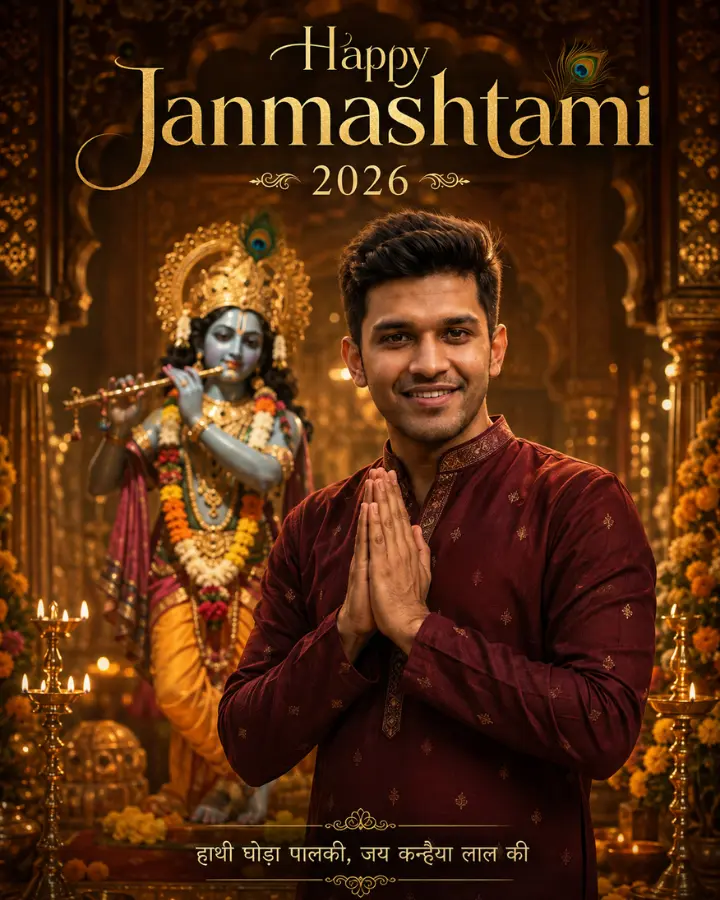
Build a luxurious Krishna Janmashtami 2026 greeting poster from my uploaded photo, placing me inside a grand golden temple setting with a beautifully decorated Krishna deity figure positioned behind me. Preserve my exact identity and all natural facial details, including real skin texture, facial proportions, eyes, nose, lips, hair and original hairstyle. Show me standing respectfully with both hands joined in namaste, with my body slightly angled toward the divine figure. Dress me in a rich maroon kurta with subtle gold detailing and realistic woven fabric. Use an 85mm full frame photography look, warm directional temple lighting, soft frontal illumination, gentle golden rim light and controlled reflections. Add ornate arches, brass diyas, marigold garlands and subtle golden bokeh. Place “Happy Janmashtami” slightly below the upper margin in refined lettering, followed by “2026”. Add the familiar Hindi line “हाथी घोड़ा पालकी, जय कन्हैया लाल की” in a smaller size near the lower third. Keep the poster elegant and uncluttered. Negative prompt: face alteration, identity mismatch, plastic skin, artificial AI look, over smoothing, cartoon rendering, anime style, harsh digital HDR, distorted features, double jewelry overlays, cluttered backgrounds, text overlays.Prompt 5. Midnight Krishna Celebration
The deep blue night theme gives this one a more cinematic feeling. Warm lamps against the darker background also helped create a beautiful festival contrast.
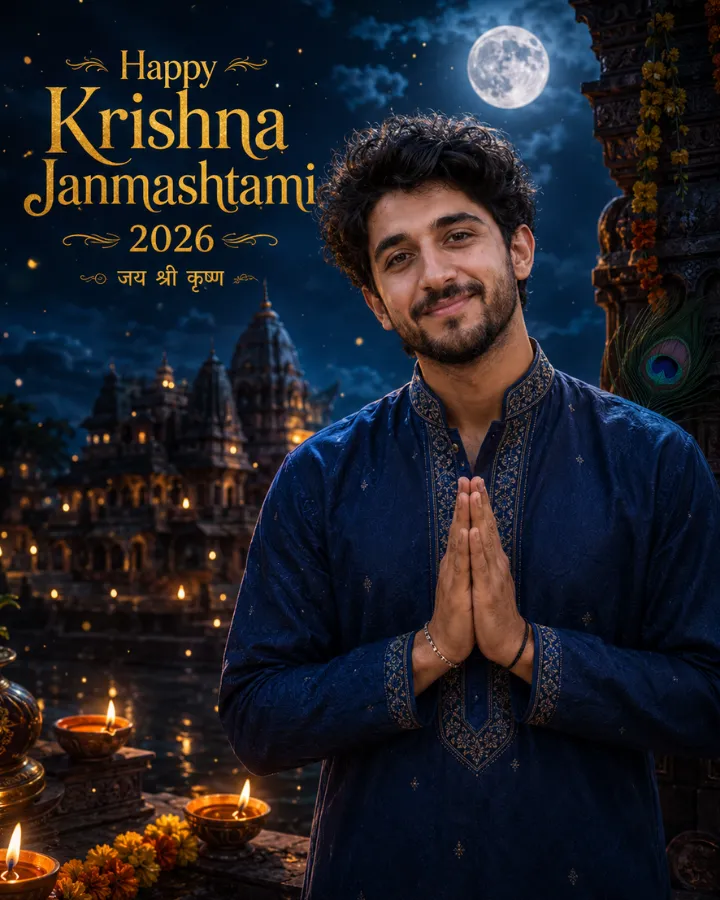
Design a cinematic midnight Janmashtami poster from my uploaded photograph, using a deep navy night atmosphere with a softly illuminated Indian temple in the distance. Keep my face completely faithful to the original photo with unchanged facial geometry, natural pores, hairstyle, skin tone and authentic features. Give me a dark royal blue kurta and position me standing straight with both hands folded together in a respectful namaste gesture. Use a 35mm full frame camera appearance, cool moonlight from behind, warm diya light across the face, controlled highlights and realistic shadow transitions. Add a few diyas, subtle golden particles and a faint peacock feather detail. Write “Happy Krishna Janmashtami” clearly in the upper left, “2026” directly below it and “जय श्री कृष्ण” in small Hindi lettering underneath. Negative prompt: face alteration, identity mismatch, plastic skin, artificial AI look, over smoothing, cartoon rendering, anime style, harsh digital HDR, distorted features, double jewelry overlays, cluttered backgrounds, text overlays.Prompt 6. Peacock Feather Festive Poster
I kept this design cleaner by using the peacock feather as the main Krishna inspired detail. It works well when you want a modern poster instead of a heavily decorated festival scene.
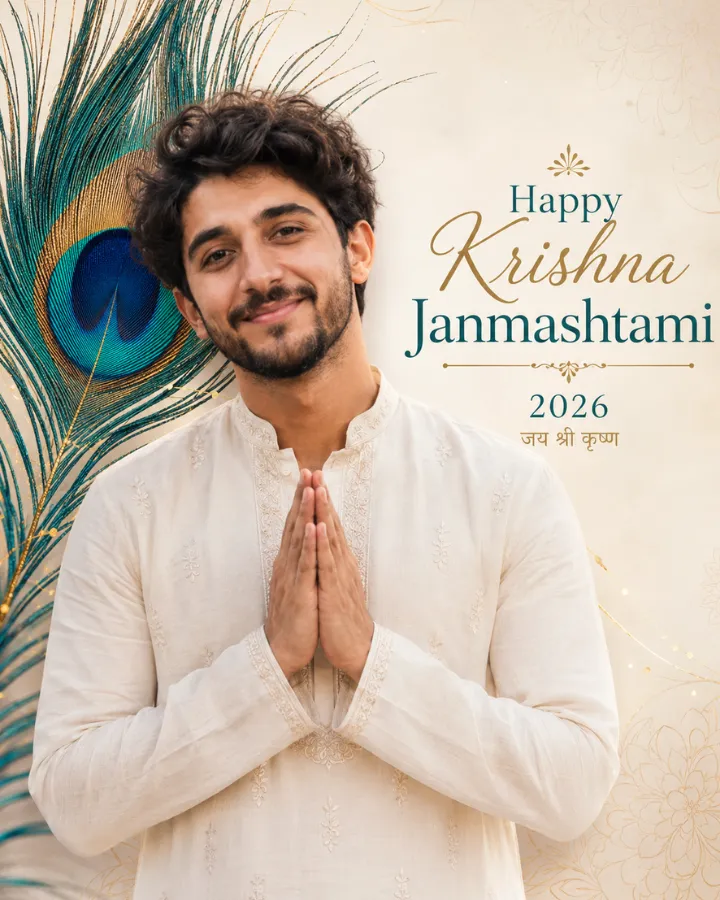
Build a stylish Janmashtami photo poster from my uploaded image using a clean ivory, teal and soft gold colour scheme with a large detailed peacock feather placed naturally in the background. Preserve my exact face and real appearance without changing facial structure, skin texture, eyes, eyebrows, nose, lips, hairline or hairstyle. Style me in an ivory kurta and show me standing comfortably with both hands folded in namaste, maintaining a calm natural expression. Use a 70mm editorial camera look, diffused softbox illumination, gentle side light and realistic tonal balance. Keep the background minimal with faint floral patterns, subtle golden glow and clean negative space. Add “Happy Krishna Janmashtami” in the upper right, “2026” below it and “जय श्री कृष्ण” in small Hindi lettering. Negative prompt: face alteration, identity mismatch, plastic skin, artificial AI look, over smoothing, cartoon rendering, anime style, harsh digital HDR, distorted features, double jewelry overlays, cluttered backgrounds, text overlays.Prompt 7. Peaceful Krishna Blessing Scene
This concept focuses more on the feeling of prayer and blessings. The person stays in the foreground while Krishna appears softly illuminated behind.
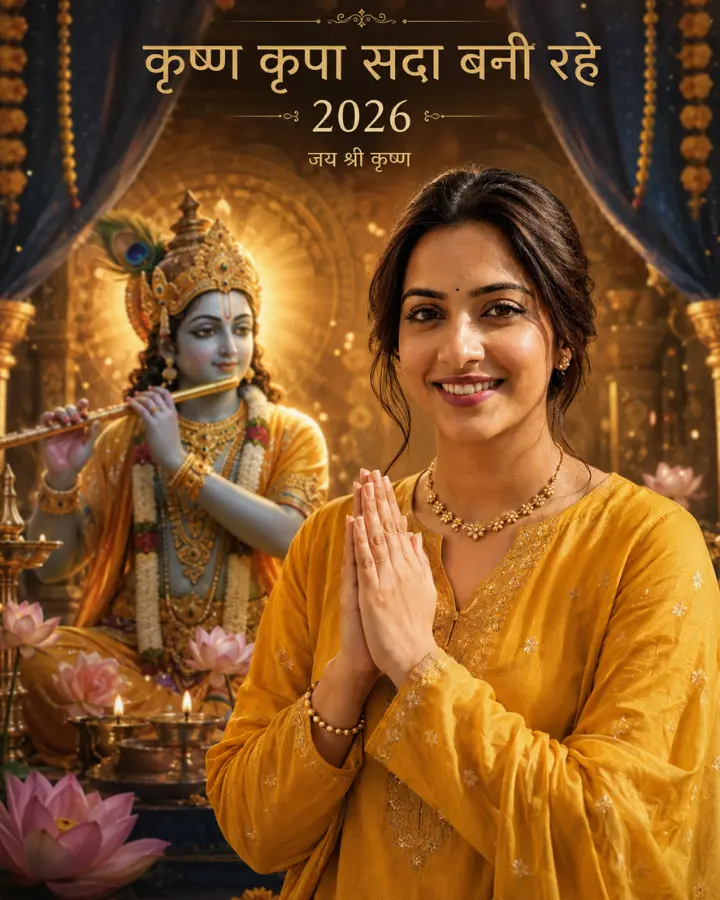
Transform my uploaded photo into a peaceful Krishna Janmashtami devotional poster with a softly illuminated Krishna deity figure appearing behind me as the central spiritual element. Keep my original identity completely faithful to the source photo, preserving facial structure, natural pores, skin tone, hairstyle, hairline and authentic expression. Show me standing with both hands joined in namaste, shoulders relaxed and body turned slightly toward the divine figure. Style me in a mustard yellow traditional kurta with subtle fabric detail. Use a 50mm DSLR photography effect, soft frontal light on my face, warm backlighting around the Krishna figure, realistic shadows and gentle atmospheric depth. Surround the setting with lotus flowers, brass diyas, temple curtains and subtle blue-gold decoration. Place “कृष्ण कृपा सदा बनी रहे” slightly below the upper margin, with “2026” underneath and “जय श्री कृष्ण” as the small supporting line. Make the Hindi typography crisp, balanced and separate from my face. Negative prompt: face alteration, identity mismatch, plastic skin, artificial AI look, over smoothing, cartoon rendering, anime style, harsh digital HDR, distorted features, double jewelry overlays, cluttered backgrounds, text overlays.
Prompt 8. Modern Janmashtami Festival Poster
I wanted one modern design that still feels clearly connected to Krishna. The clean blue background and subtle deity detail make it suitable for social sharing.
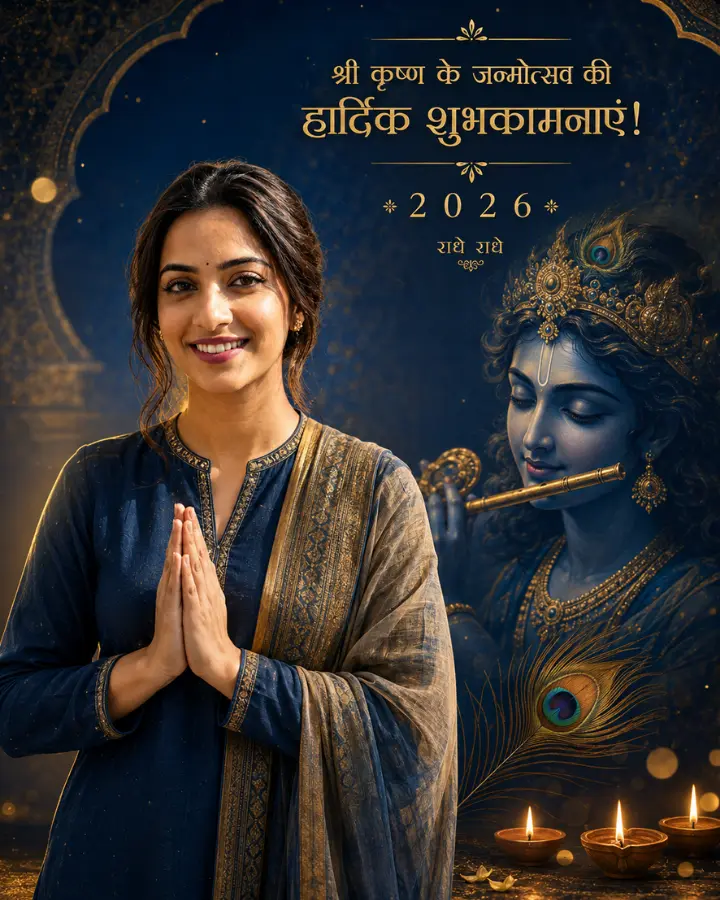
Create a modern premium Krishna Janmashtami social media poster using my uploaded photo against a sophisticated deep blue and warm gold environment. Keep my exact facial identity unchanged with natural pores, original facial proportions, eyes, eyebrows, nose, lips, hairline and hairstyle. Show me standing in a respectful namaste pose with both hands joined, positioned slightly to the left while a refined Krishna deity artwork with a flute appears softly on the opposite side. Dress me in a dark blue kurta with a simple traditional stole. Use a 70mm editorial camera style, soft key light, subtle golden rim illumination, realistic skin tones and controlled background depth. Add one detailed peacock feather, a few diyas and restrained golden particles. Place “श्री कृष्ण के जन्मोत्सव की हार्दिक शुभकामनाएं!” slightly below the top margin, followed by “2026”, and add “राधे राधे” in small Hindi lettering. Keep the design spacious with no excessive decoration and keep all typography away from my face. Negative prompt: face alteration, identity mismatch, plastic skin, artificial AI look, over smoothing, cartoon rendering, anime style, harsh digital HDR, distorted features, double jewelry overlays, cluttered backgrounds, text overlays.Prompt 9. Temple Bells and Krishna Poster
I used a more traditional composition here with temple bells and warm lamp light. The person appears to be offering a simple prayer while Krishna remains the visual focus behind.
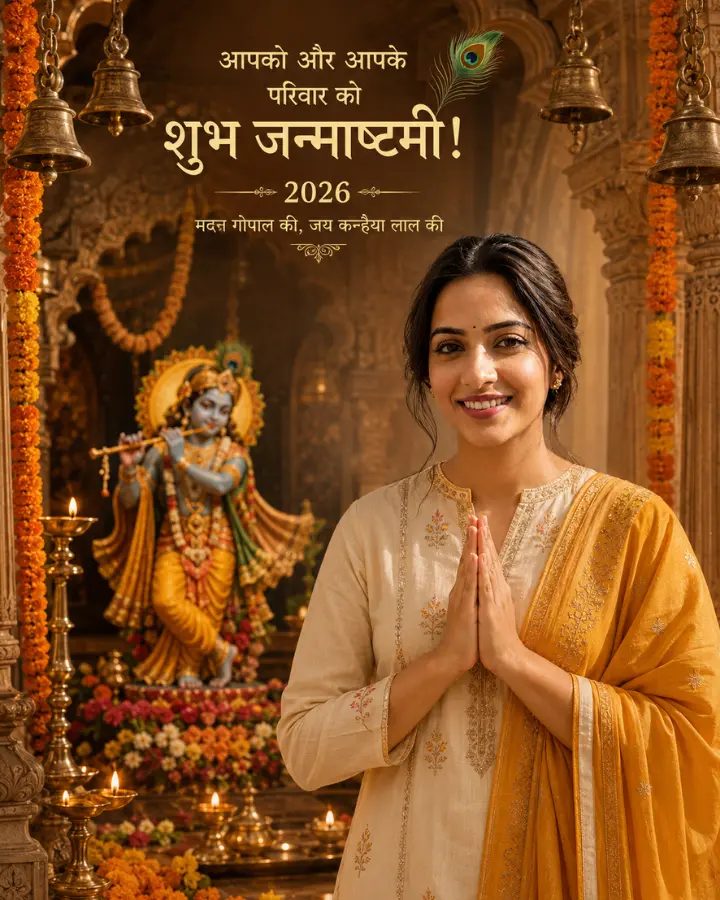
Create a traditional Krishna Janmashtami celebration poster from my uploaded image, placing me inside an ornate temple corridor with hanging bells, flowers and a beautifully detailed Krishna deity scene in the background. Maintain my original facial identity precisely, including natural skin texture, face shape, eyes, nose, lips, eyebrows, hairline and hairstyle. Show me standing naturally with both hands folded in namaste, slightly lowered shoulders and a calm respectful expression. Dress me in a cream and saffron kurta with realistic textile texture. Use a 50mm full frame camera appearance, warm practical diya lighting, soft side illumination and natural depth between foreground and background. Add brass bells, marigold strings, subtle temple carvings and gentle golden haze. Place “आपको और आपके परिवार को शुभ जन्माष्टमी!” slightly below the upper area, add “2026” underneath and include “मदन गोपाल की, जय कन्हैया लाल की” in a smaller elegant line. Keep the text readable, short and positioned away from my face. Negative prompt: face alteration, identity mismatch, plastic skin, artificial AI look, over smoothing, cartoon rendering, anime style, harsh digital HDR, distorted features, double jewelry overlays, cluttered backgrounds, text overlays.Prompt 10. Floral Krishna Janmashtami Greeting
This one has a brighter and softer festive mood. The floral frame and Krishna details make it feel like a warm personal greeting card.
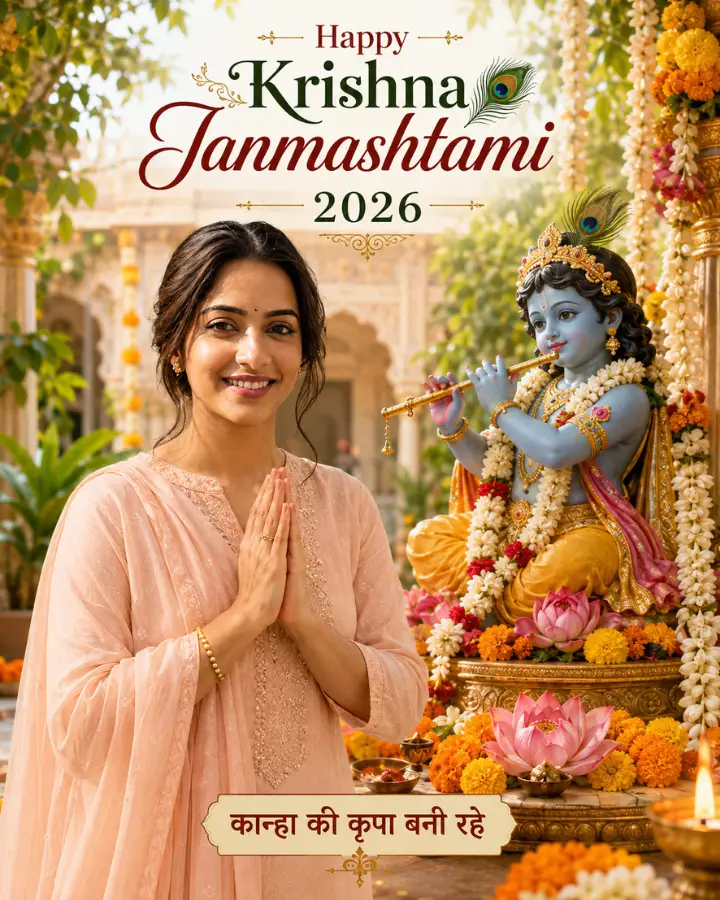
Turn my uploaded photograph into a beautiful floral Krishna Janmashtami greeting poster with a bright Indian temple courtyard, soft greenery and a graceful Krishna deity representation surrounded by flowers. Preserve my exact face and real appearance, including natural skin pores, facial proportions, eyes, eyebrows, nose, lips, hairline and hairstyle. Show me standing with both hands joined in namaste, slightly turned toward the Krishna figure while maintaining a natural gentle expression. Dress me in a light peach kurta with realistic fabric texture. Use a 50mm prime lens look, diffused morning sunlight, soft facial fill, realistic shadows and natural background blur. Decorate the scene with marigold flowers, jasmine strings, lotus details and a few small diyas. Place “Happy Krishna Janmashtami” slightly below the top section, followed by “2026”. Add “कान्हा की कृपा बनी रहे” as a short Hindi line near the lower area. Keep the composition clean and make every text element clearly separated from my face. Negative prompt: face alteration, identity mismatch, plastic skin, artificial AI look, over smoothing, cartoon rendering, anime style, harsh digital HDR, distorted features, double jewelry overlays, cluttered backgrounds, text overlays.Prompt 11. Divine Blue and Gold Celebration
I kept the final concept more cinematic and premium with a strong blue and gold combination. The prayer pose and divine Krishna setting give it the devotional finish I wanted.
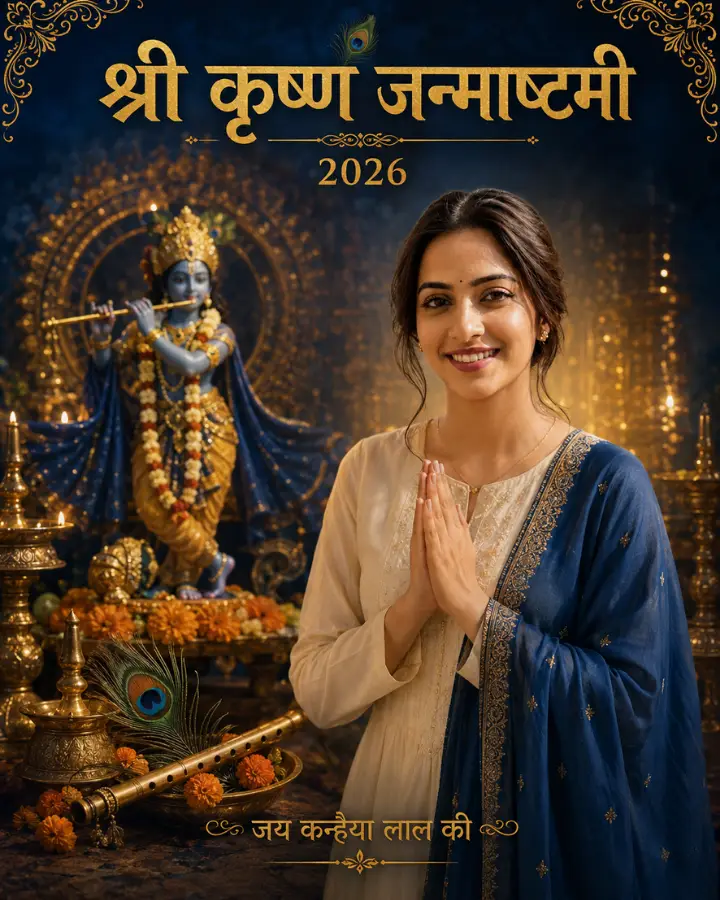
Create a cinematic Krishna Janmashtami festival poster from my uploaded photo using a rich midnight blue and antique gold colour palette, with a beautifully illuminated Krishna deity scene forming the visual background. Preserve my exact original identity, natural facial texture, facial proportions, eyes, eyebrows, nose, lips, hairline and hairstyle without modification. Show me standing respectfully with both hands folded in namaste, positioned slightly forward with my body angled toward Krishna and a peaceful expression. Dress me in a cream kurta with a deep blue stole and realistic textile detail. Use an 85mm lens appearance, soft neutral face lighting, warm golden backlight, subtle atmospheric haze and realistic depth. Add a flute, peacock feather, brass lamps, marigold flowers and restrained temple decoration. Place “श्री कृष्ण जन्माष्टमी” slightly below the upper margin, “2026” directly beneath it and “जय कन्हैया लाल की” as the short Hindi greeting near the bottom. Keep typography elegant, readable and away from my face. Negative prompt: face alteration, identity mismatch, plastic skin, artificial AI look, over smoothing, cartoon rendering, anime style, harsh digital HDR, distorted features, double jewelry overlays, cluttered backgrounds, text overlays.Prompt 12. Floral Janmashtami Courtyard
This one uses brighter colours and a natural outdoor festive setting. The soft flowers and daylight make the final design feel warm and welcoming.
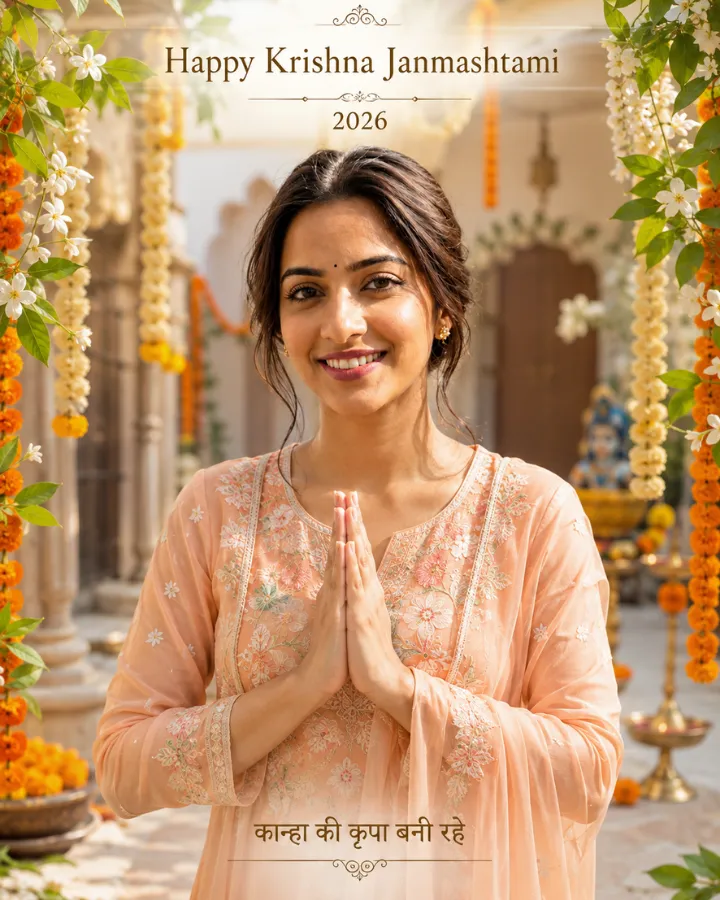
Transform my uploaded photo into a bright Janmashtami celebration scene set in a beautiful Indian courtyard decorated with marigold flowers, jasmine strings and small traditional lamps. Preserve my exact real identity with unchanged facial features, natural skin pores, facial proportions, hairstyle, hairline and authentic expression. Dress me in a soft peach kurta and show me standing naturally with both hands folded together in namaste, facing the camera. Use a 50mm prime lens appearance, diffused morning sunlight, gentle face fill, realistic fabric texture and soft environmental shadows. Keep flowers around the outer frame while leaving clear space around my face. Add “Happy Krishna Janmashtami” at the top center, “2026” directly below and “कान्हा की कृपा बनी रहे” as a small Hindi line at the bottom. Negative prompt: face alteration, identity mismatch, plastic skin, artificial AI look, over smoothing, cartoon rendering, anime style, harsh digital HDR, distorted features, double jewelry overlays, cluttered backgrounds, text overlays.How to Use These Prompts
These prompts are made mainly for ChatGPT image editing with your own photo. You can also try them in Gemini AI if you prefer its image editing results.
- Choose a clear photo: Use a photo where your face is easy to see. A sharp photo with good light usually gives me better results.
- Upload your photo first: Add your photo to ChatGPT. Then paste the complete prompt below it.
- Check the first result: Look at your face, folded hands, kurta, Krishna elements and poster text. These are the parts I check first.
- If the face looks different, I use a clearer source photo and run the same prompt again.
Which Poster Size Is Best for Your Janmashtami Poster?
The right size depends on where you want to share your Janmashtami poster. I usually decide the format before editing because it helps the AI frame the person and text better.
| Size | Best For | Why I Would Use It |
|---|---|---|
| 4:5 | Instagram & Facebook posts | Best overall choice for a full festival poster |
| 9:16 | WhatsApp Status & Instagram Story | Perfect for full screen vertical sharing |
| 1:1 | Instagram square posts | Good for a simple centred design |
| 16:9 | YouTube thumbnail & wide screens | Gives more space for temple and Krishna elements |
| A4 | Printing at home or shop | Best for a physical Janmashtami poster |
| A3 | Larger wall or event poster | Better when you want a bigger printed design |
My quick pick: For social media, I would choose 4:5. For WhatsApp Status, use 9:16. For printing, choose A4 or A3 and generate the image at the highest available quality.
How to Customize the Janmashtami Poster Prompts
You do not need to change the full prompt to get a different Janmashtami poster. I usually change only one or two parts at a time so the original look stays natural.
- Background: Replace the temple courtyard with a night temple, decorated hall or Vrindavan inspired setting. Keep the lighting close to your chosen background.
- Change the Main Greeting: You can replace the main line with “श्री कृष्ण जन्माष्टमी की शुभकामनाएँ” or “Happy Janmashtami”. Keep it short and clear.
- Change the Hindi Line: Try “जय श्री कृष्ण”, “राधे राधे” or “जय कन्हैया लाल की”. I prefer one short line instead of several festival quotes.
- Text Position: If the upper area feels empty, place the greeting slightly below the top section. Keep it away from the face and hands.
- Font Style: For a traditional poster, ask for elegant Devanagari lettering. For a modern design, use clean bold lettering with simple spacing.
- Pose: Keep both hands joined, but change the body angle. You can ask for a front facing, slight side angle or a gentle prayer stance.
- Expression: A soft smile gives a warm greeting feel. A calm expression works better for a more devotional Krishna theme.
- Change the Krishna Element: You can use a Krishna deity, flute, peacock feather or temple Krishna artwork. Keep one main element so the poster does not become crowded.
- Outfit Colour: Cream, saffron, blue and maroon work well with Krishna themed backgrounds. I usually match the outfit with the main background colour.
- Lighting: For a dusk look, ask for soft sunset light and warm diya light. For a night design, use cool blue ambient light with warm lamps.
My Quick Tip: Change only one thing in your first edit. I found that changing the background, pose and text together can make the result less predictable. I usually fix the composition first, then adjust the greeting and colours in the next generation.
Post Publishing Tips
I usually keep a Janmashtami poster post simple and festive. First, choose the edited photo where your face, folded hands and Krishna theme look natural. For a normal Instagram post, I prefer the 4:5 size because the poster gets good space in the feed.
- Keep the caption short. Mention the Krishna Janmashtami poster and add one simple line about creating it with an AI photo prompt.
- Use a few relevant hashtags related to Krishna Janmashtami, AI photo editing and festive photography. I prefer useful hashtags instead of adding too many.
- If the poster has Hindi text, keep the caption simple too. A short devotional line can match the design better.
- For WhatsApp Status or Instagram Story, use the 9:16 version instead of cropping the 4:5 poster.
For the caption, something natural works better than a long promotional line. For example, you can write: “Created this Krishna Janmashtami 2026 poster with an AI photo prompt. I really liked how the Krishna theme and folded hands came together.”
Then add a few related hashtags such as #KrishnaJanmashtami #Janmashtami2026 #AIPhotoEdit #KrishnaPoster #JanmashtamiPoster.
FAQ
Which AI tool should I use for these prompts?
These prompts are made specially for ChatGPT image editing. I have added ChatGPT results in this post because those were the ones I personally liked most. You can also use the same prompts in Gemini AI.
Can both boys and girls use these Janmashtami prompts?
Yes. I designed these prompts so both boys and girls can use any design with their own photo. You can also change the outfit colour, pose angle or background if you want a slightly different look.
Can I use these Janmashtami prompts in Gemini AI?
Yes, you can also use these prompts in Gemini AI. I created and tested this post mainly with ChatGPT, so the results shown here are from ChatGPT, but you can try the same prompts in Gemini AI as well.
Why do my results sometimes look different from the examples?
AI image results can change based on the uploaded photo and generation. If the first result is not right, try the same prompt again before making many changes.


